


About This Project
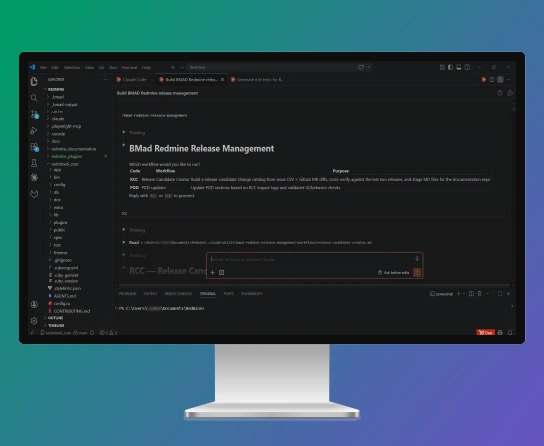
Softjourn maintains an internal instance of Redmine, a project management platform our teams use to track resource allocations, HR records, financial reporting, and delivery work.
Over years of customization, we have built substantial functionality on top of the base platform, and alongside that codebase sits a Product Design Document, or PDD, that describes how every part of the system works for the non-technical teams who rely on it, primarily project managers and HR.
When we migrated from one major version of Redmine to the next, the PDD fell badly out of sync. The platform had changed significantly; the documentation had not. Updating it the old way, section by section, by hand, was not viable at the pace the team needed.
What started as an effort to rescue a single internal document became a reusable workflow pattern with direct applications for any organization running a product with a regular release cadence and documentation that needs to keep pace.
The Need
Documentation debt is a familiar problem for software teams. Releases happen on a cadence, the product changes, and the documentation quietly falls behind. The cost of catching up always feels larger than the cost of waiting one more sprint, until waiting is no longer an option.
After the Redmine migration, the Product Design Document (PDD), a 170-page document covering every feature, field, and workflow in the platform, no longer reflected the product that project managers and HR teams were navigating every day.
Stakeholders were working from documentation that was months out of date, and the gap was growing with every release.
The numbers made the situation concrete. Updating a single section of the PDD cost our QA team approximately four hours of manual work. The team had been allocating roughly one day per sprint to documentation updates, and even at that pace a full refresh had taken four to five months. The moment a refresh was complete, the next release cycle would begin eroding it again.
There was also a structural problem underneath the volume issue. There was no automated connection between the sprint tickets in our project management system, the code changes in our version control repository, and the documentation.
Every release required someone to manually cross-reference what had shipped, identify which sections of the PDD were affected, make the updates, and verify that the live application matched the written description. Each of those steps was a manual handoff, and the cost accumulated fast.
When the migration created a documentation gap too large to close the old way, the team set out to answer a practical question: could an AI workflow take on this overhead sustainably?
It's a 170-page document we stopped touching half a year ago because the cost of updating it was so high. The new flow finally makes it sustainable.— Liubov Vovk, QA, Softjourn
The Solution
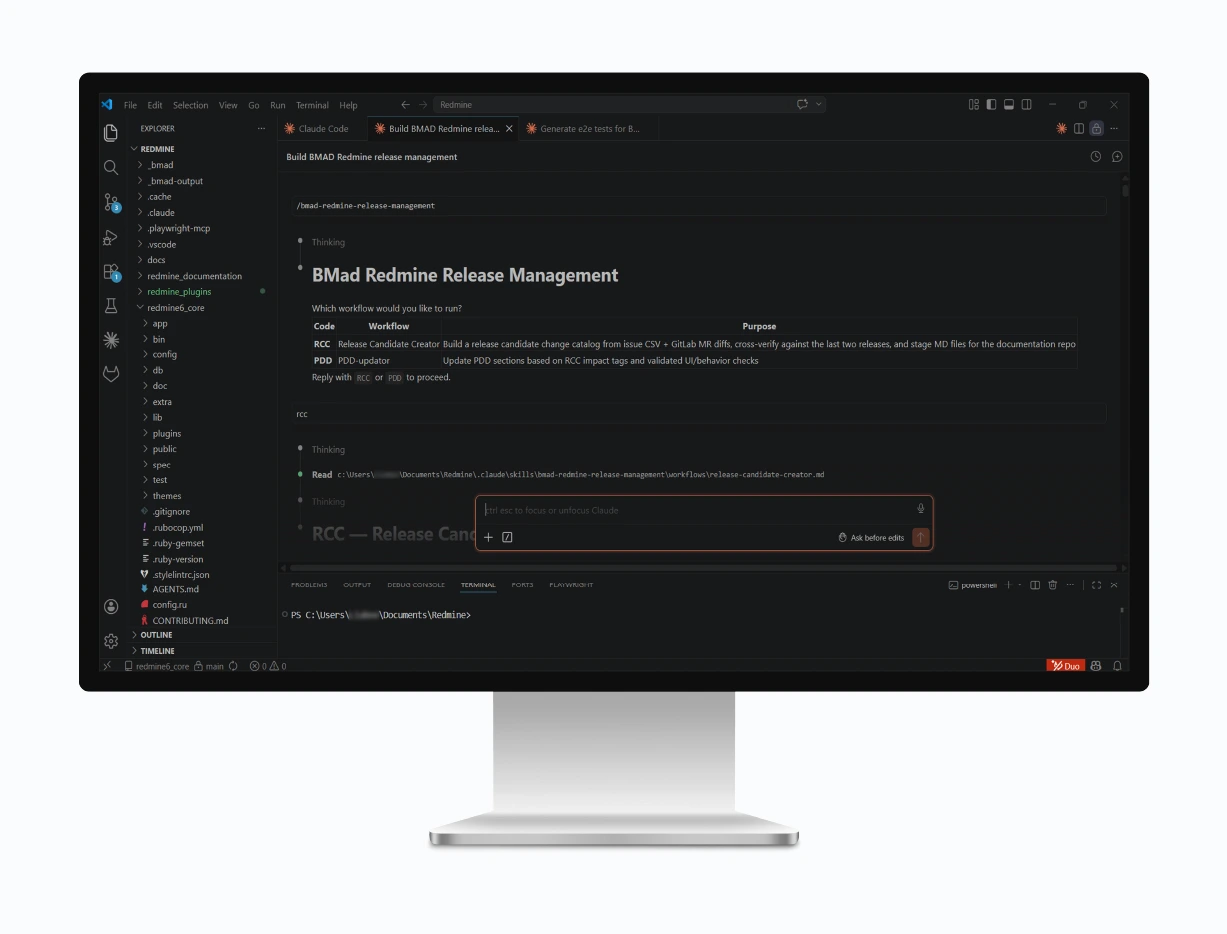
Our Business Analyst designed and built an end-to-end AI workflow using BMAD, an open-source agent framework that lets teams build, store, and trigger reusable AI workflows alongside a broader library of processes.
The result is two linked skills that take a sprint from close to updated documentation, with human review at each handoff point.
Step One: Generating the Release Candidate
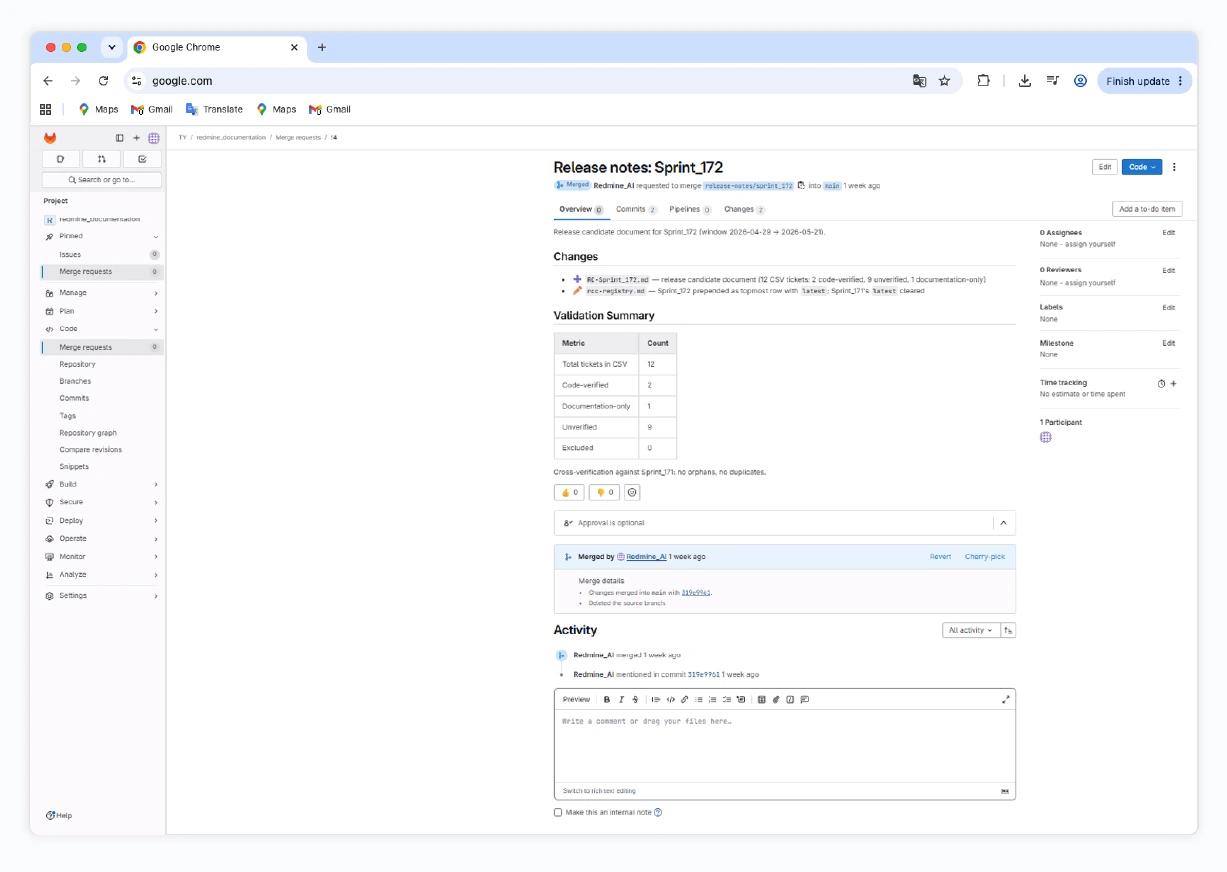
At the end of each sprint, the PM or QA exports the sprint's completed tickets and provides the sprint dates and release version. The first skill, the Release Candidate Creator, is triggered from within the team's development environment. It cross-references the ticket IDs against code changes in GitLab, flags anything that looks like a revert or an unmatched item, and asks for human confirmation before moving forward.
If a hotfix was shipped outside the normal sprint process, the skill catches it. During the first live run, the workflow identified a code change that was not in the ticket export and flagged it for the team to confirm before including it. That kind of catch, which previously required manual digging, now surfaces automatically.
The output is a structured Release Candidate document, committed to a dedicated repository with full traceability back to the tickets and code changes behind it. This document also serves as a standalone artifact that the team can share with stakeholders, something that previously had to be assembled by hand each release.
“As a team, we follow the Agile value of working software over comprehensive documentation – and we lived by it. Manually keeping our large documentation up to date simply wasn't a viable option; it would have come at the cost of product progress. This workflow finally resolved that tension for us.” – Iryna Branovska, Project Manager, Softjourn
Step Two: Updating the PDD
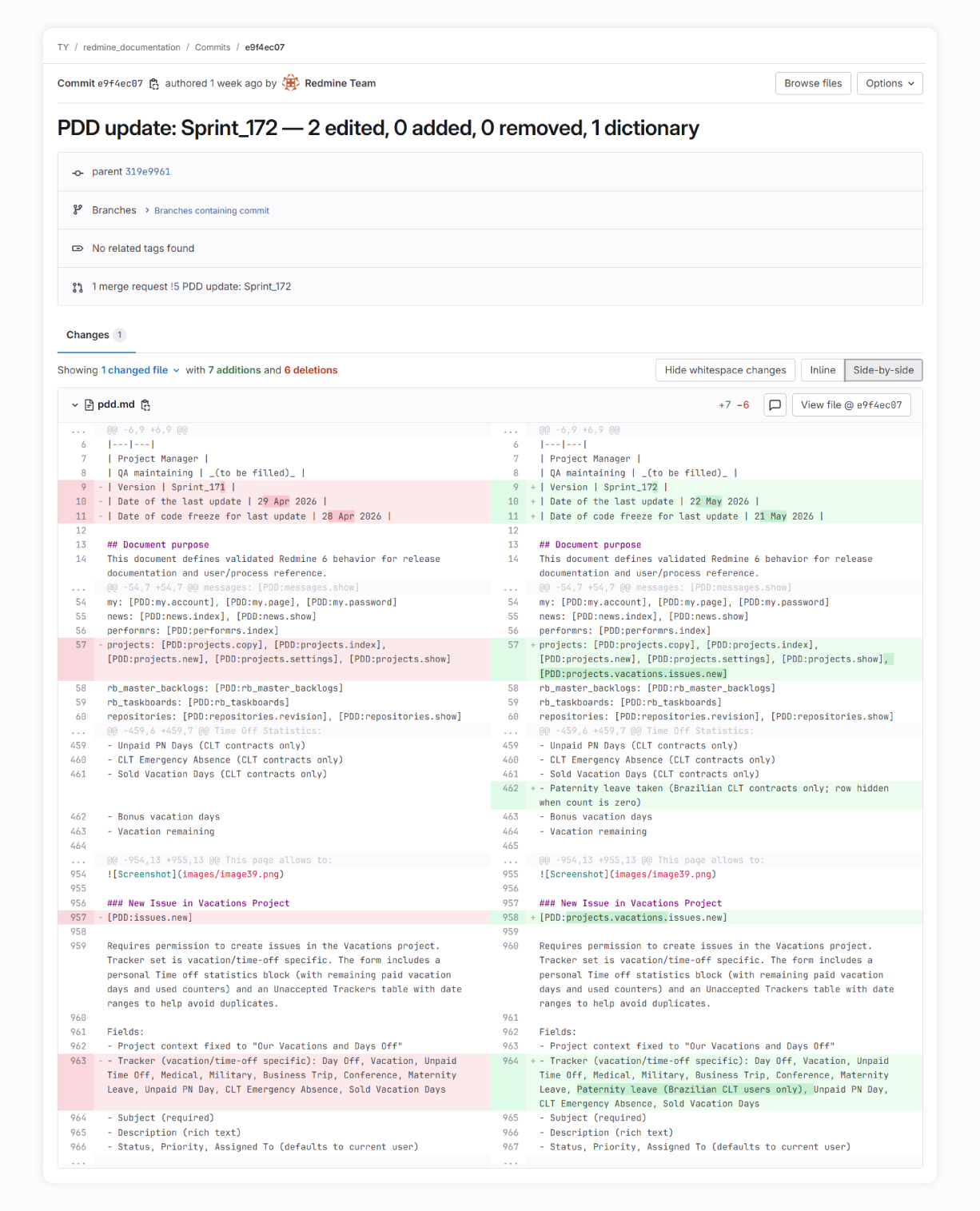
The second skill, the PDD Updater, reads the Release Candidate and navigates the PDD using embedded section labels that map directly to the parts of the codebase that changed. Rather than processing the entire 170-page document on every run, it identifies only the sections affected by the current sprint and updates those specifically. This targeted approach keeps the process efficient and the scope of human review manageable.
For visual verification, the workflow opens the live web application using Playwright, a browser automation tool, clicks through the changed pages, captures screenshots, and embeds them in the updated documentation. The updates are staged for review; the PM or QA reviews the result, makes any necessary adjustments, and confirms before the changes are committed.
Why the Design Decisions Matter
Several choices shape why this workflow holds up in production rather than just in a demo.
Storing the documentation source in a code repository rather than a shared document platform reduced processing overhead by roughly three times and removed a source of errors that had caused the earlier version of the workflow to struggle. The section labeling system means the skill performs targeted updates rather than reprocessing the full document on every run. And the workflow is split into two separate skills so the team always gets a usable Release Candidate even if the documentation update step needs additional human input.
Because both skills live on BMAD, they sit alongside a growing library of QA, development, and process workflows. Adding new capabilities does not require rebuilding from scratch.
The team now has a single workflow that takes a sprint's tickets and produces a coherent, traceable Release Candidate with full code evidence, in roughly the time it takes the AI to run. Not days of manual cross-referencing.— Iryna Branovska, Project Manager, Softjourn
The Benefits
The most immediate result was completing what had been deferred for six months: a post-migration documentation refresh that brought the PDD in line with the current product. Doing that work manually would have required months of additional sprint-day investment. The AI workflow completed it in a single end-to-end run.
The ongoing picture is equally clear:
- A PDD section that previously cost approximately four hours to update manually now takes minutes of automated processing plus a targeted human review.
- The Release Candidate document, which did not previously exist as a structured artifact, is now generated automatically each sprint with full traceability back to tickets and code changes.
- Live UI verification and screenshot capture, which previously required manual effort, happen automatically as part of each documentation update run.
- The workflow fits inside a normal sprint cadence, which means documentation no longer accumulates debt between major releases.
There is also a meaningful qualitative shift. Documentation sections that previously contained only screenshots now have full written descriptions. In side-by-side testing using comparable instructions, the LLM consistently produced more coherent, readable documentation prose than alternatives tested, which matters particularly for a document written for non-technical readers.
On the cost side, the planned steady-state is a shared account at approximately $17 per month, which comfortably covers the recurring workflow within a normal sprint cadence.

What We Learned
Running this project gave our team concrete insight into where AI-assisted documentation delivers reliably and where it still needs a careful human hand.
The most important lesson: AI acts on what it knows. In the early workflow, a documentation update was made based only on the context visible to the skill, without full awareness of dependencies elsewhere in the system. The fix was straightforward, giving the skill the additional context it needed, but it reinforced a principle that holds across any AI-assisted workflow: defining the boundaries of what the AI can see is as much the engineer's responsibility as writing the prompt itself.
We also learned that choosing the right tool for each part of the problem matters more than picking one tool for everything. Browser automation for visual verification ran measurably faster than alternative methods in this environment, so it handles screenshot capture and smoke validation. The LLM we chose handles documentation prose, where its output showed a clear, tested advantage in coherence and readability compared to alternatives. Building on BMAD made it practical to combine both without rebuilding the surrounding infrastructure.
Setup on Windows required more troubleshooting than the macOS workflow did. Configuration differences with the connectivity tools involved meant that written step-by-step instructions and a recorded walkthrough were necessary prerequisites before broader team adoption, rather than something that could be assumed from general documentation.
Could Your Documentation Use This?
The pattern behind this workflow addresses a problem that is not unique to Redmine, internal tools, or Softjourn. Any organization running a long-lived product with a regular release cadence will recognize the same dynamic: documentation starts accurate, falls behind as releases accumulate, and eventually becomes a liability rather than an asset. The gap grows fastest when the team is lean and documentation work competes directly with delivery work for the same hours.
If your team is managing a B2B platform, an in-house tool, or any product where documentation quality directly affects the teams who depend on it, this approach is worth a closer look.
Softjourn can set up a workflow that links your ticket system to your code repository, generates a release-candidate registry each sprint, and keeps product documentation synchronized with each release, with a single human reviewer rather than a documentation team.
Because the underlying framework stores reusable skills, the same infrastructure that runs documentation updates can be extended to QA test-plan generation, developer documentation, and automated regression smoke testing. You are not just solving the documentation problem; you are building a foundation that scales with your team.
The fit is strongest for:
- In-house or B2B platforms with any issue tracking system and access to the codebase, whether that connection already exists or needs to be built. A ticket list with descriptions and a readable codebase are enough to get started.
- Product and engineering teams that maintain documentation for non-technical stakeholders, including operations, HR, finance, or customer success, where accuracy matters and outdated information carries real operational cost.
- Organizations recovering from a major platform migration, where a large volume of documentation needs to be refreshed against a new codebase within a finite window.
- Lean teams where QA and BA capacity is limited and documentation work currently competes with delivery work for the same hours.
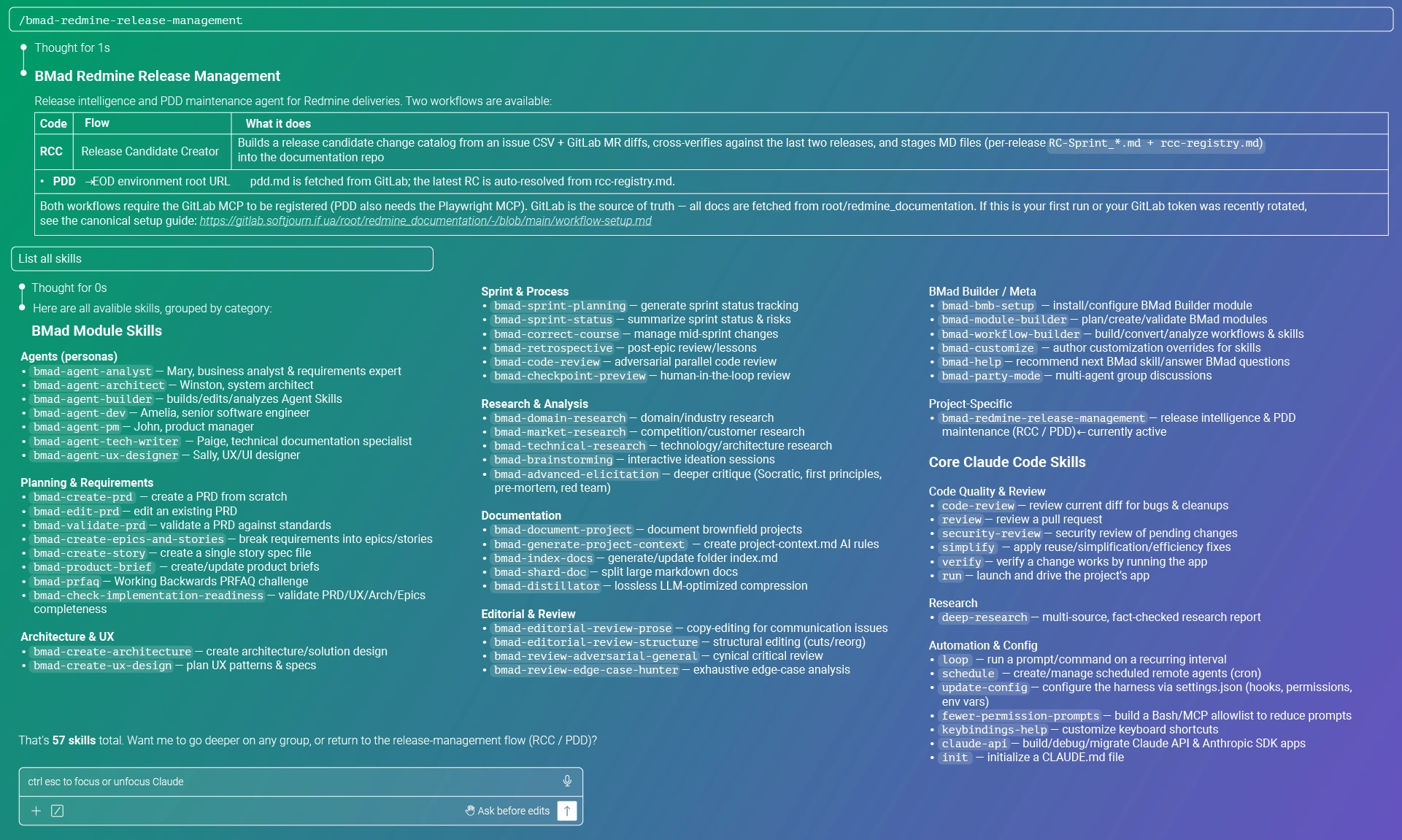
I don't see any downsides to using BMAD. You keep your custom skills, and you get an arsenal of other workflows you can plug into other places. That's why this isn't just a documentation tool.— Anastasiia Bodnar, Business Analyst, Softjourn
Conclusion
What began as an effort to rescue a 170-page document from six months of accumulated drift became a workflow our team now runs on every sprint. The one-time refresh was the visible deliverable. The repeatable process is the lasting value.
The same infrastructure is already designed to extend into QA test-plan generation, automated regression smoke testing, and developer documentation, additions that can be layered in without rebuilding from scratch.
For engineering teams and product organizations looking to understand what a structured AI documentation workflow can actually deliver, the harder work of proving the pattern in a real production context is already done.
Contact Softjourn to learn more about what this approach could look like for your team.