
What Is an MCP Server? A Plain-English Guide to What It Can Do for Your Platform
MCP is the protocol that lets AI assistants like Claude connect directly to a company's own data and tools, and a growing list of platforms across ticketing, fintech, healthcare, and beyond are already using it to turn conversations into real actions.

Ask your favorite AI chatbot to find you a concert this weekend, and until recently, it could only tell you what it already knew, or point you to a website to go check yourself. Today, a fan can ask that same question and get real seat maps, real prices, and an actual link to buy a ticket, pulled live from StubHub's own marketplace, without leaving the conversation.
The thing making that possible is called an MCP server.
What Is an MCP Server?
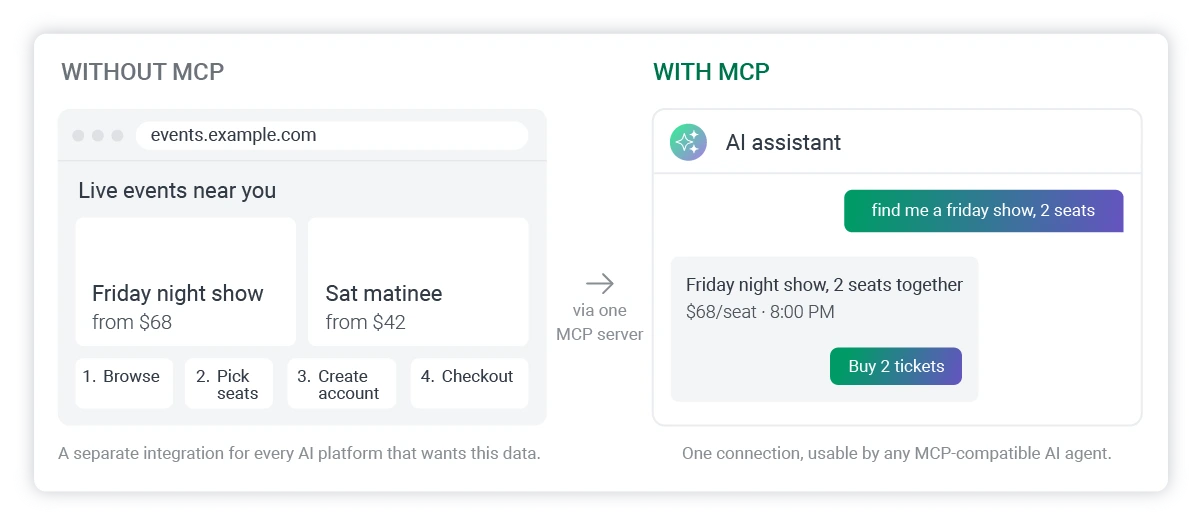
MCP stands for Model Context Protocol. In plain terms, it's a standardized way for an AI assistant to reach into a company's own systems, whether that's a database, a piece of software, or a live API, and pull real, current information or carry out an actual task on a person's behalf. Instead of an AI just chatting from what it was trained on, it can check today's ticket inventory, pull a customer's actual account balance, or file an expense report, because the company has built a small, secure bridge (the MCP server) that gives the AI permission to look and act.
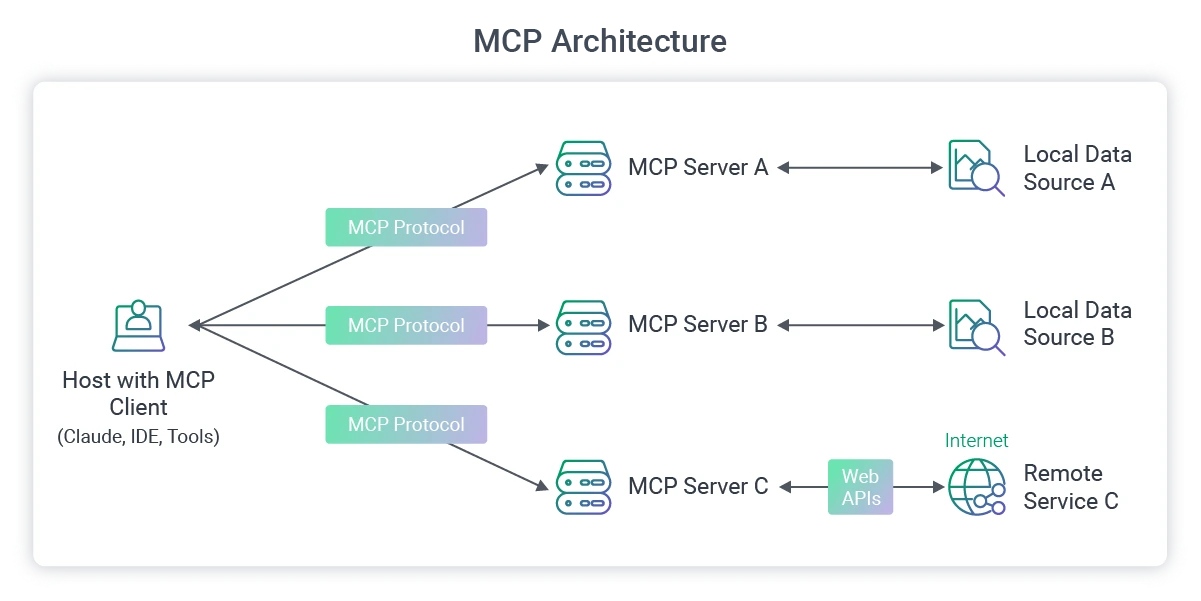
You can think of an MCP server as a translator that sits between an AI assistant and a business. The AI speaks one language. The business's internal systems speak another. The MCP server sits in the middle, converts the request, checks what the AI is allowed to see or do, and hands back an answer the AI can use.
Anthropic open-sourced the protocol in November 2024, OpenAI adopted it across ChatGPT and its developer tools by March 2025, and Google DeepMind confirmed support for it the following month, so it's genuinely become an open, cross-platform standard, which is a large part of why it has spread so quickly.
Why MCP Exists
Before MCP, connecting an AI assistant to a company's data meant building a custom bridge for every single AI platform that wanted access. Want Claude to read your product catalog? Build an integration. Want ChatGPT to do the same thing? Build another one -because the two platforms don't speak the same technical language under the hood. Want Gemini to pull from your CRM too? That's a third integration, often maintained by a third team, each with its own quirks, its own authentication method, and its own way of breaking when something upstream changes.
Multiply that across every AI platform a company might want to support, and every internal system it wants to expose (a product database, a support ticketing tool, a payments platform, a learning management system), and the math gets ugly fast. Engineering teams end up maintaining a tangle of one-off connections instead of a product. Vendors selling into this space describe it as an M times N problem: M AI platforms, N internal tools, and a custom integration required for every combination.
MCP replaces that tangle with a single standard. A company builds one MCP server that exposes its data and tools in a standard format, and any MCP-compatible AI assistant, Claude, ChatGPT, Gemini, or others, can connect to it without a separate integration. The company builds once, and every AI platform that speaks the protocol gets access. It's the same logic behind a universal charging port: manufacturers used to build a different cable for every device, and now one standard plug works across most of them.
For a business, that shift matters as both an engineering detail and a strategic one. Being reachable inside an AI conversation is becoming a real distribution channel, the way having a mobile app or being findable in search once was. A company with an MCP server is positioned to show up wherever people are already asking AI assistants for help, while a company without one is stuck hoping people leave the conversation and go find its website instead.
How MCP Is Different From a Regular API
If you've been in software long enough, “AI assistant connects to a company's data” might sound like something an API already does. It's a fair question, and the short answer is that MCP and APIs solve related problems in different ways.
A traditional API is built for one specific integration at a time. A developer reads the documentation, learns the exact endpoints, figures out the authentication method, and writes code that calls that particular API in that particular way; the result is reliable but entirely bespoke. For example, the integration built for Salesforce's API doesn't transfer to Stripe's API. Each one is its own project, with its own learning curve, and an AI assistant trying to use several of them at once has to be individually taught how to talk to each.
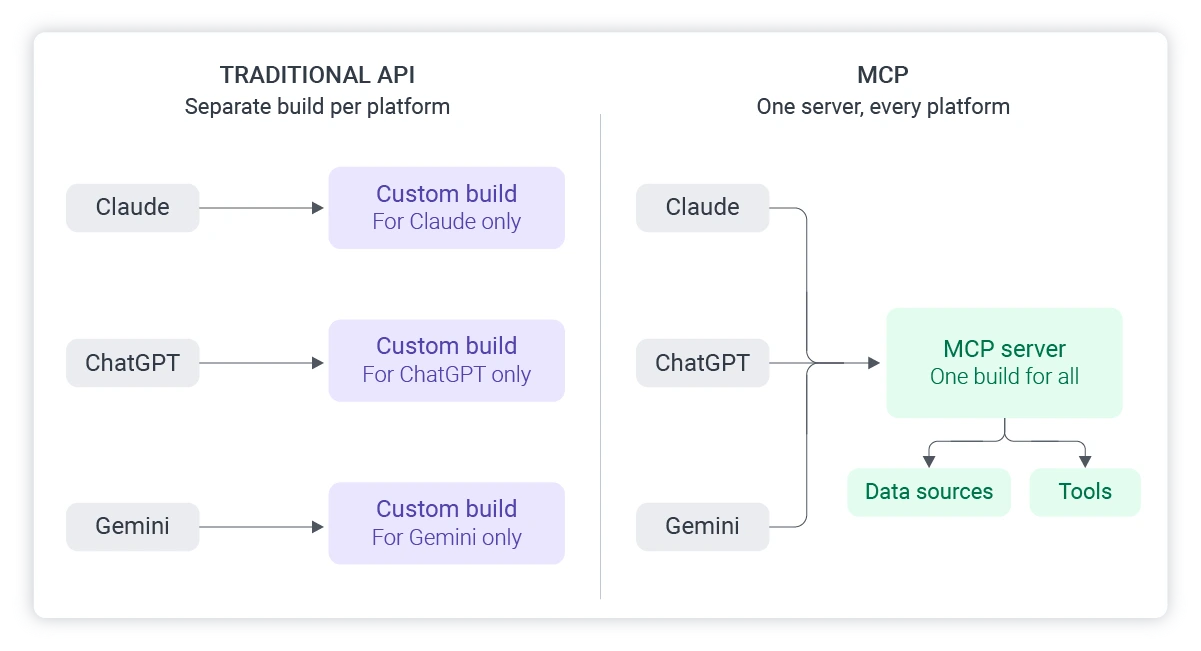
MCP standardizes that layer instead of replacing it. An MCP server is often built on top of a company's existing APIs, but it wraps them in a common format that any MCP-compatible AI assistant already knows how to speak. A few things follow from that:
- Discoverability: An AI connected to an MCP server can ask what tools are available and figure out how to use them, rather than a developer having to hand-code every possible action in advance.
- Reusability: The same MCP server works across Claude, ChatGPT, Gemini, and any other assistant that supports the protocol, instead of requiring a separate build for each one.
- Two-way capability: APIs are often built primarily for pulling data. MCP servers are commonly built to support both pulling data and taking action, like creating a booking or filing an expense report, within a permission structure the company controls.
- Conversational context: Because the AI assistant is driving the interaction, it can chain several tool calls together inside one natural-language conversation, something a static API call was never designed to do on its own.
None of this makes traditional APIs obsolete. Most MCP servers still rely on APIs underneath to actually move the data. MCP is best understood as a new layer on top, purpose-built for AI assistants rather than for individual developers writing individual scripts.
What Building an MCP Server Typically Involves
For a business leader evaluating this work, it helps to know roughly what a build actually looks like before commissioning one. The process isn't a single afternoon of configuration, but it isn't a multi-year software overhaul either. Most MCP server projects move through the same handful of stages, regardless of the industry or the size of the company doing the building.
- Map the capabilities worth exposing: Before any code gets written, the real work is deciding what an AI assistant should actually be allowed to see or do. For a ticketing platform, that might mean event listings, seat availability, and pricing. For a fintech company, it might mean account balances, transaction history, or usage analytics. This stage is more strategic than technical, and it's where a lot of the value of the project gets decided.
- Define the tools and resources: Each capability from step one gets translated into a discrete “tool” the AI can call, along with clear inputs and outputs. A ticketing platform might define a search_events tool and a check_availability tool, for example. Good tool design at this stage makes the difference between an AI assistant that behaves predictably and one that guesses.
- Build the server layer: This is the engineering work: writing the MCP server itself, usually as a wrapper around existing APIs and internal systems rather than a rebuild of them from scratch. Most teams already have the underlying data and logic in place; the MCP server's job is to expose it in the standardized format an AI assistant can work with.
- Set authentication and permission scoping: An AI assistant should only ever see or do what a specific user is authorized for, never more. This stage decides how a user's identity and permissions carry through to every tool call, so the assistant can't be tricked or accidentally granted more access than intended.
- Test across multiple AI clients: A server that works cleanly in Claude should be tested in ChatGPT and other MCP-compatible assistants too, since different clients can interpret tool descriptions and edge cases in subtly different ways. Skipping this step is one of the more common reasons an MCP server behaves well in a demo and inconsistently in production.
- Deploy and monitor: Once live, the server needs the same operational attention as any production system: logging, uptime monitoring, and a plan for what happens when an upstream API changes or goes down.
None of these stages require reinventing what a company already has. The point of MCP is to make existing systems reachable by AI assistants, not to rebuild them, which is part of why these projects tend to move faster than the phrase “AI integration” might suggest.
Deciding what to expose, how to scope it, and how to build it well is worth a real conversation, and it's the kind of work Softjourn's MCP server development services team handles.
Best Practices to Get Right
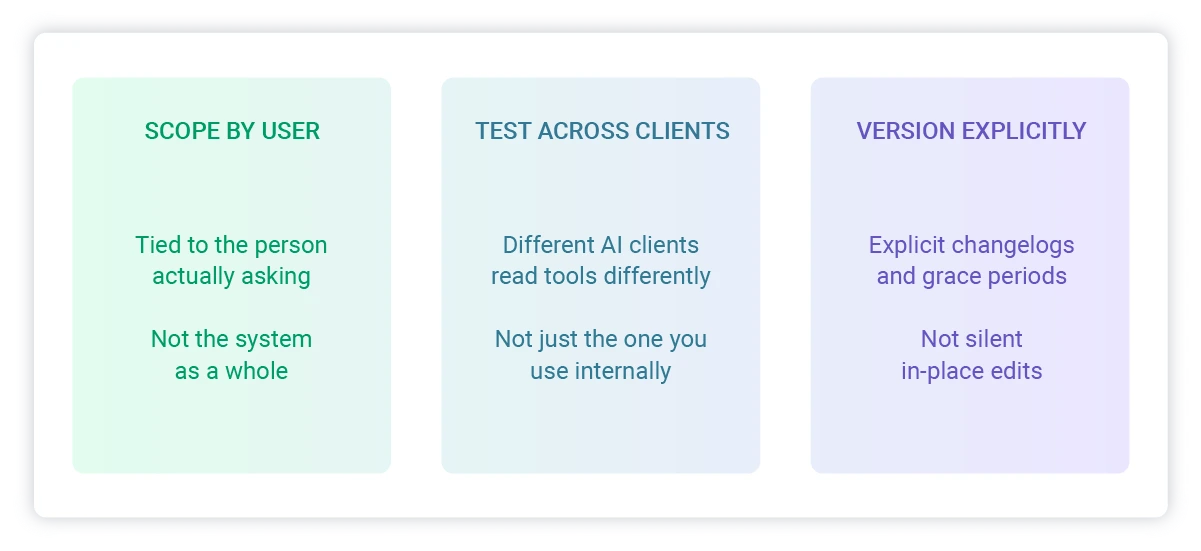
A working MCP server and a well-built one aren't the same thing. The gap between them tends to show up in three places: how tightly access is scoped, how thoroughly the server gets tested, and how changes are managed once it's live.
Scope Permissions by User, Not by System
It's tempting to build one broad connection and let the AI figure out what a given user should see, but that inverts where the control needs to sit. The right approach ties every tool call back to the permissions of the person actually asking, the same way a well-built application already restricts what a logged-in user can access. A support agent's AI session should never be able to pull the same data a finance director's session can, even if both are technically talking to the same MCP server.
Getting this wrong doesn't just create a security gap; it creates one that's harder to spot than a traditional access control bug, because the AI is making decisions about what to show a user in the moment, not following a fixed menu of screens a developer already reviewed.
Test Across More Than One AI Client
An MCP server that was only ever tested in Claude can behave differently once ChatGPT, Gemini, or another assistant starts calling it. Different clients interpret tool descriptions, handle errors, and chain multiple tool calls together in slightly different ways, so a tool description that reads clearly to one model can produce inconsistent behavior in another. Budgeting real testing time across at least two or three major clients, not just the one a team happens to use internally, catches most of these issues before they reach a customer.

Treat Versioning as a First-Class Concern
Tools get renamed, parameters change, and capabilities get added over time, and an AI assistant that's mid-conversation with an old understanding of a tool can fail in ways that are harder to trace than a typical API version mismatch. A few habits go a long way here:
- Version tool definitions explicitly, rather than editing them in place
- Keep changelogs written for both humans and the AI reading the tool descriptions, since the assistant relies on those descriptions to decide how to use each tool
- Give deprecated tools a grace period rather than removing them outright, since an AI client might still be relying on an outdated integration for a while after a change ships
None of this is exotic engineering. It's the same discipline that goes into building any production system that other software depends on, applied to a newer kind of client. The teams that treat their MCP server with that level of care are the ones whose AI integrations still work reliably six months after launch, not just on demo day.
Real-World Examples, by Industry
MCP has moved past the experimental phase. Across ticketing, fintech, healthcare, and general SaaS, named platforms have shipped MCP integrations, and the pattern of what they're doing looks strikingly consistent: turn a browsing or account-management task that used to require opening an app into something a person can just ask for.
Event and Travel Ticketing
StubHub launched an MCP integration on April 23, 2026, letting fans browse live event listings, pricing, and seat-level availability inside a conversation, then routing them to StubHub to complete the purchase. Ticketmaster shipped a similar integration, retrieving eligible event information and ticket availability directly inside a chat interface, and it's since expanded to Google's Gemini as a connected app for event ticket search too.
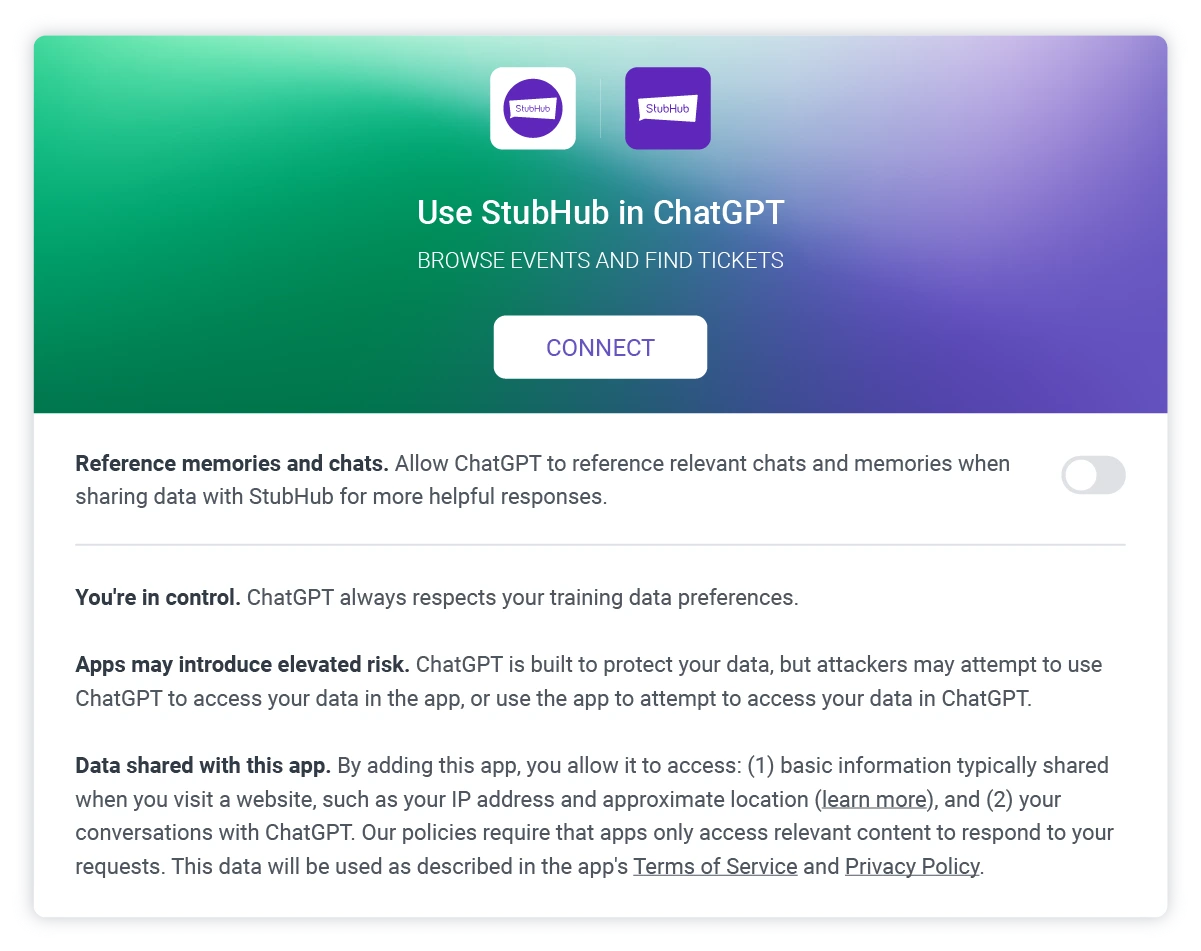
Jason Chan, co-founder of Softjourn client Cinewav, sees this as an early signal of a larger shift: “I think AI is going to be a huge disruptor. If it's able to search for tickets in your ticketing database and book easily, I think MCP servers will be a big way in which AI, and therefore people, will be able to search and book from multiple sources eventually.”
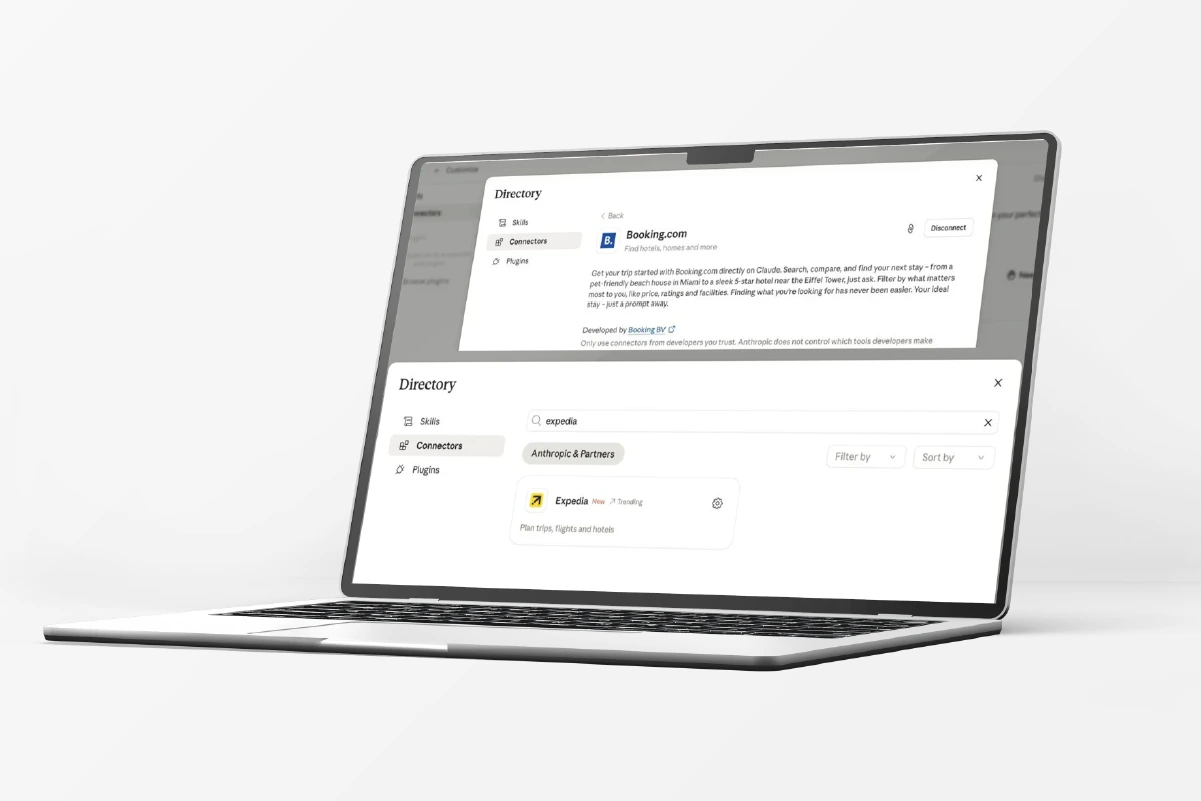
That same pattern extends into travel ticketing as well. Expedia launched an MCP integration on May 6, 2026, allowing natural-language queries like finding a hotel in a specific city under a set nightly rate, pulled from live pricing and availability. Tripadvisor and its Viator experiences brand followed on April 23, letting users browse photos, reviews, and prices in chat before booking on the platform itself.
Fintech and Payments
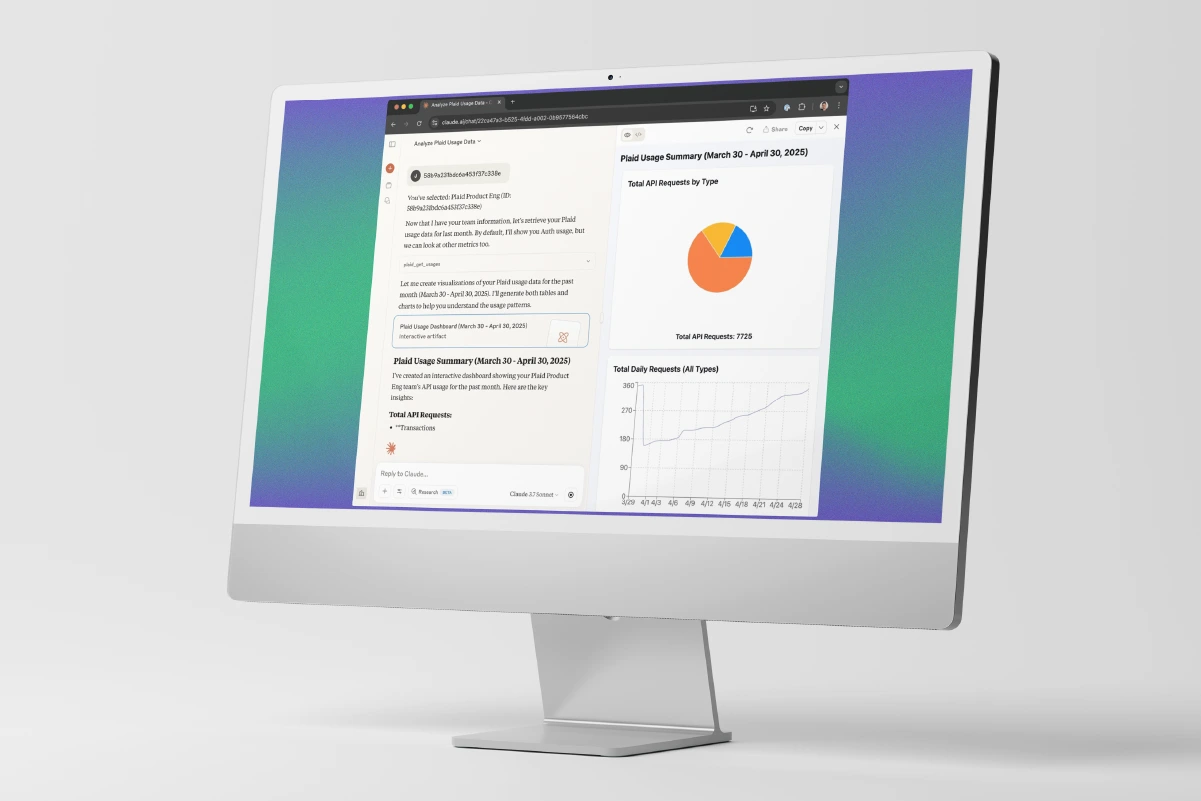
Stripe runs an official remote MCP server, exposing payments, customers, subscriptions, and invoices to natural-language queries instead of a dashboard. Plaid's MCP server, launched in May 2025, brings usage data, troubleshooting, and integration insights to developer and support teams, not consumer account access.
Commonwealth Bank of Australia (CommBank) is an early adopter of Claude for Financial Services, which includes pre-built MCP connectors, and the bank's CTO has pointed to fraud prevention and customer service as key areas for that partnership. Moody's has taken it further, building an MCP application that cut credit memo preparation time from 40 hours to 2 minutes.
Expense management has followed the same path. Expensify launched an official MCP server in June 2026, letting members ask natural-language questions like what they spent on travel last month and get an answer straight from their account, regardless of which AI assistant they're using.
Healthcare
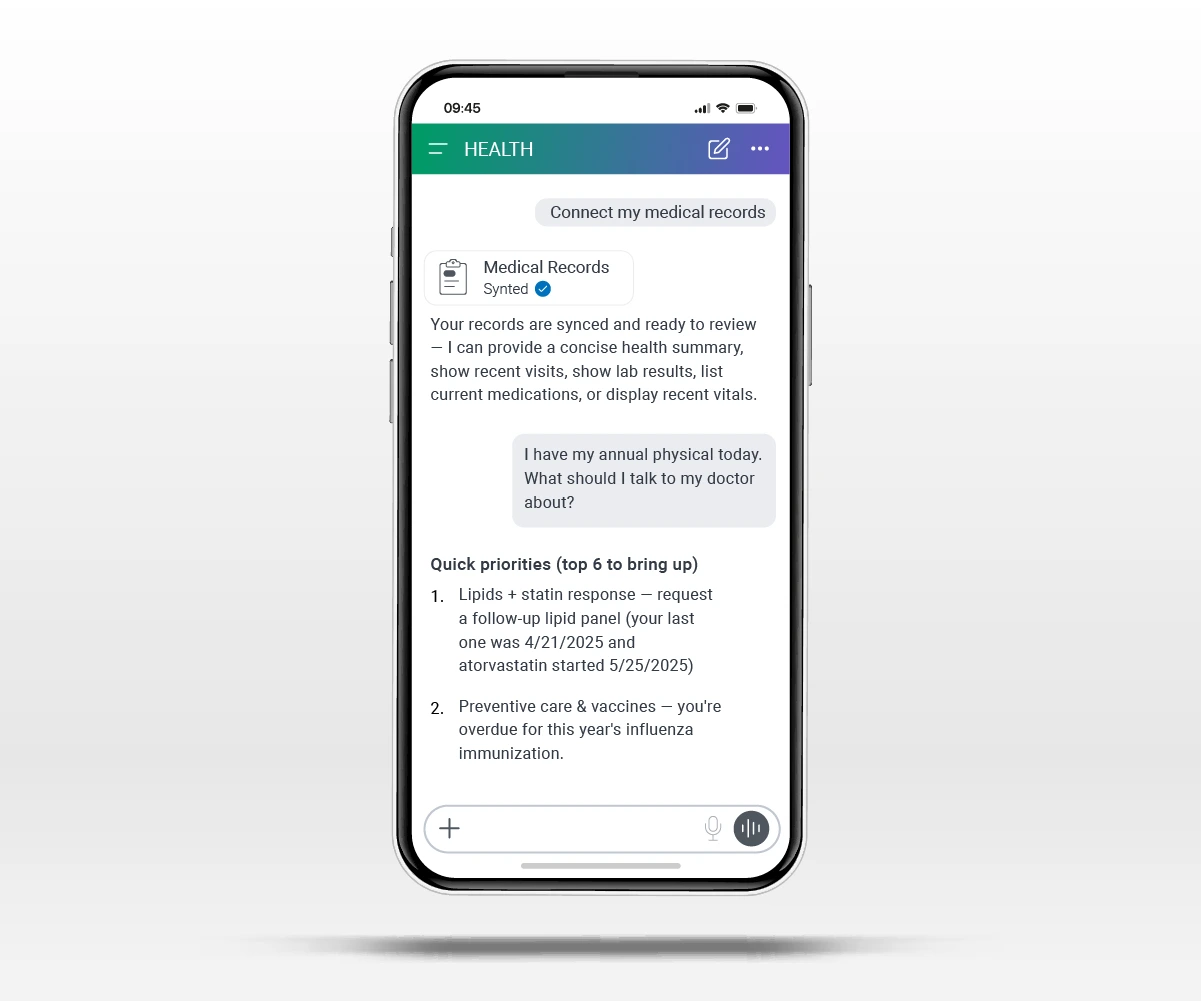
HIPAA-ready healthcare infrastructure with native integrations to the CMS Coverage Database, ICD-10 codes, and PubMed launched in January 2026, and Epic Systems is building its own MCP servers for clinical workflows. The same week, a competing health assistant connected Apple Health, MyFitnessPal, Weight Watchers, and other wellness apps so users could ask health questions grounded in their own data. Google took a more scheduling-focused route, adding Zocdoc as a connected app so people can book a doctor's appointment directly.
General SaaS and CRM
Salesforce and HubSpot both launched official MCP servers in mid-2025, mature enough today that natural-language CRM queries like counting deals closed this quarter by region are standard practice. Notion shipped an official hosted MCP server with one-click OAuth around the same time.
-1201x801.webp?v=1788901061344)
In education technology specifically, Docebo's MCP Server reached general availability on July 22, 2026, bringing learning content, enrollments, and course data into whichever AI assistant a company already uses. Docebo CTO Riccardo La Rosa framed the problem it solves plainly: “The problem is that on day one, those tools know nothing about your learning programs, your skills data, or your people. MCP changes that”.
Media and Entertainment
Spotify launched an MCP integration in April 2026, giving users personalized recommendations based on their own listening history and taste, and it's since expanded to other assistants as well, letting people start playback and search by voice or text. Google has expanded that music category further with iHeartRadio and Pandora joining as connected apps for station discovery and streaming.
The Path Forward
MCP is no longer a technical curiosity for engineering teams to keep an eye on someday. It's already how fans find tickets, how finance teams reconcile expenses, how doctors check patient records, and how learners find the right course, all without leaving a conversation. The companies showing up in the examples above didn't wait for the technology to fully mature before building. They built early, and they're the ones showing up wherever their customers are already asking.
The harder question for most platforms isn't whether to build an MCP server. It's what to expose, how to scope it safely, and how to build it so it holds up across every AI assistant a customer might be using, not just the one a team happened to test first.
Contact Softjourn to get started on your MCP server development project, and find out what your platform looks like from inside an AI conversation.