
How to Build a Ticketing System From Scratch: A Guide for Business Leaders
A practical breakdown of the architecture, modules, timeline, and cost involved in building a ticketing platform in-house, including where AI genuinely helps and where it doesn't.

A ticketing system request usually starts with a wireframe. Somebody sketches a seat map, a checkout button, and a confirmation screen, and calls it the product. It looks complete, yet there is often much more to a successful product.
What that wireframe leaves out is almost everything that determines whether the platform actually works: an inventory engine that can hold a seat during checkout without selling it twice, a scanning app that keeps functioning when the venue's wifi drops mid-event, a payment stack that reconciles three different sales channels without a spreadsheet, an admin console an event organizer can actually run their business from, and a compliance posture that holds up once real money and real patron data are involved.
None of that shows up in a mockup, and all of it is where a ticketing build either succeeds or quietly falls apart six months after launch.

Softjourn has spent over two decades building ticketing systems for clients ranging from independent festival organizers to major platforms serving concert venues, arts organizations, and stadiums.
Over that time, one pattern shows up more than any other: businesses that come to us wanting a ticketing platform usually have the storefront figured out. Far fewer have thought through the more technical, operational, and regulatory requirements underneath it, the parts of the system that quietly determine whether the platform actually holds up once it's live.

This guide walks through what actually goes into building a ticketing system from the ground up: the components, the technology choices, the back-office tools organizers depend on daily, the access control problem that trips up more platforms than anything else, and where artificial intelligence genuinely speeds up parts of the build and where it does not.

What a Ticketing System Actually Is
Ask ten people what a ticketing system does, and most will describe the checkout flow: pick a seat, pay, get a ticket. That's a real piece of it, and probably the easiest one to build. It's also just the visible layer sitting on top of everything else the platform actually has to do.
Here is the full picture, broken into the systems that actually have to work together:
Event and Inventory Management
Every ticket sold is really an update to a shared inventory record, and that record has to stay accurate across every sales channel simultaneously, or the platform oversells. For structured data like transactions, user accounts, and seat state, PostgreSQL and MySQL both handle the load well when properly indexed; the choice between them tends to come down to team familiarity rather than a meaningful technical gap. Redis or a similar in-memory store typically sits alongside the primary database to manage real-time seat holds and availability counts, since those change too frequently and need to respond too quickly to rely on the primary database for every check.
Venue Mapping and Reserved Seating
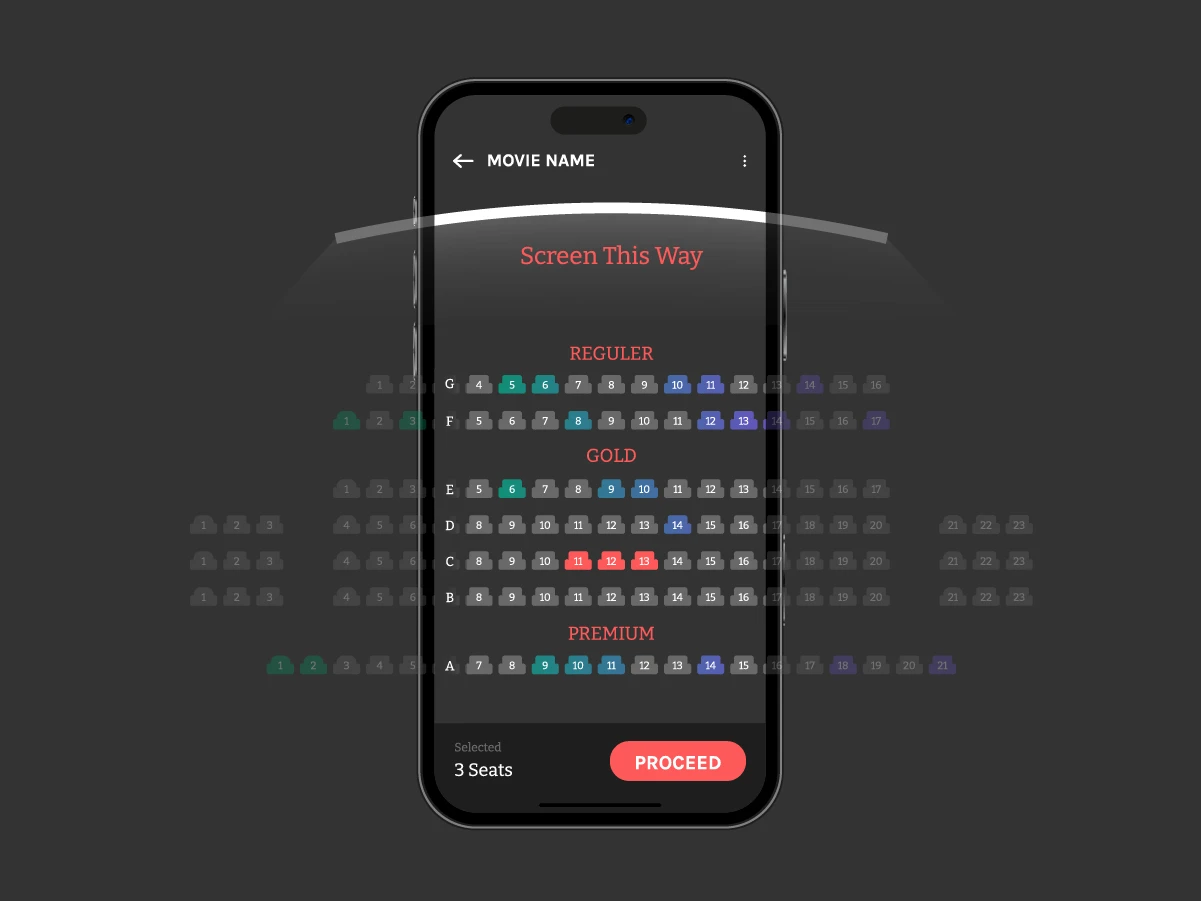
Interactive seat maps need to reflect live availability, prevent a single leftover seat from making a whole row unsellable, and support venue configurations ranging from simple theater rows to complex mixed reserved and general admission layouts. Whole-table booking, season ticket packages, and accessible seating all live in this module. Softjourn's Venue Mapping Tool is one example of a purpose-built, technology-agnostic solution for this piece specifically, since venue mapping is complex enough that many platforms integrate a dedicated tool rather than building this logic from scratch.
When Softjourn's team rebuilt the seat picker inside its own Venue Mapping Tool, the first step wasn't full development, it was a two-day prototype to settle a specific technical question: SVG or canvas. "We'd used canvas, and it has problems. Zoom in and out behaves badly, things go blurry," says Lyubomyr Nykyforuk, ticketing expert and Solution Architect at Softjourn. "I sketched the solution with AI and showed that the zoom was smooth. Then, with the hypothesis validated, we built the production-ready solution from scratch." The prototype itself was thrown away. What carried forward was the validated technical decision, and roughly three months of production development followed from there.
Checkout and Payment Processing
Checkout needs to support multiple payment methods, handle fraud screening, and connect cleanly to whatever back-office reconciliation the organizer needs. When building from scratch, TypeScript with a Node.js-based backend framework is a reasonable default recommendation for new projects, largely because of developer availability and long-term maintainability rather than any dramatic technical advantage over alternatives.
Ticket Issuance and Delivery
Digital Formats
Mobile wallet passes (Apple Wallet, Google Wallet), print-at-home PDFs with barcodes, and in-app mobile tickets each have different validation and delivery requirements. Wallet integrations in particular come with strict, separately-enforced certification requirements from Apple and Google that need to be treated as two distinct integrations rather than one shared feature.
Physical Ticket Printing
Physical tickets still matter for a meaningful share of events, particularly performing arts venues and some demographics that prefer a printed ticket. Thermal printers (Boca, Star Micronics, Stima) remain the industry standard, with Boca in particular treated as the default for professional box office printing. Souvenir tickets, a special hard-copy ticket a patron buys or keeps as a memento, are a related but distinct product from a standard printed ticket. Self-service kiosks that let patrons print their own tickets or badges add another layer of hardware integration and paper-jam handling that needs planning.
Sales Channels
A ticketing system built only for a website checkout flow does not automatically support box office sales, kiosk sales, or mobile sales without a unified inventory layer underneath all of them. Point of sale terminals for walk-up box office sales need to draw from and write back to the same inventory as the website in real time, or the platform risks overselling across channels. This is a genuinely distinct architectural requirement, not just a UI variation on the same checkout.
Access Control and Scanning
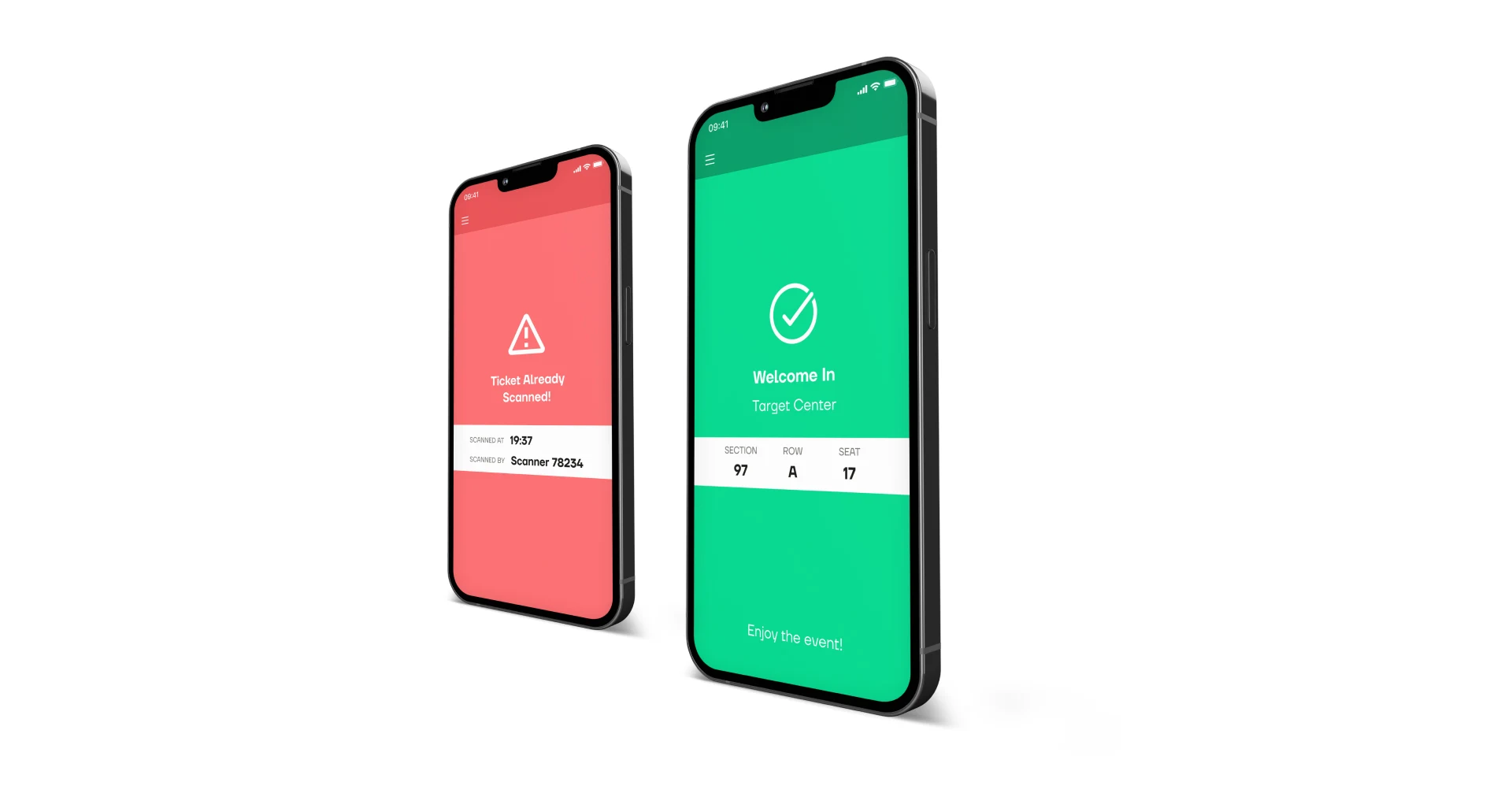
React Native has become a practical default for access control apps specifically, offering native performance with a single codebase across iOS and Android, along with strong offline handling and support for hardware like Linea Pro scanners and NFC readers. This is the piece that trips up more ticketing builds than any other, and it gets its own dedicated treatment further in this guide.

Fraud Prevention
Fraud detection in ticketing has to be calibrated specifically for ticketing patterns, since fraud models built for general e-commerce tend to over-trigger on legitimate behavior like bulk ticket purchases or last-minute buying from an unusual location. This module connects closely to the payment layer and increasingly to AI-assisted pattern detection.
Reporting and Analytics
Basic sales dashboards, attendance tracking, and revenue breakdowns are table stakes. The organizer-facing depth of this, including invoicing, KYC, and CRM-driven segmentation, is substantial enough to be treated as its own system rather than a single component.
Cloud Infrastructure
AWS is a commonly recommended default for hosting ticketing platforms, largely due to cost efficiency, comprehensive service coverage, and strong traffic-distribution capabilities during on-sales. Azure makes sense for organizations already invested in Microsoft's ecosystem. What matters more than the specific provider is architecting for elastic scaling from the start: auto-scaling groups, CDN-backed static content (especially venue map assets), and load balancers that can absorb the traffic spikes that ticketing sees during major on-sales.
Organizer-Facing Tools and Back Office
Everything covered so far is what a buyer sees. Underneath it sits a second system that event organizers live in every day, and it gets far less attention in most conversations about ticketing platforms than it deserves. It includes:
Event Management and the Event Lifecycle
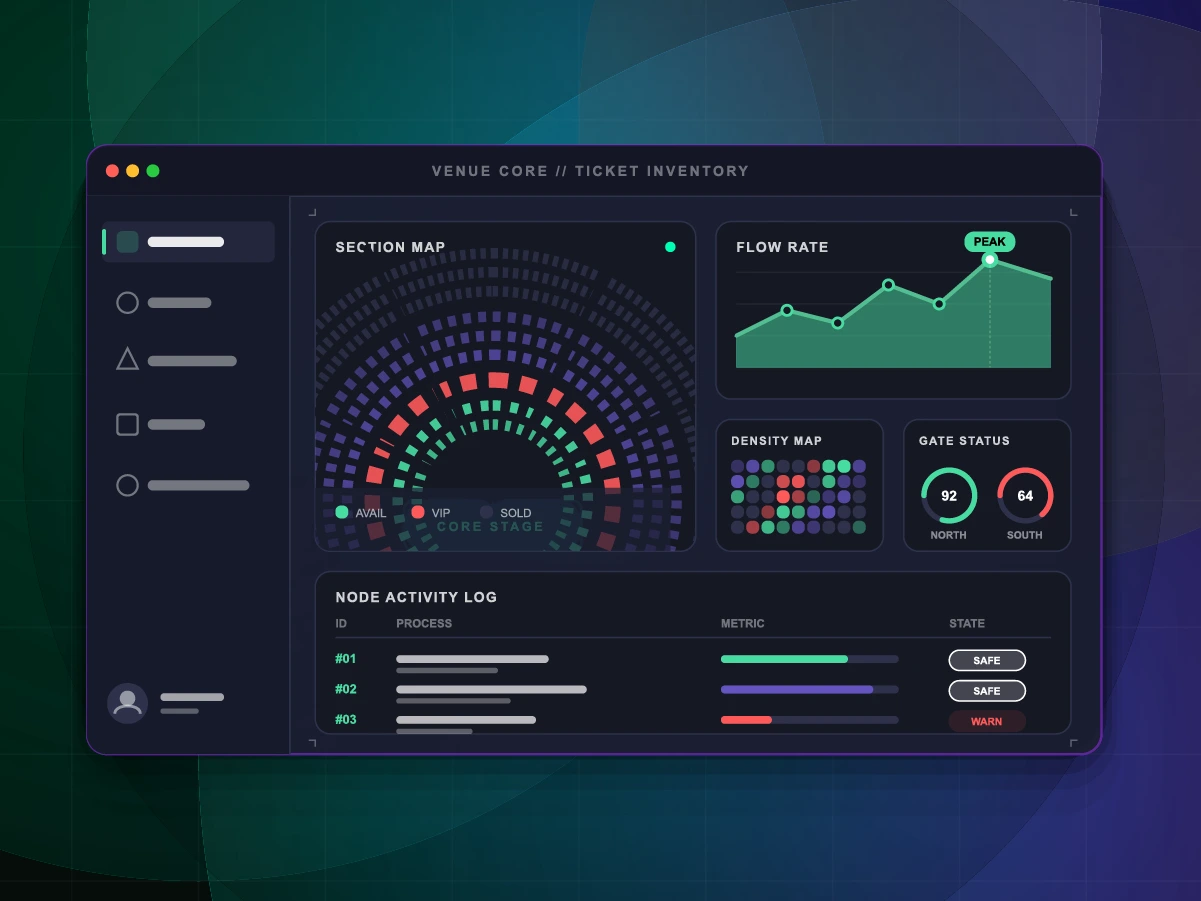
An event moves through a lifecycle: drafted, configured, published, sold, run, closed out. The tools that support this are usually built around a dashboard and an event wizard, a guided setup flow covering the general event details (name, venue, dates), venue and seating type (reserved, general admission, or mixed), ticket types and pricing, additional items or merchandise, payment options, and page customization. A draft event is visible only to its creator until published, and the wizard needs to support every combination of these settings without forcing an organizer through irrelevant steps for a simple general admission show.
CRM and Know Your Customer
Every patron interaction, a purchase, a donation, a support request, feeds into a CRM layer that lets organizers understand who is actually buying tickets. This is also where Know Your Customer data collection happens: the information an organizer needs about their patron base for compliance, marketing, and personalization purposes. Opt-in consent for how that data gets used, particularly for marketing communications, needs to be a separate, explicit choice rather than something bundled by default into the purchase flow.
Segmentation and Email Campaigns
Once patron data exists in a CRM, segmentation lets organizers group patrons by behavior: past attendance, spending level, event type preference, and target communications accordingly. Email campaign tools built on top of this segmentation are what turn a one-time ticket buyer into a repeat attendee, and they depend entirely on the CRM layer underneath being clean and current.
Reporting and Invoicing
Organizers need sales dashboards, attendance tracking, and revenue breakdowns as a baseline, but the invoicing side is where a lot of platforms underinvest. Gross sales, net sales, service fees, and breakage (the value of unused tickets) all need to reconcile cleanly, and an organizer running events across multiple venues or partners needs invoicing that reflects that structure rather than a single flattened report.
Surveys and Patron Feedback
Post-event surveys are a smaller piece of the back office, but they feed directly back into the CRM and segmentation layers. A survey response tied to a patron's purchase history gives an organizer a genuinely useful signal about what worked, not just anonymous feedback disconnected from who actually attended.
Widgets and Event Promotion
Embeddable widgets let organizers place ticket purchasing directly on their own website or a partner's site rather than sending traffic to a separate ticketing domain. This matters more than it sounds: every redirect away from an organizer's own site is a point where a buyer can drop off, and a well-built widget keeps the transaction in context.
The Integration Layer and the Access Control Problem
Every mobile ticket exists in two places at once: as a record in the ticketing platform's database, and as an encoded credential sitting on a patron's phone or wristband. The integration layer is whatever keeps those two things in agreement. When it works, a gate scan confirms a valid ticket in under a second. When it doesn't, you get the queue that formed outside a stadium hosting one of the biggest events of the year, with security staff and fans alike reporting that digital passes simply weren't scanning as thousands of people arrived at once.
This is the part of a ticketing build that gets skipped past most often in planning conversations, and it's responsible for more launch-day problems than any other single component.

The Four Layers That Have to Work Together
Issuance and Encoding
When a ticket is purchased, the platform generates a unique credential, usually a signed QR code, NFC token, or wallet pass, tied to a specific ticket ID, event, and seat or admission tier. The signature matters more than the format: without cryptographic signing, a screenshot of someone else's ticket scans exactly as well as the original.
The API or SDK Layer
This is the actual connective tissue between the scanning app and the ticketing backend: REST or GraphQL endpoints for ticket status and event data, webhooks that push status changes (refunds, transfers, cancellations) back to the app, and often a vendor SDK that handles scanning hardware and local validation logic.
Validation Logic at the Gate
The device checks the ticket's signature, confirms it hasn't already been scanned, and applies whatever rules the event has set: which gate, which session, one entry per day versus multiple re-entries, general admission versus assigned seating.
Sync Back to the Source of Truth
Every scan needs to be written back to the central system, either immediately if the connection allows it, or queued locally and pushed once it's available. This is the layer most teams underbuild.
Whether that sync happens in real time or gets batched is a genuine architecture decision, not a default setting. Real-time sync gives organizers an accurate headcount at every moment, which matters for capacity limits and re-entry policies. Batched sync tolerates a flakier network but opens a window where the same ticket could theoretically be scanned twice at two gates before the systems reconcile. Most production access control systems handle this with optimistic validation at the edge and conflict resolution on the backend.

The Offline Problem
Offline mode has to be an assumption built into the data model from the first design conversation, not a feature bolted on afterward, because retrofitting it later usually means redoing how tickets are stored, validated, and reconciled.
The basic pattern: before doors open, the app pulls down a snapshot of every valid ticket for that event, session, and gate, and stores it locally on the device. When a fan's phone or wristband gets scanned, the app validates against that local snapshot instead of calling the backend, marks the ticket as used, and queues the result. As soon as a connection is available, whether continuously or in bursts, the queued scans sync back to the central system.
Softjourn built exactly this pattern for Tixnet, whose access control app defaults to online validation but automatically falls back to local data storage the moment connectivity drops, then reconciles once the signal returns.
A few design decisions determine whether that pattern holds up under real conditions:
- Automatic mode switching, not manual toggling: staff working a gate during a rush shouldn't be deciding when to flip into offline mode. The app should detect degraded connectivity and switch on its own.
- Conflict resolution for simultaneous scans: if the same ticket gets scanned at two offline gates before either syncs, something has to decide which scan wins once both devices reconnect, resolved on the backend rather than left to whichever device happens to sync first.
- Encrypted local storage, with a defined expiration: ticket data sitting on a scanning device is still sensitive data. In Tixnet's build, information stored locally for offline scanning is encrypted on the device and deleted automatically once the event ends, rather than lingering indefinitely.
- A manual check-in path that doesn't depend on any of the above: even a well-built offline mode eventually meets a phone with a dead battery or a ticket that won't scan. Staff needs a documented way to manually validate a guest without abandoning security checks or holding up the line indefinitely.
What Breaks First as Attendance Climbs
A scan that takes two seconds works out to roughly thirty tickets per minute per device, a benchmark Softjourn hit building a scanning app for Eventfinda that needed to admit large crowds quickly and reliably even when connectivity dropped. Run ten gates at that rate, and a venue can, in theory, admit around eighteen thousand people an hour.
The theory holds until one gate slows down: attendees redirect from the broken gate into the working ones, doubling load exactly where the system has the least slack left to give.
-1-1201x801.webp?v=1790105212168)
A few specific things tend to break first:
- Network congestion at the gates themselves: thousands of phones connecting to the same access points, plus the scanning devices, plus staff radios, all competing for bandwidth in the densest part of the venue.
- Device battery life over a long event: a four-hour game or a full festival day puts real strain on handheld scanners, and a dead device mid-event is functionally the same as a network outage.
- Hardware diversity: not every gate agent has the same device, and systems built around one specific scanner tend to break the moment an event needs more gates than there are dedicated devices to staff them. Softjourn ran into this directly while rebuilding 123 Tix's access control app for large music festivals: the existing system depended on Linea Pro scanning hardware, which limited organizers to however many of those specific devices they could deploy. The rebuild added support for more affordable Android devices alongside the existing Linea Pro and iOS hardware, along with power management tuned to get more scanning hours out of each device's battery.
- Backend write contention: every scan is a write to a central system. At low volume this is invisible. At high volume, poorly indexed databases or synchronous write patterns become the actual bottleneck, even when the gate hardware is working fine.
Access control in particular is where domain experience shows up most, according to Lyubomyr Nykyforuk, ticketing expert and Solution Architect at Softjourn: "How do you build access control effectively when there are long queues and unstable internet? Offline support, then data synchronization, then the different scanning modes, camera versus laser. You need to understand every aspect of that functionality." AI can generate working code for a scanning flow. It doesn't carry the accumulated experience of what actually breaks at gate three of a sold-out festival.
Choosing How to Build an Access Control App
There are three real paths for building an access control app, and each trades away something different.
Approach | Time to Launch | Offline Capability | Hardware Access | Distribution |
Native or cross-platform (React Native, Swift, Kotlin) | Weeks to months | Strong; full control over local storage and sync | Full: NFC, camera, Bluetooth peripherals | App store review required |
Licensed vendor SDK | Fastest; days to weeks | Depends on vendor's implementation | Depends on vendor's supported hardware | Often bundled into an existing app |
Progressive Web App | Days to weeks | Strong; browser-based local storage | Limited: camera scanning works, NFC varies by device/browser | Installed from browser; no app store review |
The native route makes sense when an organization needs full hardware access, expects to keep extending the app for years, and has the runway to build it properly. A licensed SDK makes sense when speed matters more than control. The PWA route sits in between and is the one teams underestimate most often: Softjourn scoped exactly this approach for Project Admission, a company needing a custom access control solution fast with no time for an app store review cycle.
Built on React and Ionic with a deliberately limited feature set (ticket scanning, access control, data import and export, nothing more), the app worked across devices and browsers without installation friction and ran even on the spotty networks common at live events. The full build shipped in two weeks, with time left over for the client to test it and train staff before the event.
The real decision is which trade-off the timeline can afford, confronted directly before the architecture gets chosen rather than after something breaks.
Scaling for the Moment That Matters
Most systems are designed around average load. Ticketing platforms get punished for it.
When a major on-sale opens, demand doesn't build gradually; it arrives all at once. Thousands or tens of thousands of concurrent sessions, all requesting the same inventory data, all expecting a sub-second response, in a window measured in minutes before the best seats are gone. The architecture that serves a quiet Tuesday afternoon just fine can collapse completely at the moment a presale opens on a Saturday morning.
This isn't a hypothetical edge case. When Ticketmaster opened the Taylor Swift Eras Tour presale, the platform received 3.5 billion system calls at peak, four times the highest volume it had ever processed, with roughly 14 million users hitting the system simultaneously. That's not a ramp, it's a step function, triggered at a scheduled time every buyer knows in advance, which means every buyer arrives at once.
Queue Management
A virtual waiting room meters users into the booking flow at a rate the downstream inventory system can sustain. A common, well-tested implementation uses Redis sorted sets, with each user's join timestamp as the score, giving fast insertion and rank lookup, FIFO ordering by default, and atomic operations that prevent race conditions when thousands of users join within the same second.
Admission into the booking flow doesn't complete the transaction. Between checkout entry and payment clearing, every seat selection needs to be held and removed from available inventory, typically through a time-to-live on the hold record with a background process that reconciles expired holds back into available inventory. What can't happen is a hold that expires silently and leaves a seat in an indeterminate state, a common failure mode in systems not designed for the concurrency levels of a major on-sale.
Why Oversell Errors Happen
Seat inventory sits at the intersection of two conflicting requirements: caching reduces database load and response time, but seat availability changes with every booking, hold, and hold expiry. Stale cache data translates directly into oversell errors.
The practical answer is to cache the right data at the right layer. Static and semi-static data, venue layout, section configurations, pricing tiers, changes rarely and can be cached aggressively at the CDN layer. Seat availability state (available, held, sold), by contrast, needs atomic operations to prevent race conditions, since two requests modifying the same seat at nearly the same moment is exactly how a seat gets sold twice. Aggregate counts, like "fewer than 10 seats remaining," can tolerate a few seconds of staleness. Showing a specific seat as available when it's already held cannot.
Oversell errors are almost always a consistency gap in the cache or hold layer, not a throughput problem. Treating seat state as a write-concern problem first and a read-optimization problem second is the difference between a system that degrades gracefully and one that sells the same seat to two different people.
Getting Ready Before the On-Sale, Not During It
Load testing for a ticketing platform needs to replicate not just volume but behavioral pattern: every user moving through the same sequence (queue page, position update, admission, seat map, inventory request, seat selection, hold, payment) released simultaneously. Random requests at volume don't reproduce the cascade of synchronized, sequenced calls that actually creates the bottleneck.
Chaos engineering, deliberately breaking pieces of the system to see how it behaves, is arguably more useful than load testing alone. The relevant scenarios for a ticketing platform: the cache layer going down mid-on-sale, the primary database becoming unreachable, scanning or booking nodes dropping connections and clients reconnecting at volume, payment processing latency spiking mid-checkout. Each scenario needs a defined expected behavior, circuit breakers opening, fallbacks activating, holds being created rather than requests dropped, and testing needs to verify those behaviors actually occur rather than assuming they will.
The operational discipline that makes all of this work is consistency: structured pre-event readiness reviews, updated runbooks, verified scaling policies, and post-event retrospectives that carry findings into the next on-sale. Platforms that treat each major on-sale as a rehearsal for the next one accumulate knowledge that architecture alone can't replicate.
This is a deep enough topic to deserve its own dedicated article later in this series. For the purposes of this guide, the point is simpler: a ticketing system that hasn't been architected and tested for its worst thirty seconds isn't finished, no matter how well it performs on an average day.
Payments and Revenue Streams
A ticketing system's payment layer is often scoped as "connect to a processor" and treated as an afterthought. In practice it's one of the most technically demanding parts of the whole build, and it doesn't end at checkout.
Core Payment Processing
Payment activity around an event spans three distinct phases, and problems in any one of them create revenue loss that's often difficult to trace back to a root cause.

Pre-event covers online ticket purchasing: checkout design, fee presentation, payment method selection, and order confirmation. This is where cart abandonment happens, and where unexpected fees create the friction that sends buyers elsewhere. Baymard Institute estimates that checkout optimization could lift conversion by 35% or more for a typical e-commerce flow, a number that translates directly to revenue for a platform processing millions in annual sales.
Day of show covers physical or mobile point-of-sale at the event: concession stands, merchandise booths, bars, parking, and other on-site transactions, often involving dedicated POS hardware, RFID wristband systems, or a fully cashless closed-loop environment. This is where throughput matters. A system that can't keep up with peak demand at gates or concession stands doesn't just slow things down, it reduces per-head spend for the duration of the bottleneck.
Post-event covers reconciliation, settlement, and dispute management, where organizers find out what their actual revenue was after chargebacks, refunds, processor fees, and timing differences are accounted for.
A payment system that requires continuous server connectivity will fail at outdoor venues, in large metal buildings with signal blockage, or during the connectivity demand of mass check-in. The fix is offline transaction queuing, the ability to accept and store transactions locally, then sync once connectivity is restored, which is not a simple engineering problem. It requires handling duplicate prevention, time-out rules, and the business logic of deciding which transactions are valid when connectivity drops mid-processing. Softjourn addressed this directly in a cross-platform ticketing app built for 123 Tix using React Native, where offline payment handling was a core requirement from the start, not a feature added later.
Buy Now, Pay Later
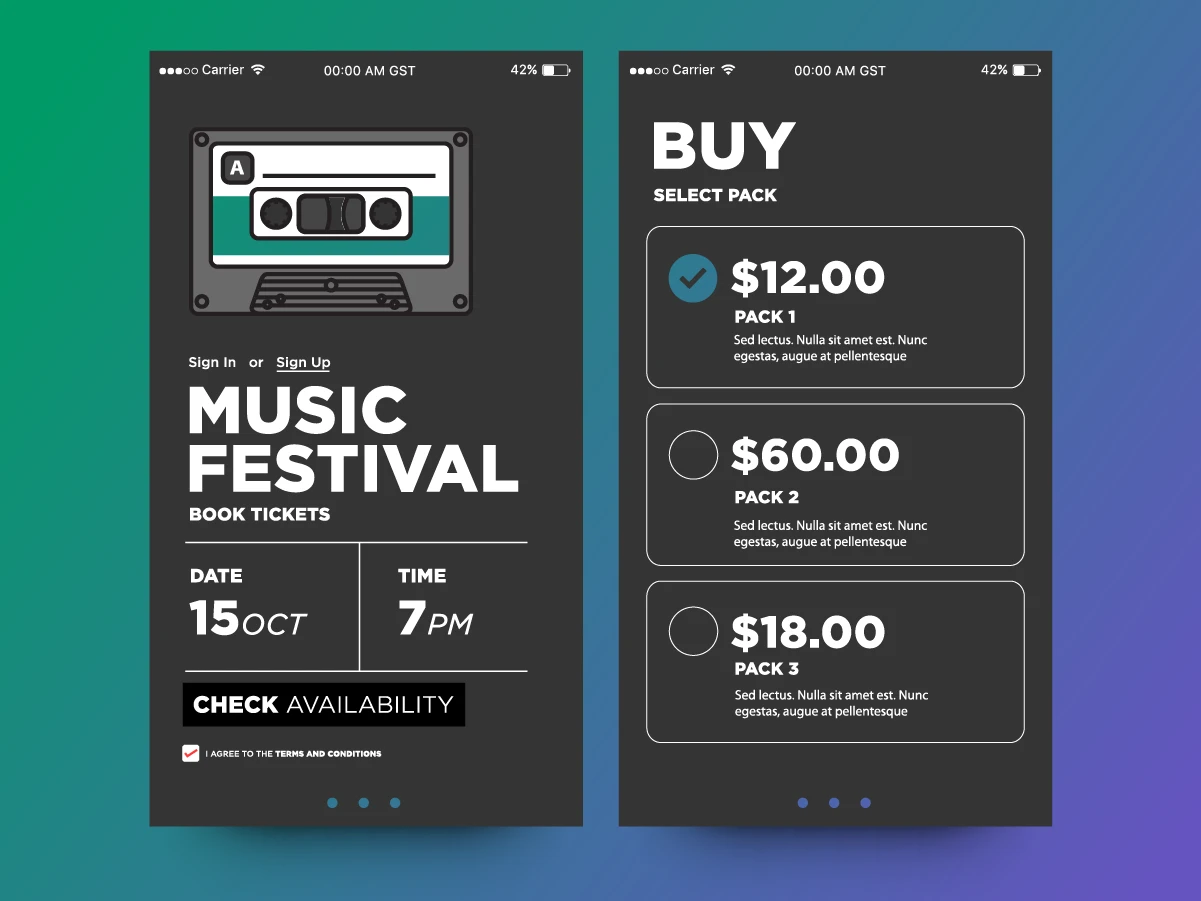
BNPL has moved from a novelty to a genuine factor in ticket purchasing decisions, particularly for higher-priced events. According to Eventbrite's 2025 TRNDS report, 51% of consumers are more likely to attend an event if BNPL is available, and 56% would use it for tickets priced above $100.
The appeal runs in both directions. For buyers, it breaks a $500 ticket into smaller, predictable payments and removes some of the sticker shock on premium experiences. For platforms, the mechanics are worth understanding clearly: the platform gets paid in full upfront, with no delay waiting for installment completion, since the BNPL provider carries the financing risk rather than the organizer. Mastercard research found that BNPL reduces cart abandonment by 35% and increases conversions by 45%.
Softjourn worked with UPC to add BNPL functionality to its payment flow. Implementation typically requires a partnership with a BNPL provider (Klarna, Affirm, Afterpay), seamless checkout integration, clear communication about payment terms, and risk management to handle defaults without affecting the platform's own cash flow.

Cashless and RFID Payments
Closed-loop RFID wristbands that function as pre-loaded payment tokens are popular for multi-day festivals and large-scale events. They eliminate card reader bottlenecks at concession points and can meaningfully increase per-head spend. The Denver Broncos saw a 34% sales increase after going cashless, illustrating what removing payment friction can do at a high-volume venue.
The tradeoff is real: approximately 15% of loaded credit typically goes unspent at festivals using RFID systems, according to Weeztix, so organizers need a clear policy for unspent balances before launch. Going cashless also reduces operational overhead from cash handling, float requirements, and counting, but requires planning for the segment of an audience that still prefers or relies on cash.
Additional Revenue Modules
Memberships and Packages
A ticket is increasingly the entry point rather than the whole product. Membership programs and multi-event packages (a season of theater performances, a bundle of festival passes) both depend on the same underlying inventory and pricing logic as single-event ticketing, but need their own layer for tracking entitlements across multiple events rather than a single transaction.
Donations
For nonprofit and arts organizations in particular, the ticketing flow often doubles as a donation channel. Building donation capability into the same checkout, rather than routing it to a separate system, keeps the patron relationship in one place and gives the CRM layer a fuller picture of a given patron's relationship with the organization.
Add-ons and Cross-Selling
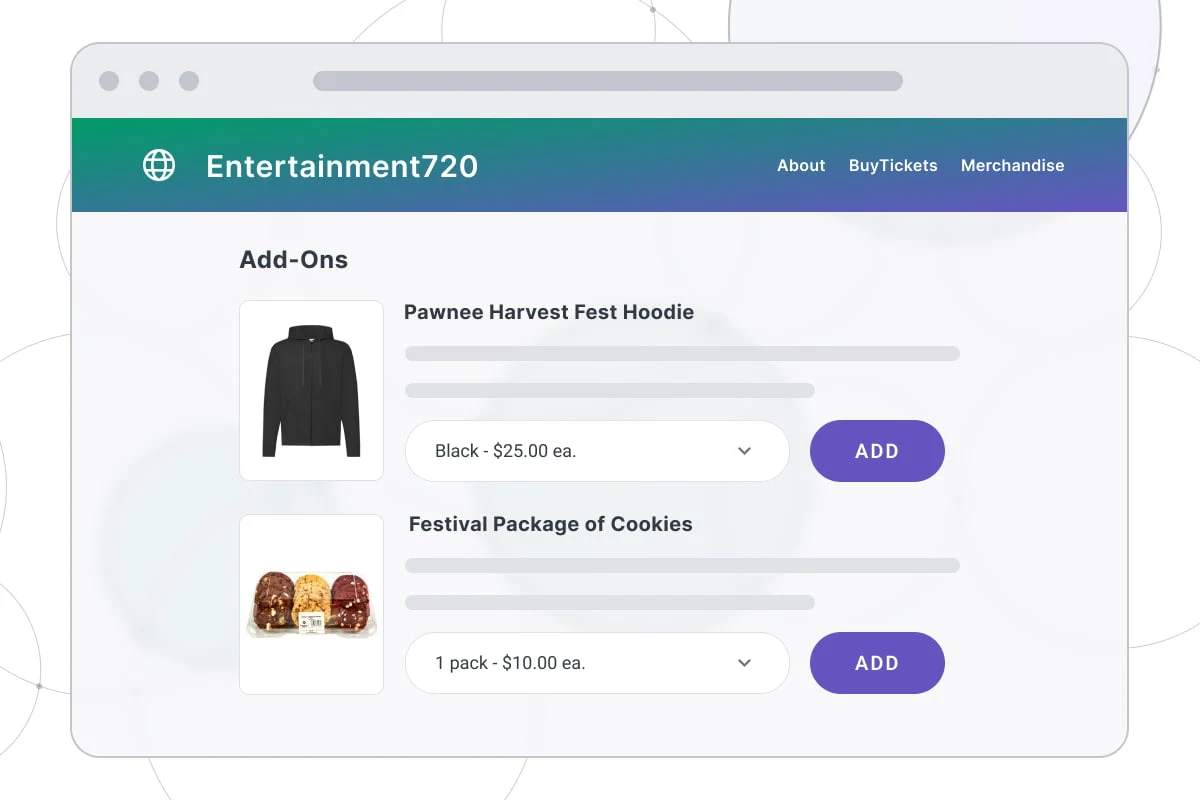
Parking passes, food and beverage credits, merchandise, and VIP upgrades all sell better when integrated directly into the purchase flow rather than offered as an afterthought. SimpleTix estimates that strategic upsells can increase revenue by up to 30%, though relevance matters more than volume: a premium seat upgrade offered to someone already buying mid-tier tickets works, a generic upsell that ignores purchase context tends to get ignored.
Refunds and Exchanges
Refund and exchange logic sits at the intersection of the payment layer, the inventory layer, and the CRM. A ticket refunded needs to release its seat back into inventory correctly (without creating an orphan seat), reverse the transaction cleanly through the original payment method, and update whatever reporting and invoicing depend on that sale. Exchanges add a layer of complexity on top of refunds, since they involve both a release and a new hold happening close enough together that inventory doesn't briefly show incorrect availability in between.
Compliance Snapshot
Compliance is easy to treat as a post-launch checklist. In practice, several of these requirements shape the architecture itself, and getting them wrong isn't a fine you pay later, it's a rebuild.

Ticketing-Specific Regulation
Price transparency requirements, like the US FTC's all-in pricing rule or Canada's ban on drip pricing, aren't just a checkout copywriting decision. They determine how fees get calculated and displayed throughout the entire purchase flow, which means the pricing engine needs to support showing a true total price at the first point any price appears, not just at the final checkout step. Retrofitting that after a platform is built around showing a low headline price and adding fees later is a real rework, not a quick fix.
Resale price caps matter for a different reason: they vary by jurisdiction, from an effective zero-premium standard in some markets to no cap at all in others, and a platform with secondary market or resale features needs that logic to be genuinely configurable per region rather than hardcoded to one country's rules. A platform built only around a single market's assumptions becomes a real constraint the moment an organizer wants to run an event somewhere else.
Data Privacy
GDPR and similar laws like CCPA aren't just a privacy policy update. They require explicit, separate consent before collecting registration data, meaning a signup or checkout flow can't quietly opt patrons into marketing by default, and they require the ability to actually locate and delete a specific patron's data on request. That second part is an architecture question: a system that scattered patron data across multiple services without a clean way to find and remove all of it will struggle to comply, regardless of how good the privacy policy reads.
Payment Compliance
Any system handling payment data directly falls under PCI DSS, and the scope of that audit is determined by architecture decisions made early, not late. Tokenizing payment data through a processor rather than storing card details directly keeps the compliance boundary narrow and the audit smaller. Skipping this consideration at the design stage tends to mean retrofitting security controls into a system that wasn't built with them in mind, which is considerably more expensive than building it in from the start. For high-volume organizations, annual PCI DSS audits can run between $50,000 and $150,000, which is worth factoring into the build decision rather than discovering after launch.
Accessibility
The Americans with Disabilities Act requires accessible seating in every price category at no higher price than comparable non-accessible seats, with patrons able to purchase up to three adjacent companion seats when available, sold through the same channels and timeframes as everyone else. That means accessible seating can't be an afterthought bolted onto a seating chart. It needs to be part of the venue mapping and inventory logic from the start, or an organizer ends up manually managing a workaround for every single event.
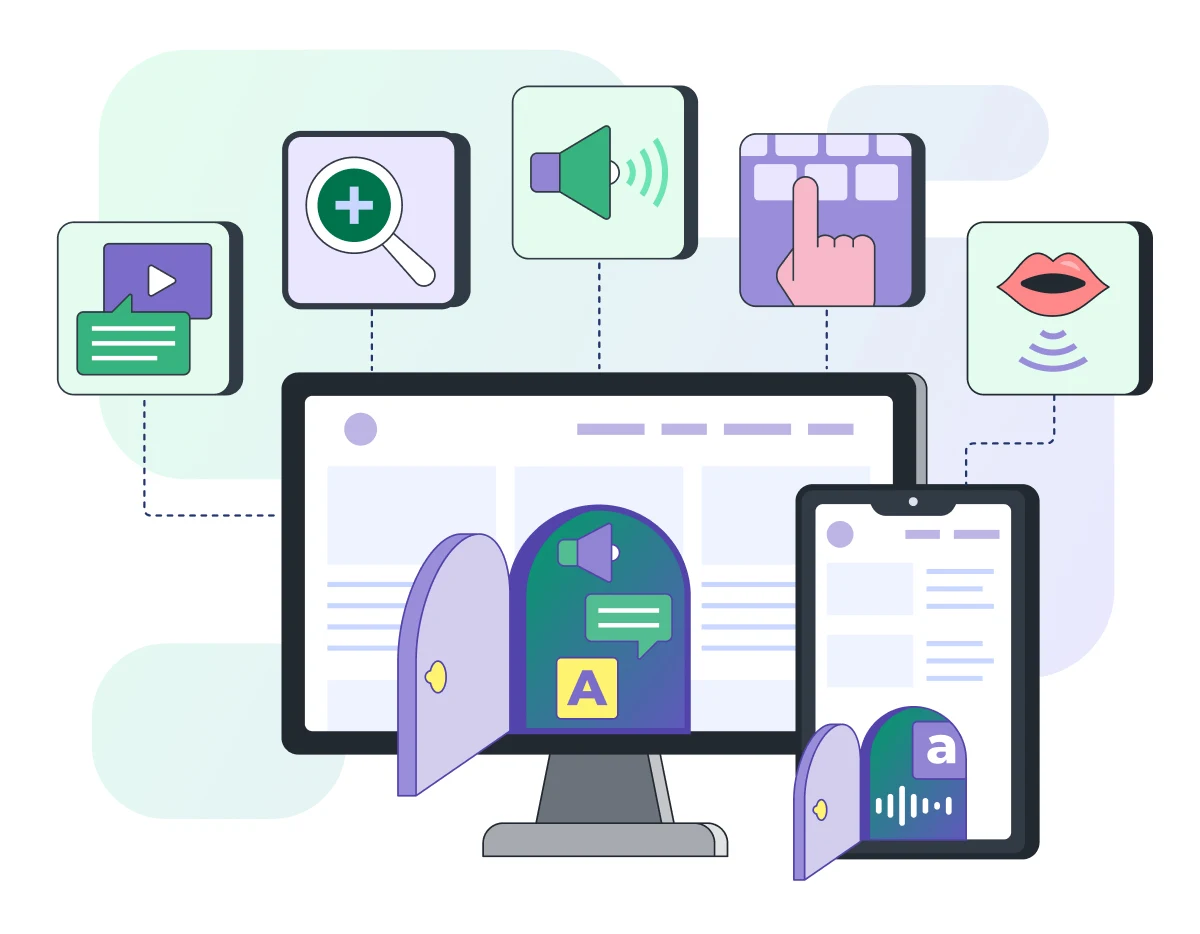
Beyond seating, WCAG governs whether the ticketing website and app itself are usable by people with disabilities: color contrast, keyboard navigation, screen reader compatibility. This is a frontend and design decision made early in a build, not something added in a later pass, and building it in from day one is meaningfully cheaper than reworking an interface after the fact.
Emerging Ticketing Technology Worth Watching
Everything covered so far is what a ticketing system needs today. This section is different: a look at technology that's either early-stage, niche, or genuinely promising but not yet a baseline expectation. Worth knowing about, not necessarily worth building around yet.
Biometric and Facial Recognition Access Control
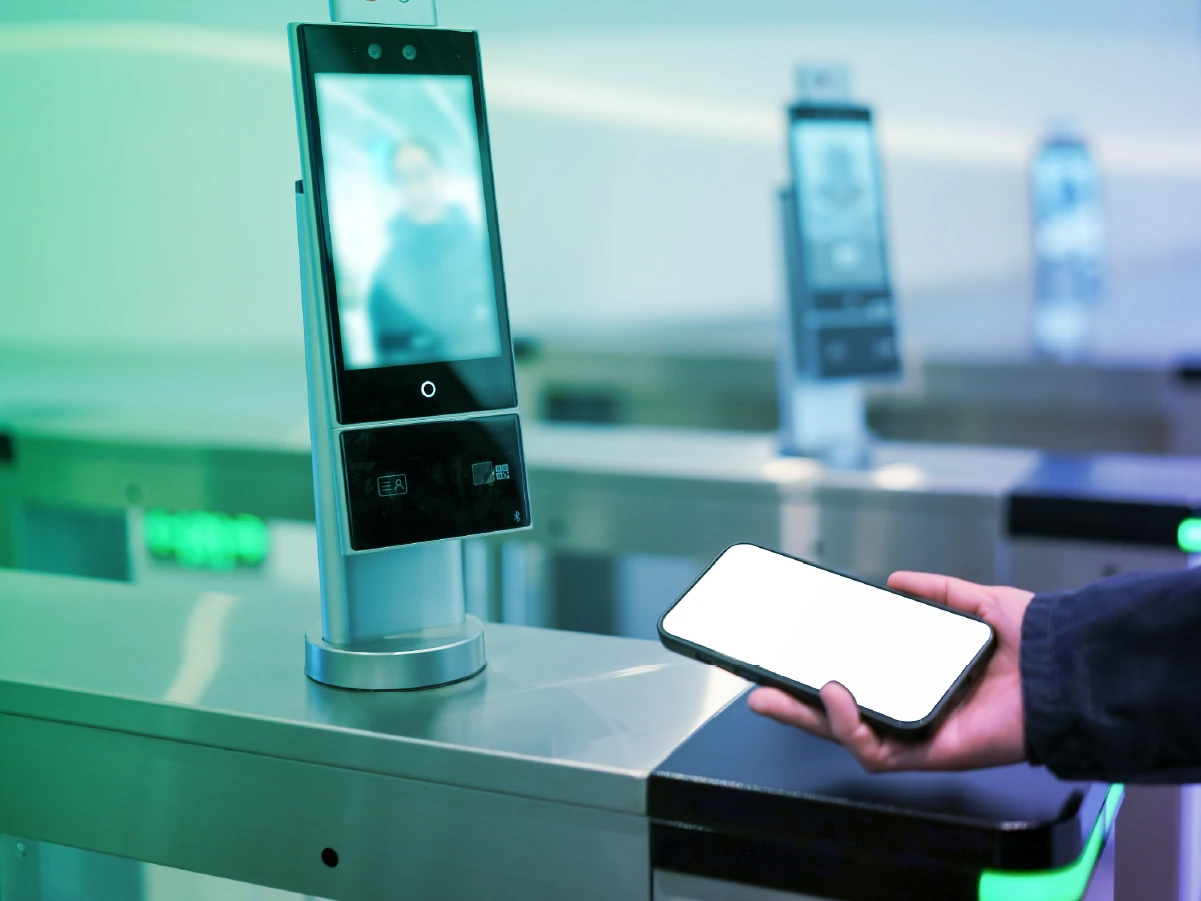
Facial recognition for entry has moved past pure novelty. Major venues have implemented it for staff access control and, in limited cases, patron entry, and the underlying appeal is straightforward: faster, hands-free verification that's harder to spoof than a screenshot of a QR code. The obstacles are just as real. Regulatory scrutiny around biometric data storage varies significantly by jurisdiction, patron opt-in rates remain a genuine question mark, and the additional hardware and software required add real cost and complexity to the check-in process. This is a technology worth watching rather than defaulting into, and any implementation needs a clear answer for consent and data retention before it touches production.
Identity-Linked, Programmable Tickets
The industry conversation has shifted from tickets as static barcodes to tickets as part of a persistent patron identity, one that could theoretically control entry, payments, loyalty status, and even time-boxed perks like food credits, all changing based on preset conditions. The appeal is real: better fraud mitigation through traceable transfers, and richer data for organizers who currently lose visibility into who actually shows up after a resale. It's also, as of this writing, more vision than shipped product for most platforms. A system architected with extensible ticket data from the start will have an easier time moving toward this if the market matures in that direction, which is a reasonable argument for building flexibility in now even without committing to the full vision today.
AR and Immersive Features
The practical, near-term version of this is narrower than it sounds: a camera feature overlaying player stats when pointed at a field, an AR seat preview showing a fan their actual view before purchasing, or a real-time venue map guiding someone to the nearest concession line without them wandering a stadium looking for signage. These are genuinely useful, bounded features rather than a full immersive platform, and they tend to reduce real friction points fans already complain about.

Conversational and Agent-Based Booking
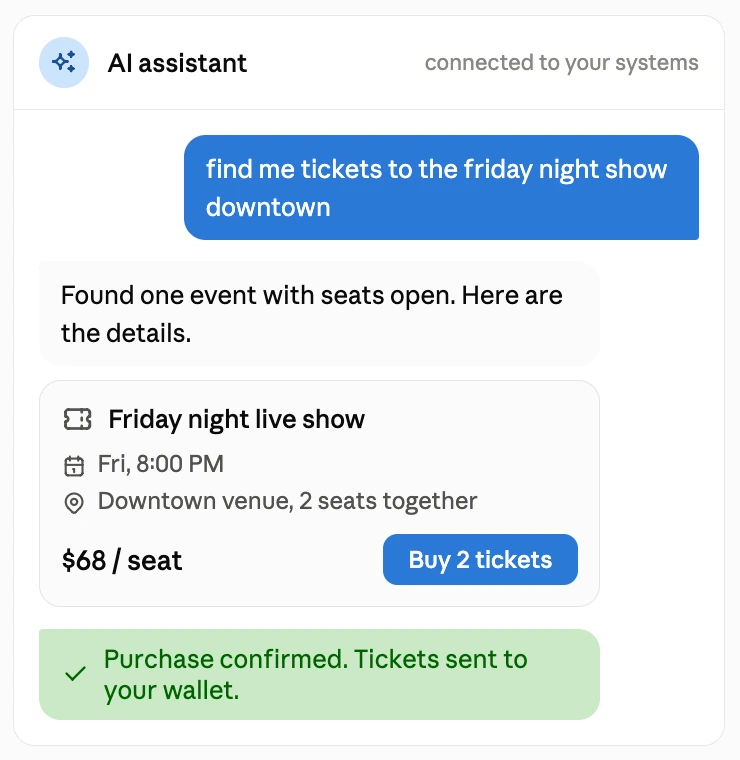
Beyond the event discovery chatbots covered elsewhere in this guide, there's a further-out possibility worth flagging: booking flows where an AI agent searches and completes a purchase across multiple ticketing sources without a person ever opening an app. Some industry voices see MCP servers, the same protocol increasingly used to connect AI tools to backend systems, as a plausible path toward this, letting an AI assistant search and book tickets the way it might currently search the web.
This is speculative rather than a near-term build priority, but it's a reasonable argument for keeping ticket data and inventory accessible through clean, well-documented APIs regardless, since that groundwork pays off whether or not agent-based booking becomes mainstream.
The thread running through all four of these: none of them are core requirements for a first build, but a platform architected with reasonably flexible data models and clean APIs will have an easier time adopting whichever of these actually mature, rather than needing a rebuild to catch up.
Where AI Actually Helps (and Where It Doesn't)
Every conversation about building a ticketing system eventually turns to AI, usually with an unspoken assumption underneath it: that AI makes this cheaper, faster, or simpler to build from scratch. It doesn't. What it does is speed up specific, well-defined pieces of the system, and it's worth being precise about which ones.
Sébastien Braun, CEO at idloom, put the current state of the industry plainly: AI is "both overhyped in vision, underhyped in practical impact." The pattern holds across most of the ticketing industry right now. The flashy, consumer-facing AI features get the attention. The quieter, operational uses are where the actual value shows up.
Where AI Genuinely Helps
MVP definition and early prototyping: Scoping what actually goes into a ticketing product used to mean manually re-listening to client calls, writing specifications by hand, and building mockups from scratch. "Now you run working sessions with a notetaker attached," says Lyubomyr Nykyforuk, ticketing expert and Solution Architect at Softjourn. "Notes are ready the moment the meeting ends. You hand those notes to a business analyst agent, which turns them into a specification." Mockups follow a similar pattern: a wireframe that used to require pulling in a designer can often be generated well enough to test assumptions with a client before a single line of production code gets written.
Operational automation: Ruben Meiland, Chief Product and Technology Officer at TicketSwap, points to AI-powered support resolving 60 to 80% of routine cases instantly: refund questions, transfer issues, and buyer or seller disputes, freeing human staff to focus on the complex edge cases that actually need judgment. This pattern extends to dispute preparation, fraud triage, refund-reason classification, operational forecasting, and reconciliation cleanup, the tedious back-office work covered earlier in this guide rather than anything customer-facing.
Fraud triage: AI-driven anomaly detection can flag unusual transaction patterns in real time, which matters in ticketing specifically because fraud models built for general e-commerce tend to over-trigger on legitimate ticketing behavior, like a fan buying several tickets at once or purchasing from an unfamiliar location while traveling.
Predictive capacity and demand planning: Jessica Stewart, who manages ticketing for The Event Planner Expo, described using AI tools to forecast which sessions would hit capacity based on speaker popularity and engagement trends, cutting day-of logistics scrambling by roughly 40%. This is a genuinely useful, well-scoped application: predicting a specific, bounded outcome from historical and behavioral data, not attempting to forecast an entire event's success.

Event discovery and conversational search: natural-language event discovery, letting a patron ask something like "family-friendly events this weekend under $100" instead of navigating category filters, is one of the more mature consumer-facing AI applications in ticketing today.
The value depends heavily on integration depth: a chatbot that answers questions but stops short of a completed booking leaves most of the value on the table, while one tied tightly to the transaction flow can meaningfully lift conversion.
The same underlying pattern, grounding a chatbot strictly in an organization's own documentation rather than letting it improvise, also has direct application to patron-facing support: answering accessibility questions, ticket category details, or venue policies from the event's own documentation rather than a generic response, with a scripted fallback for anything outside that scope rather than a guess.
Documentation, testing, and code review during the build itself: separate from what AI does once a ticketing system is live, it has a real and measurable role in building the system in the first place.
In one internal engagement, Softjourn's engineering team saw well-defined coding tasks speed up 5 to 10x, documentation that used to take a week drop to minutes, and unit tests with full edge-case coverage generate in seconds, by pairing a persistent project-context file with a structured workflow rather than treating each AI session as a blank slate.
A separate engagement applied a similar approach to search: turning 25 years of project history into an AI-searchable knowledge base, so institutional knowledge that used to live in individual engineers' heads becomes queryable instead.
None of this replaces architectural judgment, and the same engagement that produced those gains also surfaced real limits: AI executing a database change without visibility into other services that depended on those columns, for instance, which is a documentation and process problem more than an AI one. High-stakes system changes still need human review before anything ships.
Where AI Doesn't Help
Replacing organizers or fully automating event setup isn't realistic given how much nuance that judgment requires, and predicting perfect demand curves remains difficult because there are simply too many externalities.
More specifically, for a from-scratch build: AI does not solve the offline sync architecture described earlier in this guide. It does not replace the integration testing that has to happen against real scanning hardware and real venue network conditions. It does not remove the need for PCI DSS scoping decisions or compliance review. And it does not shorten the timeline for the parts of a ticketing system that are fundamentally about correctness under concurrency, like seat holds and inventory reconciliation, rather than about generating content or classifying text.
Josh Katz, founder of YellowHeart, made a related point about infrastructure: many incumbent ticketing tech stacks are old enough that they can't easily integrate AI tooling even where it would help, meaning the platforms best positioned to benefit are the ones already built on modern, flexible architecture, not the ones bolting AI onto something legacy.
Softjourn's ticketing expert, Lyubomyr Nykyforuk, points to architecture specifically as the area least affected by AI acceleration: "The solution architect's role is genuinely central, because that's where a solution for a specific business need starts taking shape: how the client's problem gets solved technically, which approach fits, which architecture we go with." Domain knowledge compounds the same way. AI can generate a working access control flow or a payment integration, but it has no memory of which approaches have already failed. "AI doesn't carry that baggage of failures to learn from," Nykyforuk says. "It guesses at what's best; it doesn't know which rakes we've already stepped on."
Vibe Coding Has a Ceiling
There's a real difference between using AI to move fast and treating AI output as production-ready without anyone checking it. "If we mean a non-technical person building a solution with AI, never looking at the generated code, not understanding what it does, I don't see that in production at all," says Lyubomyr Nykyforuk, "Not for any meaningful system."
In his view, a vibe-coded prototype is genuinely useful for validating an idea, testing it with real users, and gathering feedback before spending serious money. What it isn't is a finished product. "If it has to grow, scale, and take load, it's almost always a rewrite, just a well-informed one, because by then the person knows what they want." The knowledge from that early exploration carries forward. The code usually doesn't.

The Honest Takeaway
AI is a genuine accelerant for specific, well-bounded problems inside a ticketing system: support deflection, fraud triage, demand forecasting, event discovery, and real parts of the engineering workflow itself, from documentation to test generation to code review. It is not a shortcut around scoping the access control app, the payment reconciliation, or the offline architecture this guide covers elsewhere. Treating AI as infrastructure that speeds up known work, rather than as a substitute for doing that work, is the difference between a realistic AI strategy and an expensive disappointment six months into a build.
Build vs. Buy vs. White-Label
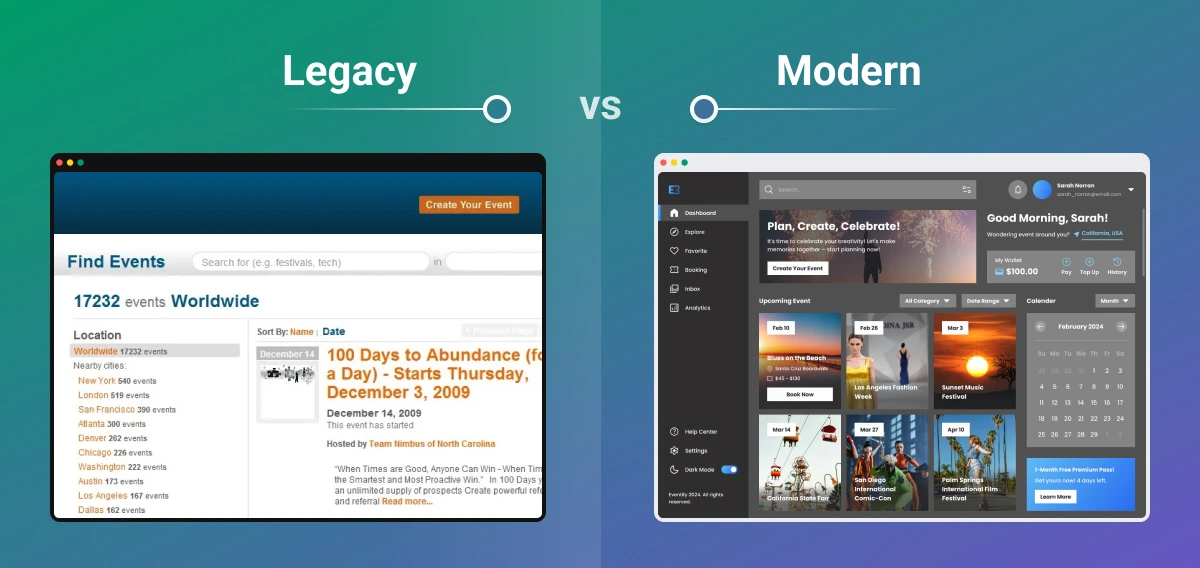
Every organization scoping a ticketing platform eventually confronts this decision, and it's rarely as binary as it sounds. Most platforms end up somewhere between the two: a licensed component here, a custom-built module there, built on top of infrastructure that started as someone else's product.
The Core Tradeoffs
Criteria | Build From Scratch | Integrate or White-Label |
Cost | Full control over long-term cost structure | Lower upfront cost, ongoing licensing or per-transaction fees |
Time to Market | Longer development and testing cycle | Faster implementation, often weeks rather than months |
Customization | Unlimited feature possibilities | Limited by what the platform or vendor supports |
Security and Compliance | Full responsibility for meeting standards | Vendor typically carries some compliance burden |
Scalability | Built for your specific growth trajectory | Scalability depends on the vendor's own architecture |
Ownership of Data | Complete control | Varies by vendor, worth confirming explicitly |
When Building From Scratch Makes Sense
A full custom build makes the most sense when an organization's business model genuinely doesn't fit existing products, not simply because customization sounds appealing. Complex commission or payout structures for independent sales agents, multi-channel reconciliation that spans cash, card, and digital payments in ways no standard product supports, or access control requirements specific enough that no vendor SDK covers them are the kinds of problems that justify a full build.
When Integration Is the Better Path
For organizations with existing infrastructure, the more common and often more sensible path is integration: connecting a payment processor, a venue mapping tool, or an access control component to an existing platform rather than rebuilding the whole system. The complexity here lives in the integration layer itself, mapping data models correctly, handling edge cases, and making sure data flows cleanly into reporting and reconciliation, rather than in building each component from zero.
When to Modernize Before Expanding
Sometimes the right call is neither a full build nor a full replacement, but an honest assessment of what an existing system can and cannot support before adding anything new. A gap analysis that surfaces where a platform can't support the payment methods or regulatory requirements needed for a new region, for instance, gives an organization a prioritized remediation plan instead of a guess about what to build next. This matters just as much for ticketing platforms expanding into new markets as it does for a from-scratch build trying to get the initial architecture right the first time.
White-Label and Licensing
Licensing an existing product, whether a full white-label ticketing platform or a specific component like a venue mapping tool or access control boilerplate, is often the fastest way to get a specific piece of functionality working correctly without the multi-month timeline of a full build. The tradeoff is customization ceiling: a white-label solution gets an organization to market faster, but eventually needs to be evaluated against whether it can still flex to match the business as it grows.
The decision that matters most isn't build versus buy in the abstract. It's an honest inventory of which parts of the system are genuinely differentiated for a given business, and which parts are solved problems better left to something already built and tested.
Cost and Timeline of Building a Ticketing System
Anyone scoping a ticketing build wants a number before anything else, and the honest answer is that it depends heavily on scope. A single-venue box office replacement and a multi-tenant platform meant to serve hundreds of organizers are different projects with different cost structures, even though both technically qualify as "a ticketing system."
What Drives the Range
A few factors move the estimate more than anything else:
- Access control complexity: a scanning app with full offline support, hardware integration across multiple device types, and real-time sync back to a central system costs meaningfully more than one built for a single venue with reliable connectivity.
- Payment scope: supporting a single processor and standard card payments is a different build than supporting BNPL, cashless RFID, multi-currency settlement, and PCI DSS compliance across several jurisdictions.
- Venue and seating complexity: general admission only is a much smaller build than full reserved seating with orphan-seat prevention, whole-table booking, and multiple venue configurations.
- Scale requirements: a platform that needs to survive a major on-sale, with queueing, elastic infrastructure, and load testing built in from the start, costs more to build correctly than one serving smaller, steadier traffic.
- Multi-tenancy: a platform built to serve one organizer is a different scope than one built to onboard many organizers as white-label or SaaS clients.
MVP Cost and Timeline
Every ticketing system is different, and cost depends heavily on the specific mix of technologies, features, scale, and infrastructure a given build actually needs. There's no true one-size-fits-all estimate, but a few reference points help frame the range.
A basic MVP, single venue, general admission only, one payment processor, simple online-only scanning, typically falls somewhere in the $15,000 to $40,000 range and can ship in a matter of months. Add reserved seating with real venue mapping, offline-capable access control, multi-channel payment reconciliation, and the kind of scale planning covered earlier in this guide, and the number climbs substantially from there.
A full enterprise-grade platform, one built for multiple organizers, high-volume on-sales, and the full range of modules this guide has walked through, can run $200,000 or more, with a timeline measured in the better part of a year rather than a few months.
AI is also changing how quickly a scoped MVP can move, though the honest answer is that this is directional rather than measured. "My instinct is somewhere around 30 to 40%, maybe up to 50% faster," says Lyubomyr Nykyforuk, ticketing expert and Solution Architect at Softjourn, when asked how AI has changed timelines on ticketing builds specifically. "But that is a guess. We don't have the empirical case where we took a scoped piece of work, rebuilt it with AI, and compared like for like." Treat any AI speed-up estimate, including that one, as a starting assumption to validate against your own scope rather than a guarantee.
Getting to a Real Number
Where a specific build lands inside that range depends on decisions made throughout this guide: how much offline resilience the access control app needs, how many payment methods and revenue streams get supported, whether reserved seating and venue mapping are in scope, and how much of the compliance and back-office depth gets built into the first release versus a later phase.
The best way to know what a specific build will actually cost is a quick consultation with our ticketing development team.

Next Steps for Building a Ticketing System
Building a ticketing system right is a real undertaking: a system that has to get seating, access control, payments, compliance, and scale all working together, not just one piece of it. None of that is a reason to avoid building; it's a reason to build with people who have already solved these problems before, rather than discovering them for the first time on your own timeline.
Softjourn has spent over two decades building ticketing systems specifically, across access control, venue mapping, payments, and platform architecture for clients ranging from independent festival organizers to major sports venues and arts organizations.
If you're scoping a build and want a clear-eyed read on what it actually requires, where your existing systems already cover ground and where they don't, and what a realistic cost and timeline looks like for your specific scope, contact Softjourn to get started on your ticketing platform build.