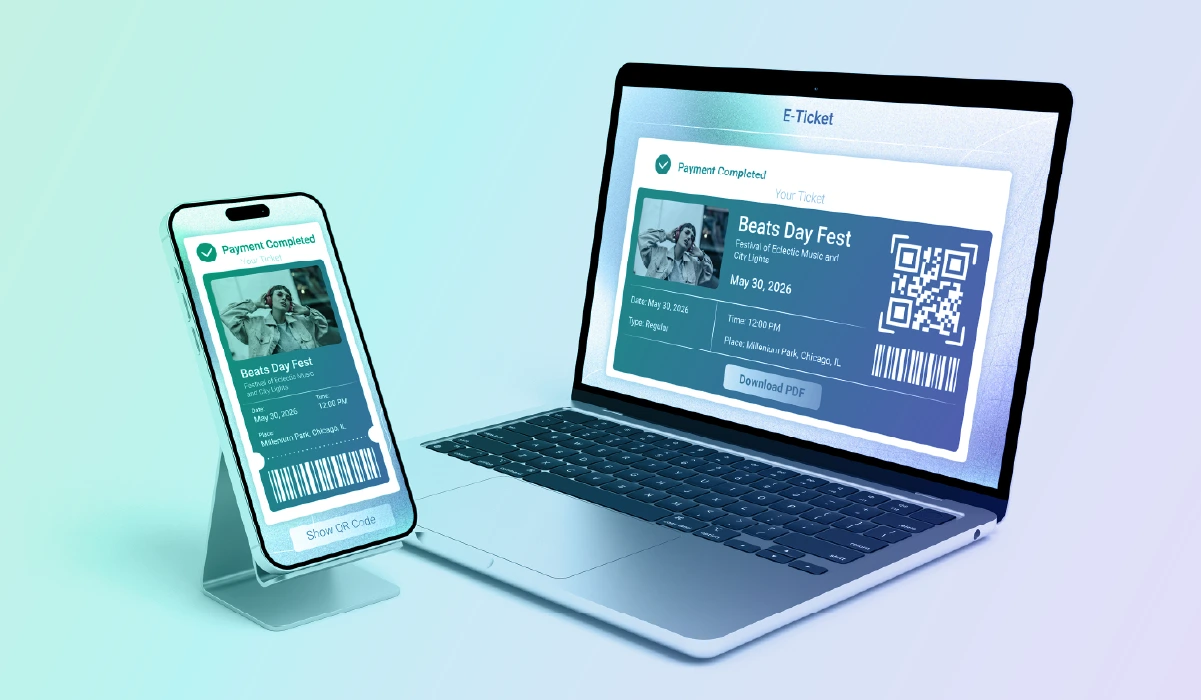
What Powers High-Performance Ticketing Systems: The Best Tech Stack for Modern Event Platforms
Based on nearly two decades of ticketing development, here's what actually works when building platforms that need to scale, perform under pressure, and deliver seamless experiences for both organizers and attendees.

Whether you have a venue that needs to process hundreds of thousands of attendees, are planning RFID bracelets for access control at a festival, or are considering how to make your platform more user-friendly with better design, you will need to make deliberate technology choices that will help you achieve your aims.
When event organizers ask us about building or modernizing ticketing platforms, they rarely start with "what programming language should we use?"
The conversation usually begins with business goals: faster check-in times, support for reserved seating, mobile-first experiences, or handling peak traffic during on-sales. But every one of those goals depends on the technical foundation you build.

After working on ticketing systems since 2005, we've seen which technologies consistently deliver under pressure and which ones create problems down the road. Here's what actually works and has been tested across hundreds of implementations.
Mobile Development: Where Most Users Start Their Journey
Nearly every ticketing interaction now starts on a mobile device. Whether someone's buying tickets, scanning into an event, or selecting specific seats, mobile performance determines their entire experience.

But choosing mobile technology isn't just about technical specs anymore. As our Solutions Architect explains:
"It's more like other factors that you would include. Do you have enough resources? Are you going to support this internally? Do you have any special requirements for the application?"
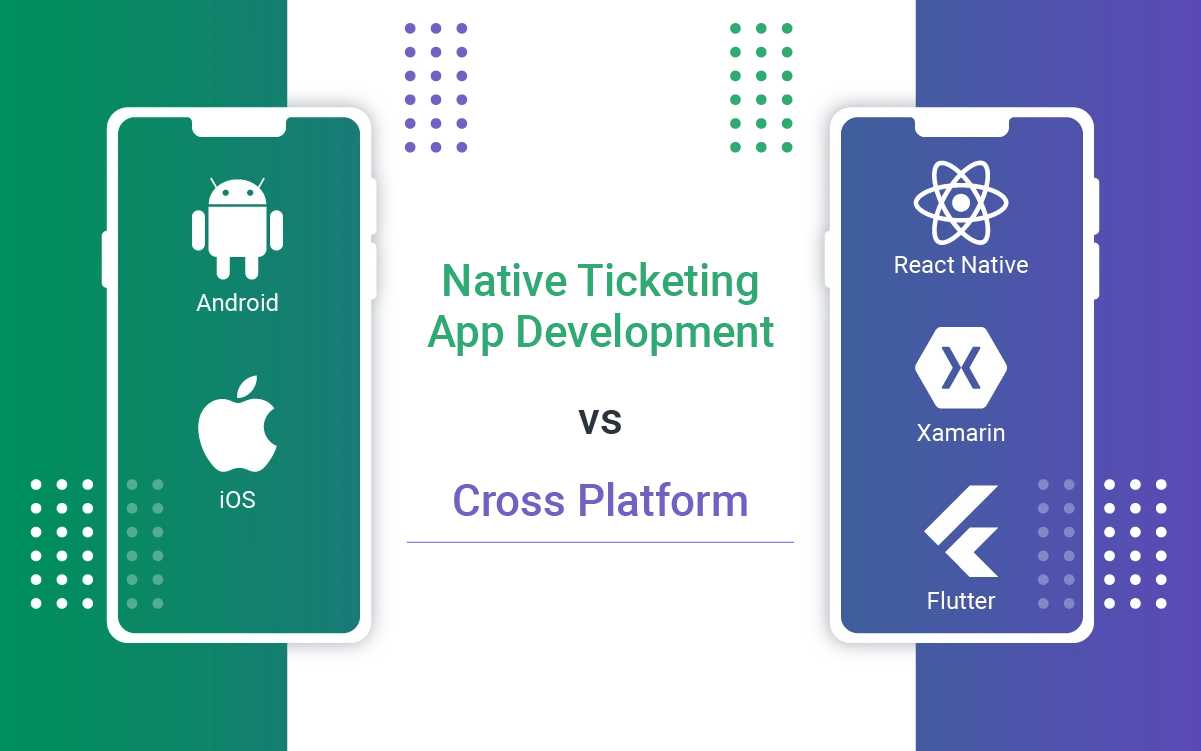
React Native: The Practical Choice for Cross-Platform Access Control
For access control applications specifically, has become our default recommendation across multiple projects. The framework delivers native performance while maintaining a single codebase for iOS and Android.
We've deployed React Native access control apps for global clients across many event types. Sports venues present some of the most demanding access control scenarios, with large crowds, tight entry windows, and the need for reliable offline functionality when connectivity is inconsistent. [For a deeper look at building for that environment, see our Guide to Sports App Development.]
In each case, the framework handled high-volume events, allowing staff to focus on guest experience rather than technical issues.
Why it works for ticketing:
When staff members scan thousands of tickets during peak entry times, the app needs to respond instantly. React Native handles this demand while offering practical advantages that matter in real operations:
- Offline functionality: Events happen in venues with spotty internet. React Native apps store scanned data locally and sync when connectivity returns, preventing queue bottlenecks.
- Hardware integration: Access control requires communication with various scanning devices. React Native supports Linea Pro scanners, NFC readers, and other hardware through native modules.
- Quick iterations: When an event reveals a workflow issue, you can push updates to both platforms from one codebase. For fairs processing hundreds of thousands of attendees, this flexibility prevents operational disasters.
- Cost efficiency: You're building and maintaining one application instead of two. For ticketing platforms serving multiple client types, this significantly reduces long-term costs.
We've deployed React Native access control apps for global clients across many event types. In each case, the framework handled high-volume events, allowing staff to focus on guest experience rather than technical issues.
Xamarin: The Microsoft Cross-Platform Option
Xamarin (now part of .NET MAUI) represents another cross-platform approach. Some major ticketing platforms have used Xamarin successfully, particularly organizations already invested in Microsoft's ecosystem.
When Xamarin makes sense:
- Organizations with existing .NET infrastructure
- Teams with strong C# expertise
- Enterprise environments already using Microsoft technologies
However, the framework's momentum has shifted. Microsoft is transitioning Xamarin to .NET MAUI, and the broader development community has largely moved toward React Native or Flutter for new projects. If you're starting fresh, React Native typically offers better community support and more readily available developers.
When to Consider Native Development
If your app requires deep OS-specific features or absolute performance optimization, native development with Swift (iOS) and Kotlin (Android) remains the better choice. Sometimes clients need native apps because their existing infrastructure already supports separate iOS and Android codebases, making native development the practical path forward.
Mobile Ticketing and Digital Wallets
Beyond access control, mobile ticketing itself requires frontend technologies that handle secure data display, QR code generation, and real-time updates. HTML5 and JavaScript power most web-based ticket purchasing interfaces, while native mobile apps use platform-specific technologies for optimal performance.
Backend Development: The Engine That Everything Depends On
Your backend determines whether your platform can handle 20,000 simultaneous ticket purchases or collapses under load. Different backend technologies excel at different aspects of ticketing operations, but choosing the right one increasingly depends on developer availability, long-term maintainability, and your team's existing expertise.
TypeScript: The Golden Standard for New Projects
When building ticketing platforms from scratch, TypeScript with Node.js frameworks has become our primary recommendation. This isn't just about technical performance, but about the broader ecosystem and developer market.
Why TypeScript/Node.js makes sense:
- Strong developer availability and growing market demand
- Type safety catches errors during development rather than production
- Modern frameworks and tooling designed for current web standards
- Easier to find developers who keep their skills current
- Efficient for rapid development and iteration
As our Solutions Architect explains:
"If we would design from scratch, most likely we will pick TypeScript and a Node.js-based framework to build something from scratch because that's our standard approach."
The shift toward TypeScript reflects broader changes in the developer market. Developers increasingly prefer working with TypeScript, which makes hiring easier and keeps your codebase maintainable as your team evolves.

Java: Solid for Maintenance and Enterprise Integration
Java remains prevalent in ticketing systems, particularly for platforms built over the past decade. While it's not our first choice for new projects, Java still serves specific purposes well.
When Java makes sense:
- You're maintaining an existing Java-based platform
- Integrating with enterprise systems already built in Java
- Client specifically requests Java due to internal expertise
- Working within an established Java technology stack
While Java remains a solid technology, we typically don't recommend it for new ticketing projects starting from scratch. However, if you're already working with Java infrastructure or need to integrate with existing Java-based enterprise systems, it makes sense to continue using what your team knows well.
Java's strong typing and extensive tooling still make it manageable for complex integrations. The main consideration is the shifting developer market and the availability of developers focused on more modern frameworks.
Ruby on Rails: When It Makes Sense
Ruby on Rails powered many ticketing platforms during its popularity surge, particularly when companies like Shopify demonstrated what the framework could do. However, several factors have diminished its appeal for new projects.
The Ruby reality:
- Performance concerns at scale
- Higher resource requirements compared to alternatives
- Declining developer interest and availability
- Maintenance can become challenging as the framework ages
We've worked with Ruby-based ticketing platforms that experienced performance bottlenecks as they scaled. While existing Ruby systems can work when properly maintained, we typically don't recommend starting new projects with Rails given current alternatives.
PHP: Pragmatic Solutions for Established Platforms
PHP still runs a significant portion of ticketing infrastructure, particularly for platforms built over the past 10-15 years. While not our first choice for new projects, PHP remains practical for maintaining and extending existing systems.
Where PHP fits:
- Maintaining legacy codebases that work but need new features
- Quick integrations with other PHP-based systems
- Budget-conscious projects where existing team expertise matters
- API development for platforms with established PHP backends
When clients have existing PHP infrastructure, we work within that environment rather than introducing unnecessary complexity. For integration projects with third-party platforms or adding new capabilities, working with the established PHP codebase often makes more sense than forcing a technology migration.
Making the Right Backend Choice
Technology selection isn't just about technical capabilities anymore. The decision involves multiple factors:
- Available resources: Can you find developers who work with this technology?
- Internal support: Will you maintain this internally or rely on external help?
- Special requirements: Do you need specific integrations or performance characteristics?
- Long-term maintenance: Who will support this in 3-5 years?
If you're building from scratch with no existing constraints, TypeScript/Node.js offers the best combination of modern development practices, developer availability, and long-term maintainability.
If you're working with existing systems in Java, Ruby, or PHP, migration to newer technologies should be evaluated based on your specific pain points and resources rather than following trends.
Frontend Technologies: The Customer's First Impression
Your frontend might be the determining factor of whether someone completes a purchase or abandons their cart. Performance matters, but so does responsive design that works across devices.
JavaScript and TypeScript: The Universal Choice
JavaScript powers the interactive elements on nearly every ticketing website. From seat selection maps to dynamic pricing displays to checkout flows, JavaScript handles the user-facing logic.
TypeScript has become increasingly popular for larger ticketing platforms. It adds type safety to JavaScript, catching errors during development rather than in production. For platforms managing complex state (inventory, pricing, user sessions), TypeScript reduces bugs and makes code easier to maintain as teams grow.
Modern JavaScript and TypeScript frameworks work across our projects:
- Real-time seat availability updates
- Interactive venue maps
- Dynamic form validation
- Responsive mobile-first interfaces
- API communication with backend services
React: The Default for User Portals
React has emerged as the dominant library for building single-page applications and user portals in ticketing systems. When customers log in to manage their tickets, view event history, or update preferences, they're typically interacting with a React-based interface.
Why React works for ticketing:
- Component-based architecture makes complex interfaces manageable
- Large ecosystem of libraries for common ticketing needs
- Strong developer community and hiring pool
- Excellent performance for interactive experiences
Angular: Enterprise Frontend Development
Angular appears in several ticketing implementations, particularly for platforms requiring structured, maintainable frontends. The framework's opinionated approach works well for large teams where consistency matters more than flexibility.
Where Angular fits:
- Large-scale ticketing platforms with multiple developer teams
- Applications requiring complex state management
- Enterprise environments where structure and conventions reduce decision fatigue
- Projects benefiting from TypeScript's built-in integration
Server-Side Rendering for Content-Heavy Sites
For ticketing platforms with significant content that needs to be indexed by search engines (event descriptions, venue information, blog posts) server-side rendering or static site generation becomes important.
When server-side rendering matters:
- Event discovery pages that need strong SEO
- Venue information and seating charts that should be searchable
- Blog content and promotional pages
- Any public-facing content where search visibility drives sales
Modern frameworks support server-side rendering alongside traditional single-page applications, letting you optimize each part of your platform appropriately.
Design and User Experience Technologies
UI/UX design might seem separate from technical architecture, but the tools used impact development workflows and final product quality.

Design Tool Standards
Figma: Our current standard for UI/UX design work. Figma's collaborative features let designers, developers, and clients review work simultaneously. The browser-based platform eliminates version control issues that plagued desktop design tools.
Adobe Illustrator: Still used for specific graphic elements and print materials. Illustrator excels at creating vector graphics for tickets, particularly when clients need print-ready files.
The combination works. Designers create user flows and interfaces in Figma, then generate specific graphic elements in Illustrator when needed.
Cloud Infrastructure: Where Everything Runs
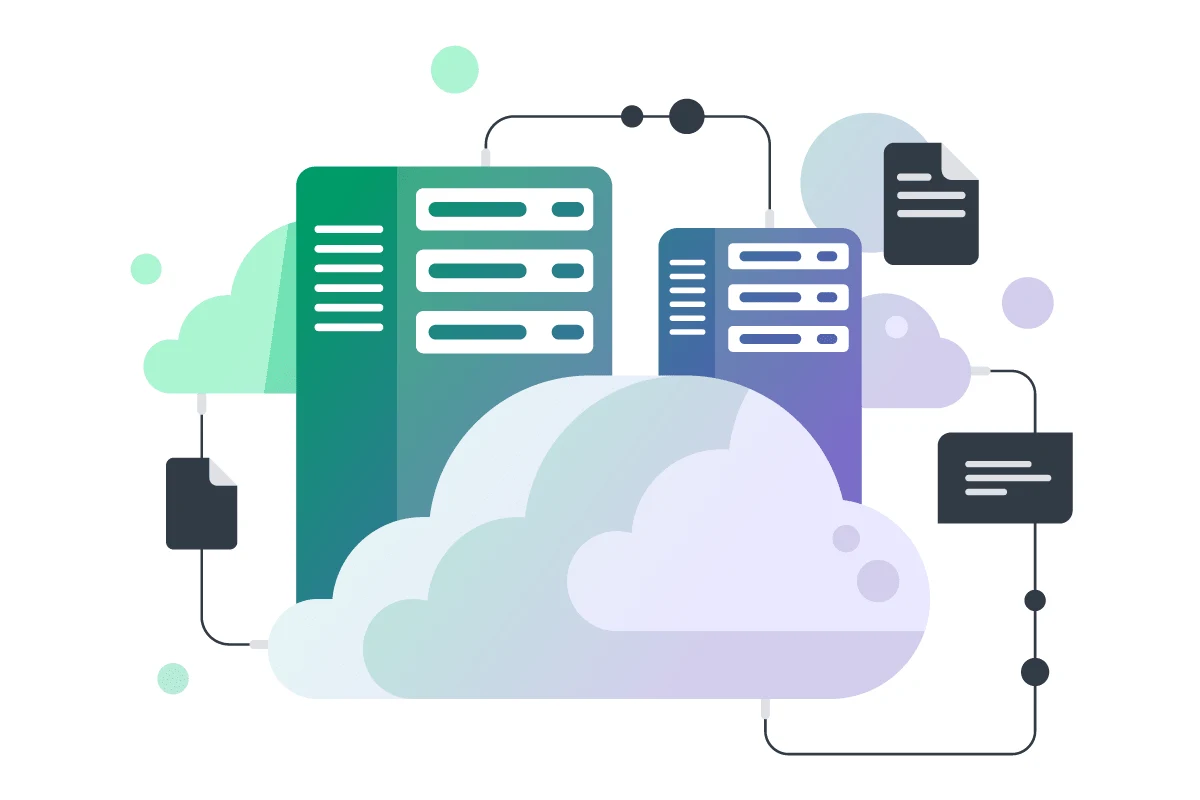
Modern ticketing platforms run on cloud infrastructure that automatically scales during traffic spikes and maintains reliability across geographic regions.
AWS: Our Primary Recommendation
AWS has become our standard choice for hosting ticketing platforms, based on extensive experience and consistent performance across multiple client projects.
Why AWS works for ticketing:
- Most cost-efficient option in our experience
- Comprehensive services covering all ticketing needs
- Automatic traffic distribution during on-sales
- Strong security features for payment compliance
- Global infrastructure for low-latency access
Azure: For Microsoft Ecosystems
Azure makes sense for organizations already invested in Microsoft technologies. If your company uses Office 365, Teams, and Active Directory, Azure provides natural integration with your existing infrastructure.
Azure advantages:
- Seamless integration with Microsoft tools
- Enterprise authentication through Active Directory
- Familiar environment for Microsoft-focused teams
The Reality of Cloud Choices
Cloud platforms and their pricing change frequently. What's most cost-effective today might shift next year. The best approach: evaluate current offerings based on your specific requirements rather than assuming one provider is always superior.
Modern cloud platforms all support ticketing workloads effectively. The difference comes down to your team's expertise, existing infrastructure, and specific feature needs.
The infrastructure behind ticketing platforms determines whether your system handles peak traffic smoothly or crashes when you need it most. Modern approaches focus on reliability and automatic scaling.
Data Storage: The Right Database for Your Needs
Most ticketing platforms use either PostgreSQL or MySQL for their primary database. The choice often depends on team expertise, existing infrastructure, and specific requirements rather than significant technical differences between the two.
Both databases handle ticketing workloads effectively when properly configured. PostgreSQL offers excellent JSON support for flexible data structures, while MySQL provides strong read performance for high-volume searches. Either option works well for managing events, customers, tickets, and transactions. What matters more is proper indexing, caching strategies, and query optimization.
Venue Mapping and Reserved Seating: Specialized Requirements
Reserved seating adds significant technical complexity. Interactive seat maps need to handle real-time availability, prevent orphan seats, support various venue configurations, and remain responsive during high-traffic periods.

Softjourn's Venue Mapping Tool
Our white-label Venue Mapping Tool (VMT) provides flexible reserved seating capabilities that integrate with any ticketing platform. Built as a source code solution, VMT works with your existing technology stack rather than forcing specific requirements.
The tool handles everything from simple theater seating to complex venue configurations with custom shapes, general admission areas, and whole-table booking. Because it's technology-agnostic, VMT integrates seamlessly regardless of your tech stack. RESTful APIs provide consistent access to seating functionality regardless of your technical architecture.
VMT operates independently from your main ticketing system, which means you maintain complete control over your data and hosting while avoiding ongoing per-seat fees. The self-hosted solution scales automatically during high-demand periods and integrates with both web interfaces and mobile apps for box office sales and access control.
AI-Powered Event Discovery
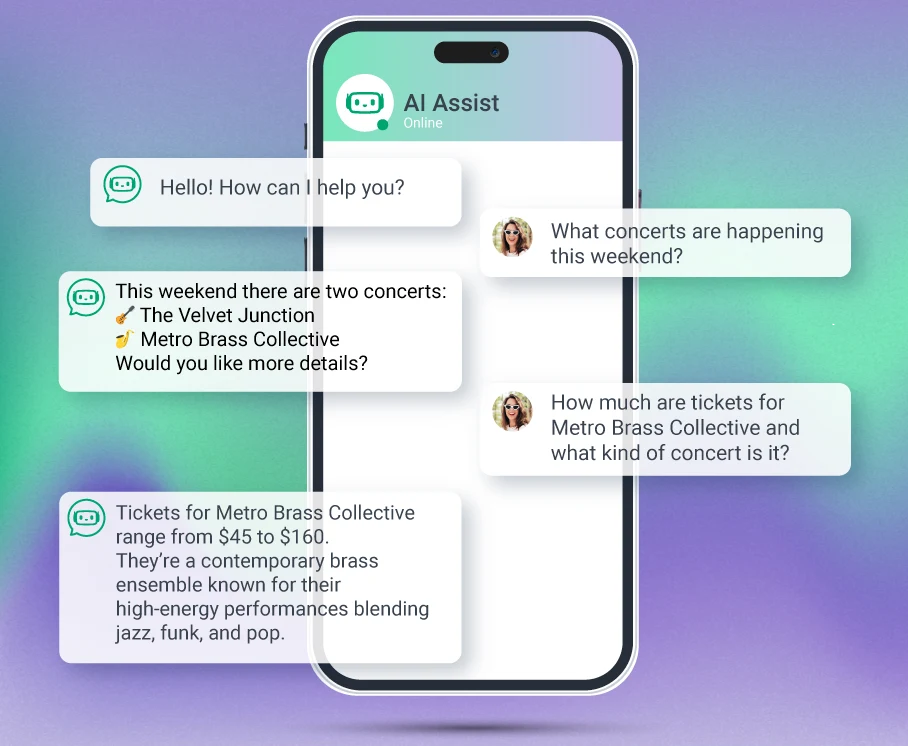
Modern ticketing platforms increasingly need intelligent event discovery to help customers find the right events. Our AI-powered conversational assistant transforms how fans discover and purchase tickets through natural language processing.
Customers simply ask questions like "What are family-friendly events this Saturday under $100?" and receive instant, personalized recommendations based on their preferences.
The assistant handles complex queries by understanding user intent, cross-referencing event data (genre, pricing, dates, venues), and maintaining conversation context for natural follow-ups. Beyond discovery, the system enables promotional opportunities, business intelligence through search pattern analysis, and automated upselling.
Integration typically takes 1-3 days and works with REST, GraphQL, or SOAP interfaces without requiring changes to your existing infrastructure. Because it operates through standard API connections, the AI assistant functions independently while maintaining real-time data accuracy.
For ticketing platforms looking to reduce bounce rates and improve conversion, AI-assisted discovery provides measurable results without extensive development work.
Hardware Integration: Connecting Physical and Digital
Ticketing platforms don't exist in isolation. They connect with hardware at venues, box offices, and entry points.
Scanning Devices: Access control apps need to communicate with various scanning hardware:
Linea Pro with iPod Touch/iPhone: A popular combination for entry scanning, offering portable functionality with reliable barcode reading.
Janan Devices: Enterprise scanning solutions used by major ticketing platforms including Ticketmaster for access control operations.
Famoco Devices: Rugged scanning devices offering affordable options with mobile device management (MDM) capabilities for managing multiple devices across venues and events.
Zebra Devices: Enterprise-grade scanning solutions used across various ticketing implementations. We've integrated Zebra devices for both access control scanning and ticket printing in platforms like Ticketbud.
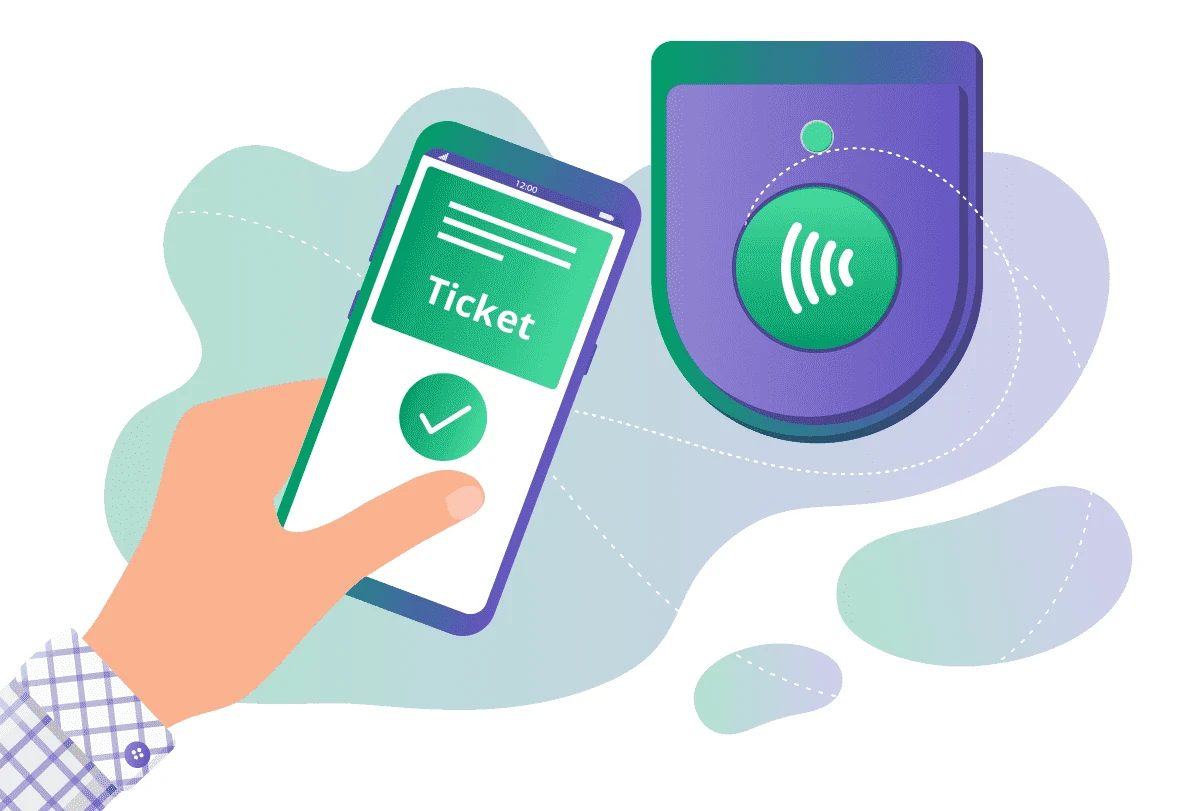
NFC Integration: Modern access control supports NFC tags, enabling tap-to-enter experiences similar to contactless payments. Implementation uses OS native SDK integration without external attachments.
Standard Smartphone Cameras: Basic QR code scanning works with built-in cameras, reducing hardware costs for smaller events.
For platforms needing access control quickly, white-label solutions provide faster deployment than building from scratch. Our access control boilerplate integrates with common scanning hardware and can be customized to match your platform's specific needs.
Payment Hardware
The payment hardware landscape has evolved significantly. Modern solutions emphasize convenience and API-based integration over custom hardware implementations.
Modern Approach - Stripe and API-Based Readers: Contemporary payment processing uses card readers that connect directly to payment processors through APIs. The device handles payments independently, often without needing direct connection to your tablet or terminal. This dramatically simplifies development and reduces custom integration work.
Legacy Approach - MagTek and Direct Integration: Older implementations required custom code to communicate directly with card readers. While functional, this approach demands more development time and ongoing maintenance. If you're maintaining an existing MagTek integration, it still works, but new projects benefit from modern API-based alternatives.
Ticket Printing
Physical tickets still matter for many events, particularly in performing arts venues and certain demographics that prefer printed tickets.

Boca Printers: The industry standard for professional ticket printing. Boca printers handle everything from standard tickets to specialty materials like wristbands and badges. They're reliable once properly configured, though setup can be sensitive. Many box offices have used Boca printers for years with consistent results.
Our one-click Boca printing software simplifies what's typically a six-step process down to just two steps: choose tickets and click print. The desktop application works on both Windows and Mac, includes status messages for error detection, and maintains detailed printing logs. It supports both PDF and FGL file formats while handling common issues like network printer detection automatically.
Star Micronics: We've had good experiences with Star Micronics thermal printers for clients needing fast, reliable printing at entry points and box offices. These printers work well for roll tickets and quick-print scenarios.
Stima: A modern, popular option in the ticketing industry. Stima printers offer contemporary design and claim compatibility with Boca's FGL language, potentially making migration easier for venues considering upgrades.
Self-Service Kiosks: Some venues use automated kiosks where customers print tickets or badges themselves. These systems require reliable printer hardware with ticketing software integration and paper jam handling.
The technology isn't glamorous, but when a box office needs to print 500 tickets quickly before a show, reliable printing hardware and simplified software matter as much as your core ticketing platform.
Live Streaming and Hybrid Events
The pandemic accelerated hybrid event technology, and it's stayed relevant. Many ticketing platforms now need to handle both in-person and virtual attendees.
Streaming Technology Stack: Most ticketing platforms integrate with specialized streaming providers (Vimeo, Zoom, or custom streaming solutions) rather than building this capability in-house. CDN services like Cloudflare or AWS CloudFront distribute video streams globally to reduce latency.
What matters for ticketing systems: reliable access control, ensuring paying customers can watch, and integration between ticket purchases and streaming access codes.
What's Outdated (and What You Should Replace)
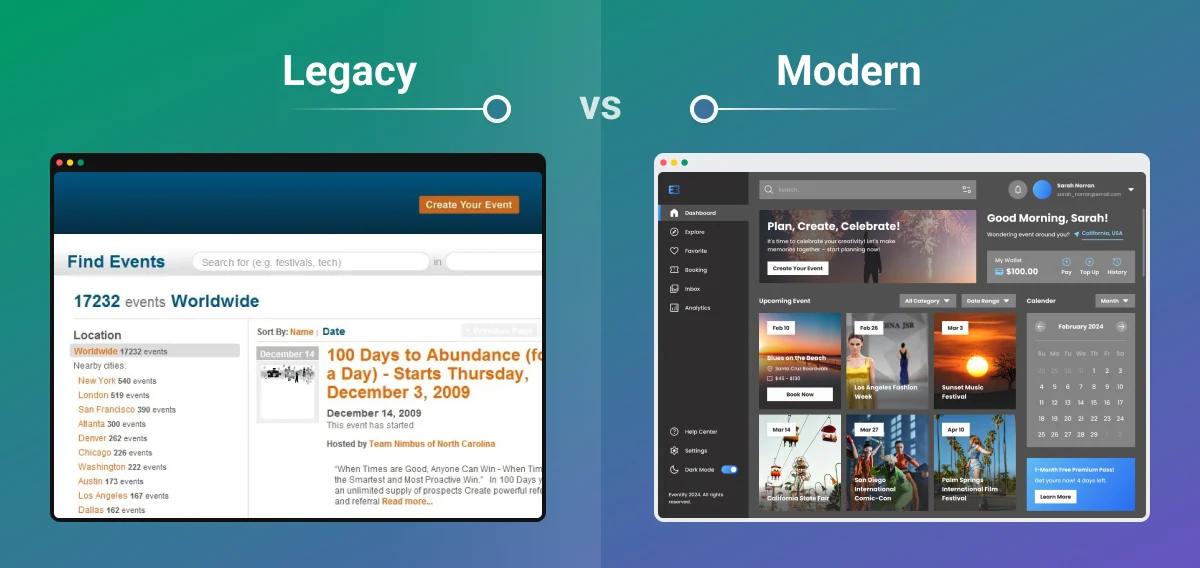
Technology moves forward. Some tools that made sense years ago now create more problems than they solve.
Visual Basic: Time for a Rewrite
If your ticketing platform still has modules written in Visual Basic, you're dealing with technology that's become increasingly difficult to maintain. Finding developers who work with Visual Basic grows harder each year, and integrating VB modules with modern systems creates ongoing headaches.
For platforms with VB components, the recommendation is clear: plan a rewrite rather than continued maintenance. The short-term cost of rewriting pays off through reduced maintenance burden and easier future development.
WordPress as a Foundation: Consider Alternatives
Some ticketing platforms were built on WordPress as their core framework. While WordPress works well for content management, using it as the foundation for complex ticketing operations creates limitations as platforms scale.
If your ticketing system runs on WordPress core, evaluate whether the framework still serves your needs. Many platforms eventually outgrow WordPress and benefit from purpose-built ticketing architectures.
Outdated Analytics and Business Intelligence Tools
Elasticsearch: If you're running Elasticsearch versions several years behind current, you're missing performance improvements and security fixes. The platform evolves quickly, and old versions become security liabilities.
PowerBI and Reporting Tools: Older versions of analytics platforms lack modern features for real-time data visualization and integration capabilities. Keeping these updated ensures you can access current data visualization options and maintain security standards.
Upgrade priority indicators:
- Your version is more than two major releases behind current
- Security updates are no longer provided
- New features you need aren't available
- Cloud platforms no longer offer managed services for your version
The risk isn't just missing features. Outdated analytics tools often struggle to integrate with modern APIs and data sources, creating bottlenecks in your reporting workflows.
Outdated Database Versions
Running old PostgreSQL or MySQL versions means missing security patches, performance improvements, and features that make development easier.
Legacy API Architectures
SOAP APIs and XML-heavy integrations still exist in ticketing, but modern REST APIs with JSON offer significant advantages:
- Easier to test and debug
- Better performance with less bandwidth
- Simpler client implementation
- Better tooling and documentation
If you're building new integrations, REST APIs make more sense. If you're maintaining older SOAP integrations, consider the migration path during your next major update.
The Integration Problem with Legacy Tech
Here's what often gets overlooked: outdated technology makes every new feature harder to build. When your core platform runs on older frameworks or databases, adding modern capabilities means:
- Working around limitations that newer versions already solved
- Writing custom bridges between old and new systems
- Spending development time on compatibility rather than features
- Limiting which third-party services you can integrate with
.webp?v=1776240438886)
We've seen clients struggle to add payment processors, CRM integrations, third-party ticketing platform integrations, or marketing automation because their legacy stack couldn't communicate with modern APIs effectively. The technical debt compounds until migration becomes unavoidable.
Choosing the Right Stack for Your Platform
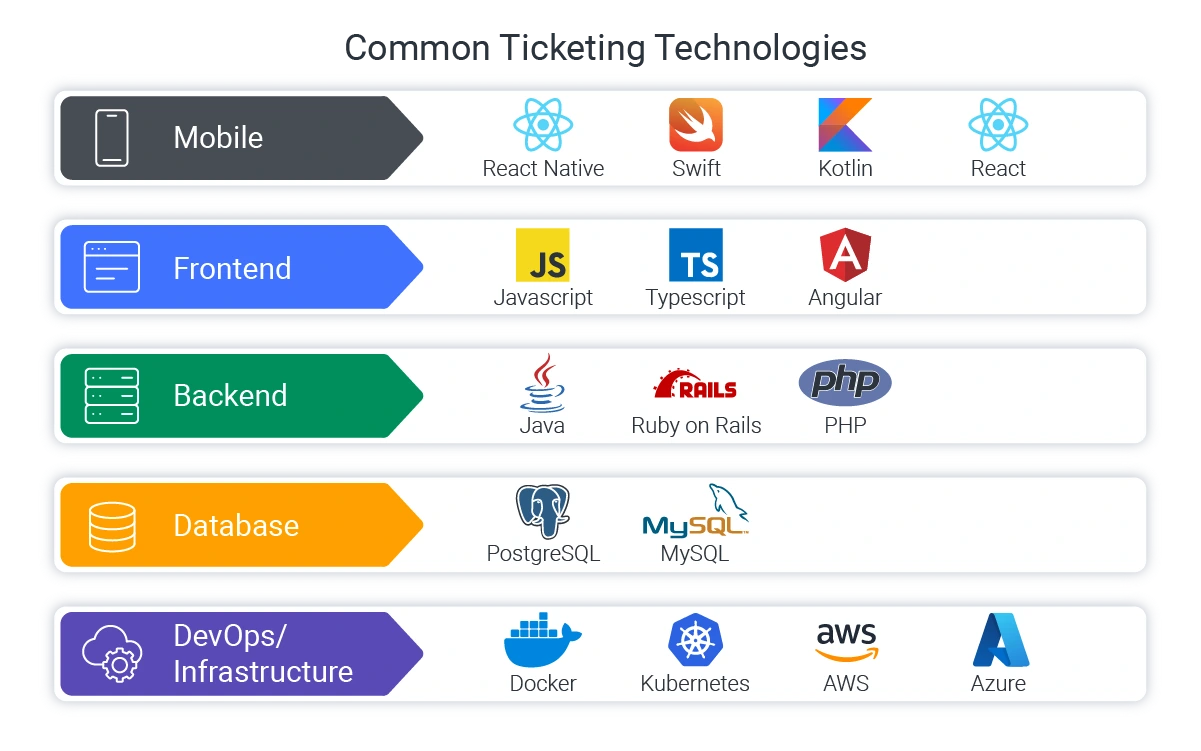
After working across dozens of ticketing implementations, several patterns emerge about what actually matters when selecting technologies.
Match Technology to Your Team
The best technology is one your team can effectively use. A platform built with cutting-edge tools your developers don't understand creates more problems than it solves. For example, if you have strong Ruby developers, Ruby on Rails often delivers better results than switching to a theoretically superior option nobody knows.
Think Long-Term
Choose technologies with strong community support, regular security updates, good documentation, and available talent for hiring. Stability and availability matter more than novelty.
Plan for Your Actual Scale
Start with technologies proven at your current scale, not the infrastructure handling millions of daily transactions. As your platform grows, upgrade to more sophisticated solutions. This approach controls costs while maintaining reliability.
However, design for peak load from the start. Ticketing sees massive traffic spikes during on-sales, and your infrastructure needs to handle these surges without crashing.

Final Word
Now that you understand what a modern ticketing stack looks like and what to avoid, you're equipped to make informed decisions that will support steady scaling, smooth feature upgrades, and seamless integrations.
The right technology choices today mean your customers and fans will have confidence in your platform tomorrow, whether they're purchasing tickets on their phones, scanning into venues, or discovering their next favorite event.
Looking to build or modernize a ticketing platform? Softjourn has nearly 20 years of experience developing ticketing solutions for clients worldwide. From access control apps to venue mapping tools to complete platform development, our team understands both the technical requirements and business realities of event ticketing.
Contact us to discuss your specific needs and get recommendations based on your situation.