Complete Guide to EdTech Software Development: Platforms, Features, and Technologies Explained
A technical and strategic guide for EdTech product and technology leaders building, scaling, or modernizing education platforms.

Somewhere between a beautifully designed course catalog and a student who never finishes lesson three, most EdTech platforms lose their way. Not because the content is bad, and not because the technology is broken, but because the two were never properly designed to work together.
This guide covers what product leaders, CTOs, and digital decision-makers actually need to know about building EdTech and e-learning software: the platform types, the technical decisions that matter, the compliance requirements that cannot be retrofitted, and what separates platforms learners return to from ones they quietly abandon.
What EdTech Software Development Actually Covers
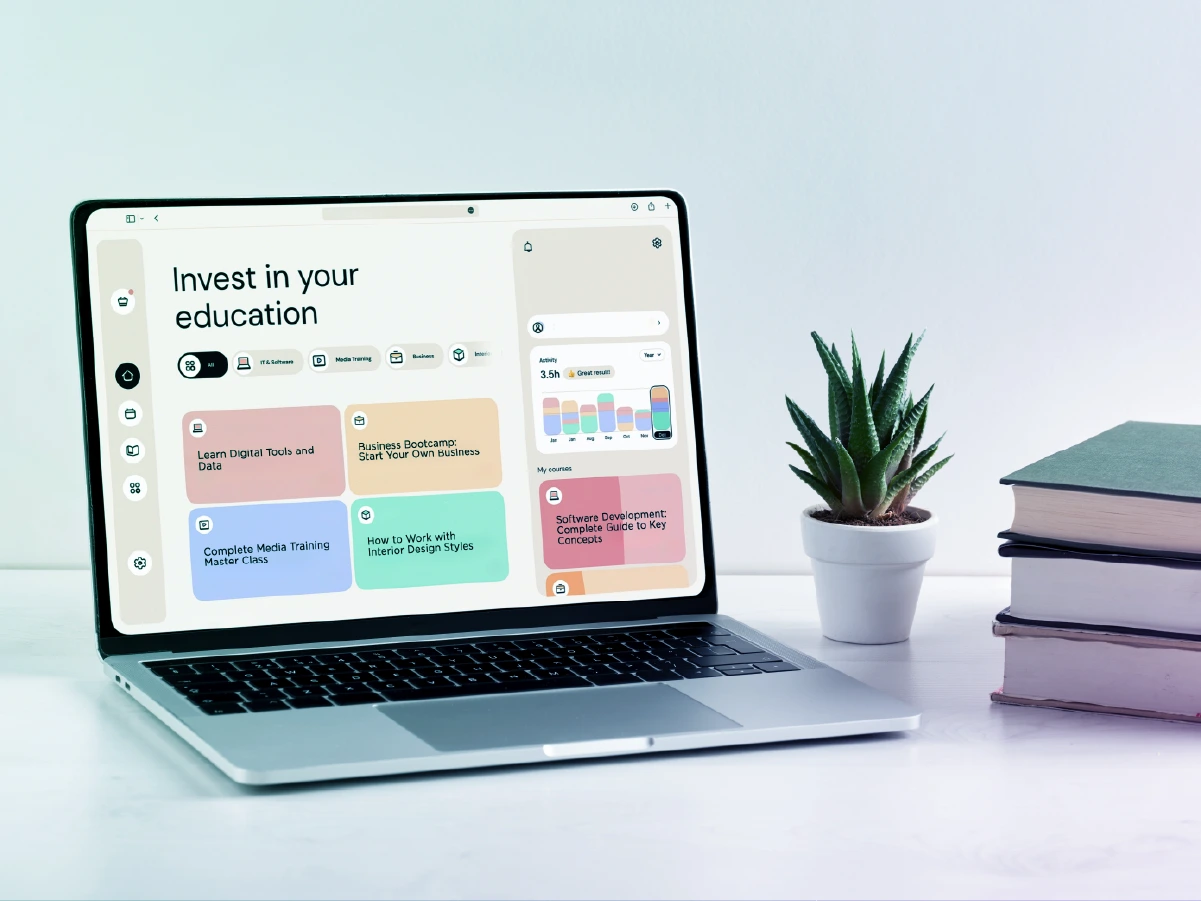
EdTech software development is the process of designing, building, and maintaining digital platforms that support learning, training, and educational administration. That includes everything from a simple mobile quiz app to a multi-tenant LMS serving thousands of institutions.
It is not a single product category. The platforms that fall under this umbrella vary dramatically in purpose, audience, and technical complexity:
- An enterprise training portal used by a Fortune 500 company to onboard 10,000 employees annually
- A K-12 assessment tool that must comply with student data privacy laws in multiple states
- A live-streaming virtual classroom platform that needs to handle thousands of concurrent users
- A consumer language-learning app built around spaced repetition and gamification
- A university LMS that has been running for 15 years and desperately needs modernization
Each of these is an EdTech platform. Each requires a different technical approach. What they share is a common challenge: educational software has to work for people who are not necessarily motivated to use it, under conditions you cannot always control (poor internet, crowded screens, distracted environments), and it has to prove its value quickly or learners will walk away.
Custom EdTech software development addresses these challenges by building platforms around specific user needs, institutional requirements, and business goals rather than the limitations of whatever off-the-shelf tool is already on the market.
Types of EdTech Platforms
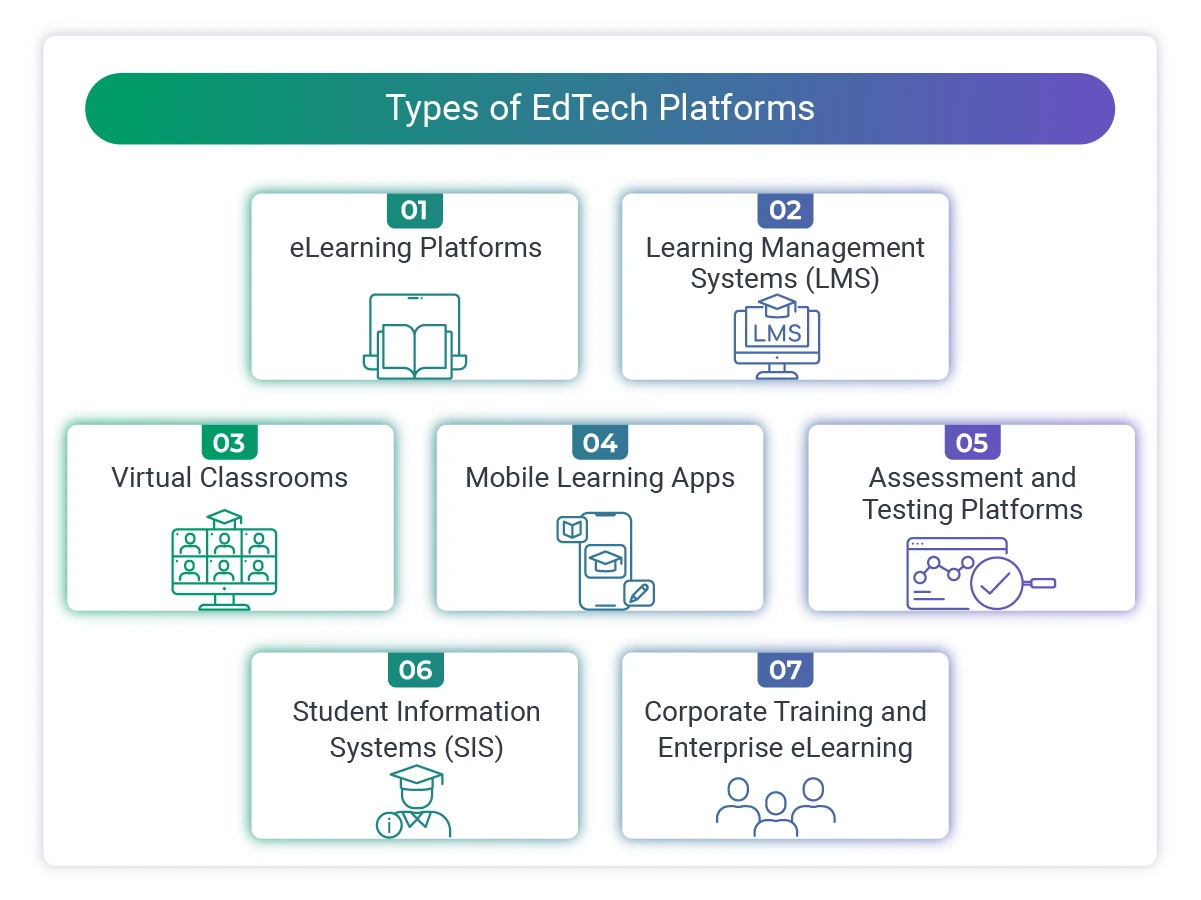
Understanding the landscape of education technology software helps you define exactly what kind of product you are building, or improving.
Learning Management Systems (LMS)
An LMS is the administrative and delivery engine behind most structured eLearning. It gives institutions and organizations a place to create courses, manage enrollment, track learner progress, issue certifications, and generate reports.
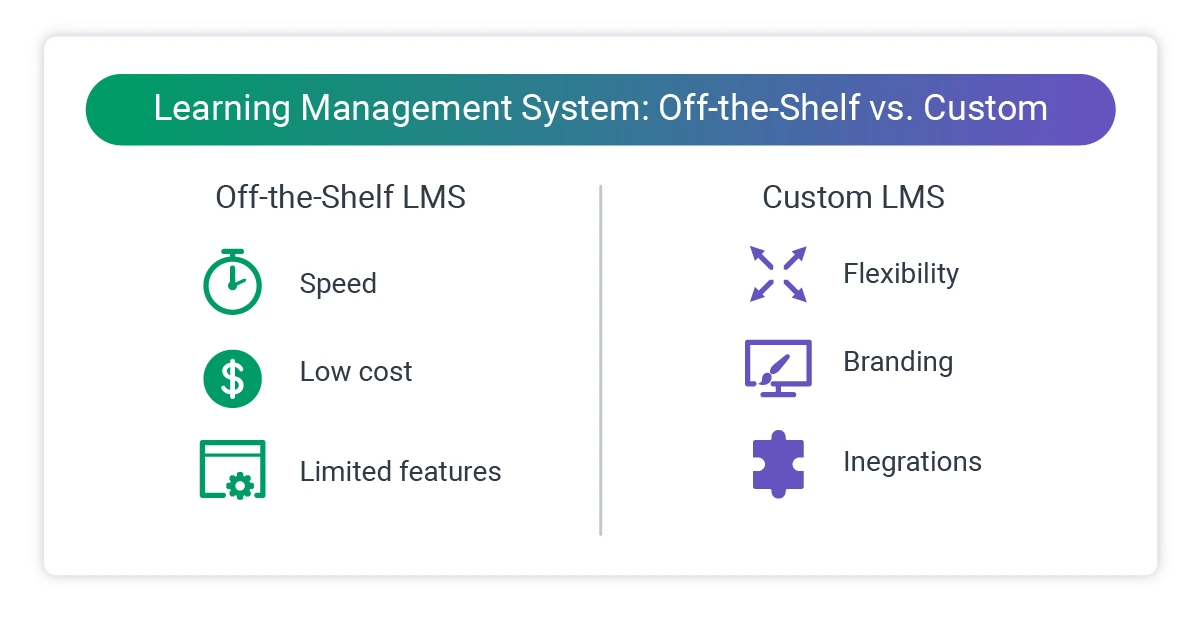
Off-the-shelf LMS platforms like Moodle, Canvas, and Blackboard serve a wide range of use cases, but many organizations eventually outgrow them. The pain usually shows up as: limited customization, inability to support proprietary content formats, poor integration with other systems, or pricing structures that do not scale.
Custom LMS development solves these problems by building a platform that fits the organization's exact workflows, not the other way around.
eLearning Platforms

These are content-first platforms: the focus is on delivering learning experiences, not managing institutional data. eLearning platforms power self-paced video courses, certification programs, micro-learning modules, and interactive lessons.
Some eLearning platforms are standalone products (like a company-branded training hub). Others sit on top of an LMS, pulling delivery and tracking capabilities from the existing system.
Virtual Classrooms
Live, synchronous learning environments that replicate the structure of in-person instruction online. Virtual classroom software requires real-time video, audio, interactive whiteboards, screen sharing, breakout rooms, and low latency at scale.
These are technically among the most demanding EdTech platforms to build, because they must perform reliably under load, with minimal delay, across a wide range of device types and internet conditions.
Mobile Learning Apps
Mobile learning, often called mLearning, brings educational content to smartphones and tablets. This includes dedicated apps for courses and certifications, push-notification-driven microlearning, offline content access for low-bandwidth environments, and language learning tools built around daily habits.
Mobile learning app development on iOS and Android requires a strong focus on UX, short interaction loops, and performance on lower-end devices.
Assessment and Testing Platforms
Purpose-built software for creating, delivering, and grading assessments. This category includes formative assessment tools used during instruction, high-stakes standardized testing platforms requiring proctoring and fraud prevention, adaptive assessments that adjust question difficulty based on learner responses, and certification and credentialing platforms.
Assessment software carries significant compliance and security requirements, particularly for platforms used in regulated academic or professional credentialing environments.
Student Information Systems (SIS)
SIS platforms manage the administrative side of education: enrollment, attendance, grades, scheduling, transcripts, and communications. They are the operational backbone of schools and universities.
While SIS development is less visible than building a consumer-facing learning app, poor SIS architecture creates cascading problems across an institution's entire digital infrastructure.
Corporate Training and Enterprise eLearning
A significant portion of education software development happens entirely outside the traditional education sector. Enterprises build internal training platforms for onboarding, compliance, skills development, and career progression.
Corporate eLearning platforms often need to connect with HR systems (HRIS/HCM), identity providers for single sign-on, and reporting pipelines that feed into workforce analytics.
Learning Management System Development: What It Really Takes
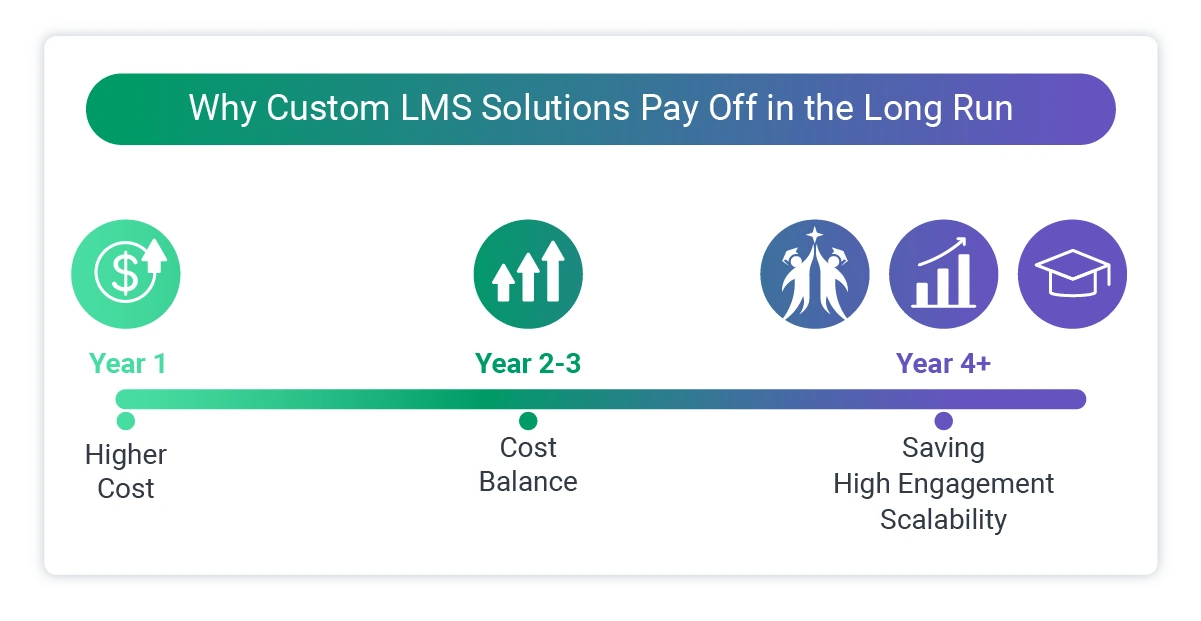
LMS development deserves its own section because it is one of the most common EdTech projects organizations undertake, and one of the most frequently underestimated.
Building an LMS from scratch is not just building a course player with a database behind it. A production-ready LMS includes:
- Course authoring and content management: Tools for instructors to create, upload, organize, and update learning materials. Support for SCORM, xAPI (Tin Can), and AICC standards is often required for compatibility with third-party content.
- Learner management: Enrollment workflows, role-based access, group management, and learner profiles. Enterprise LMS platforms typically support hierarchical organizations (departments, teams, cohorts) and bulk user management.
- Progress tracking and reporting: Granular data on course completion, assessment scores, time spent, and learning paths. Reporting modules need to serve multiple stakeholders (learners, instructors, admins, executives) with different views of the same data.
- Notifications and communications: Automated reminders, assignment alerts, deadline notifications, and instructor-to-learner messaging. Getting these right significantly improves completion rates.
- Certification management: Issuing certificates upon course completion, setting expiration and renewal rules, and maintaining verifiable credential records.
- Integrations: An LMS rarely stands alone. It connects to HR systems, identity providers, payment processors, video hosting platforms, and often to other LMS or content systems. The integration layer is one of the most technically demanding parts of LMS development.
- Multi-tenancy (for SaaS LMS products): If the LMS will serve multiple organizations on a single platform, the architecture needs to support tenant isolation, custom branding per organization, and separate administrative environments.
The scope above is why LMS development projects typically run 6 to 18 months, depending on feature complexity and integration requirements.
eLearning Platform Development
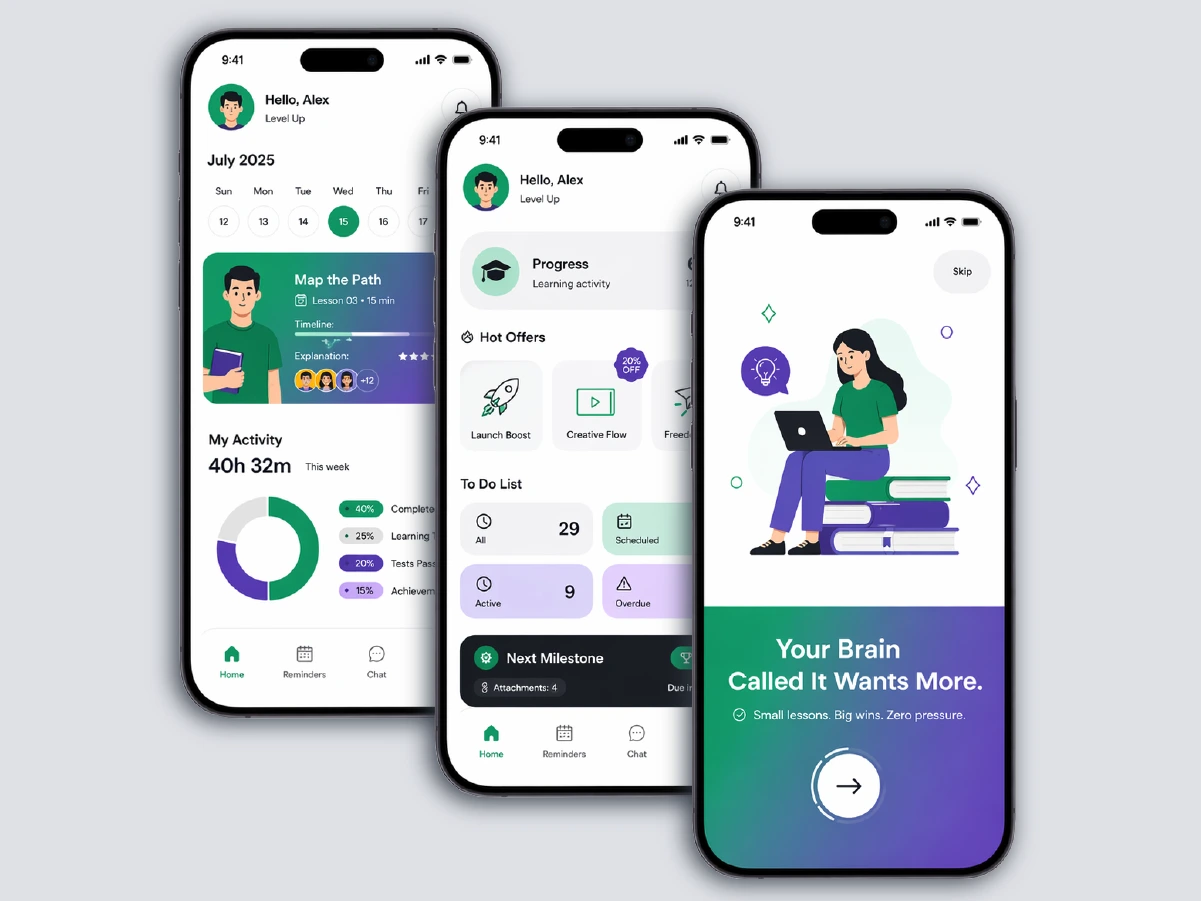
eLearning platforms share some technical DNA with LMS systems, but the emphasis is different. Where an LMS is about administration and tracking, an eLearning platform is about the learning experience itself.
The questions that drive eLearning platform development are:
- How do we keep learners engaged throughout a course?
- How do we deliver video content at scale without buffering or quality degradation?
- How do we support different learning styles within a single platform?
- How do we make progress feel meaningful enough that learners come back?
Content delivery architecture is a critical technical decision. For video-heavy platforms, this means choosing the right CDN strategy, adaptive bitrate streaming, and video hosting approach (self-hosted vs. third-party providers like Vimeo or Mux).
Interaction design matters at the development level too. Quizzes, branching scenarios, simulations, and drag-and-drop activities all require specific front-end development work. Poorly implemented interactive elements are one of the fastest ways to damage learner engagement.
Personalization is increasingly expected. eLearning platforms are moving away from linear, one-size-fits-all course structures toward systems that adapt based on learner behavior, pre-assessment results, or explicit preferences.
Virtual Classrooms and Live Streaming in EdTech

Live learning environments come with a specific set of technical challenges that most development teams underestimate until they are deep in the build.
At a basic level, virtual classroom software requires real-time video and audio conferencing, screen sharing and presentation tools, interactive whiteboards, chat and Q&A features, breakout room functionality, and recording and playback.
The technical requirements that make or break these platforms are less obvious.
- Latency: For classroom interactions to feel natural, end-to-end latency needs to stay under 300 milliseconds. Anything higher creates the conversational awkwardness that makes live online classes feel laborious rather than engaging.
- Scalability under load: A class of 30 students behaves very differently from a live webinar with 5,000 participants. The architecture choices that work for small cohorts will fail at scale.
- Network resilience: Learners connect from home networks, mobile data, and shared Wi-Fi. A platform that performs perfectly in ideal conditions and breaks down when a learner's bandwidth drops is not production-ready.
Most production EdTech platforms do not build video infrastructure from the ground up. They build on top of established real-time communication frameworks (such as Agora, Twilio, or Daily.co) and focus development effort on the surrounding experience: session management, recording pipelines, and instructor tools.
Immersive formats are also expanding what "virtual classroom" means. AR overlays that annotate a live video feed, VR environments where learners practice hands-on skills, and 360-degree virtual field trips are all being built into educational software today, particularly for technical training, medical simulation, and vocational education.
These add significant development complexity but open up learning experiences that would be impossible to replicate in a standard classroom.
Case Study Snapshot: A/V Sync for Live Outdoor Cinema Events
Cinewav, a Singapore-based startup, needed a solution that could synchronize audio to each patron's personal earphones while video played on a projector, across variable outdoor environments and wildly different device types. Softjourn built a proof of concept to validate the synchronization algorithm, then developed the full platform: a patron-facing iOS and Android app, a desktop video player application, and an event management portal. The team solved for Bluetooth headset latency variations, intermittent connectivity, and DRM requirements that standard cloud services could not support. The result was robust enough that Cinewav pursued a patent on the solution.
Mobile Learning App Development
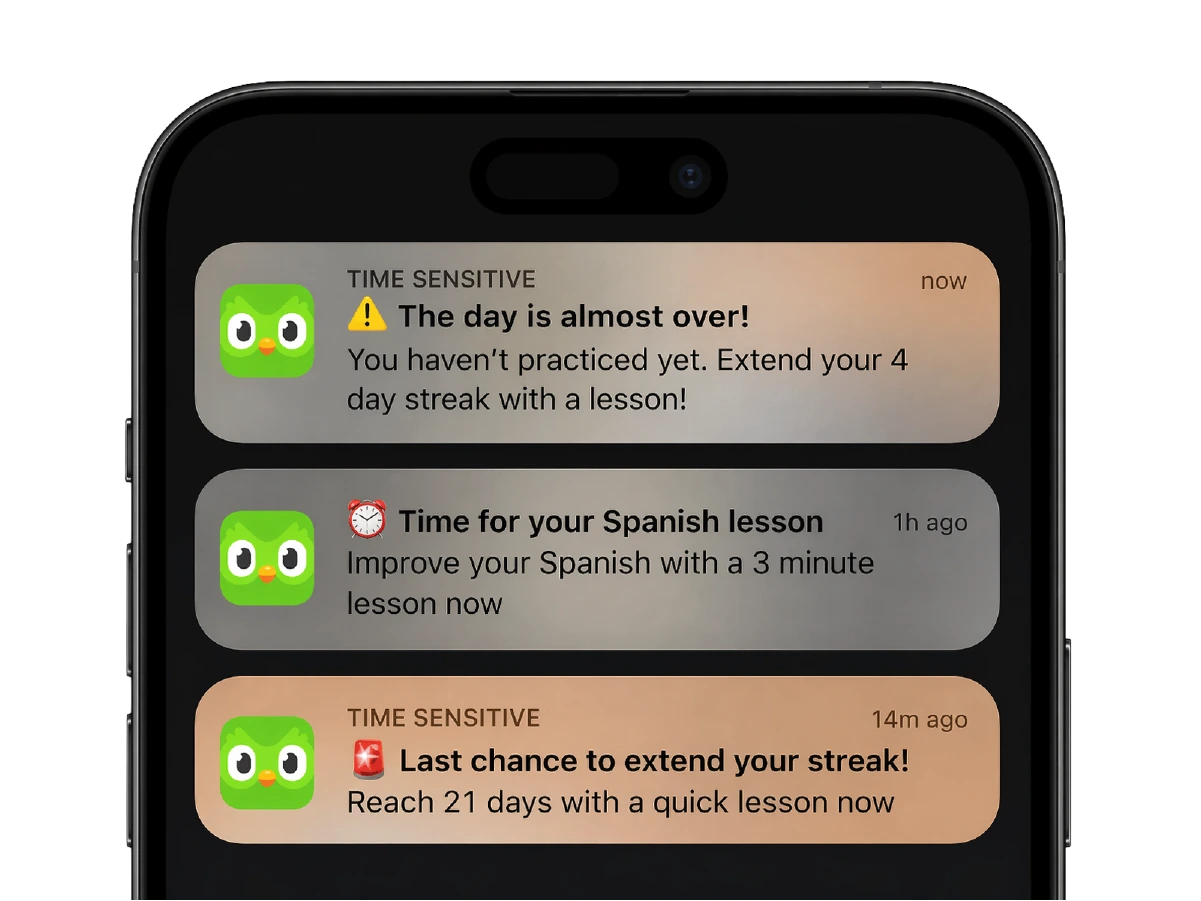
The shift toward mobile-first learning is less about preference and more about where learners actually are. For corporate training, working professionals fit learning into commutes and lunch breaks. For consumer EdTech, the competition for attention is brutal, and the phone is where engagement lives.
Good mobile learning app development requires a few things that desktop-first thinking often misses.
- Short interaction loops. Mobile learners are rarely sitting down to complete a full module. Courses and lessons need to be designed, and the app needs to be built, around 5 to 10-minute sessions, with clear progress indicators and easy resumption.
- Offline access. For learners in areas with unreliable connectivity, the ability to download content and sync progress when back online is not a nice-to-have feature. It determines whether the app is usable at all.
- Cross-platform consistency. iOS and Android behave differently in ways that matter: notification handling, background app behavior, file storage, and accessibility features all vary. A cross-platform framework (React Native or Flutter) can accelerate development, but requires a development team that understands platform-specific behavior well enough to compensate where the framework falls short.
- Push notifications done right. Notifications are one of the most powerful tools for improving completion rates, and one of the easiest to abuse. The development task is building a notification system that is configurable, respectful of user preferences, and tied to genuine behavioral triggers rather than arbitrary schedules.
Case Study Snapshot: JellyTelly iOS and Android App Development
Creative Trust, the brand management firm behind JellyTelly, a video and game network for children, needed native iOS and Android apps to expand their reach beyond the desktop. Softjourn developed both apps simultaneously, which cut time to market and allowed the two mobile teams to share questions and problem-solve together in real time. One particular challenge was that JellyTelly's backend API was still being finalized during development, so both teams had to stay in close coordination with the client to keep the apps and the API in sync. The result: two native apps, built on time, with designs optimized for tablets and smaller devices alike.
Assessment and Testing Platform Development
Testing platforms sit at one of the most technically sensitive intersections in EdTech: the point where learning outcomes are formally measured and recorded. The requirements for a formative quiz inside a corporate training module are completely different from those of a high-stakes certification exam.
For low-stakes assessments, the priorities are UX, question variety, and immediate feedback. On the other hand, for high-stakes testing, the requirements expand considerably:
- Proctoring and integrity: This includes AI-assisted proctoring to flag unusual behavior, browser lockdown features, identity verification before exam entry, and audit trails. These features require significant security architecture work and ongoing maintenance as proctoring evasion methods change over time.
- Adaptive assessment: Platforms that adjust question difficulty based on prior answers need a recommendation engine behind the question bank. This is a meaningful technical investment that improves assessment accuracy and reduces testing time for learners.
- Audit trails: For professional certifications and regulated credentials, every answer, timestamp, and session event needs to be logged and preserved in a way that can withstand scrutiny.
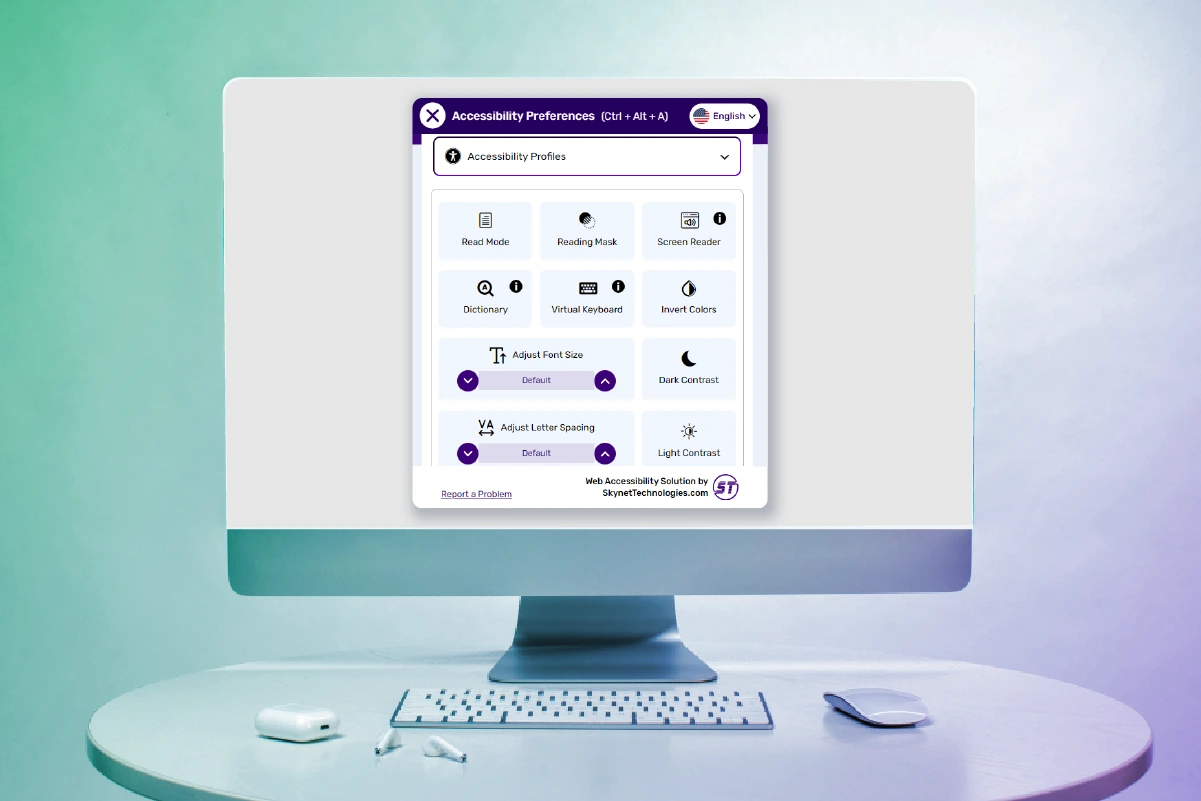
- Accessibility: High-stakes exams often carry legal accessibility requirements (ADA, Section 508 in the US). The platform needs to support screen readers, keyboard navigation, extended time accommodations, and other adjustments without compromising assessment integrity.
Case Study Snapshot: Girls in Tech Recruitment and Assessment Platform
Girls in Tech, a nonprofit with over 100,000 members across 38 countries, wanted to build a recruitment platform that included skills-based assessment testing so job seekers could verify their expertise directly on their profiles. After a previous development attempt fell short, they brought in Softjourn to audit the existing code, identify what could be salvaged, and build out the platform properly. Softjourn started with thorough product definition work, including research into best-practice assessment implementations, before any development began. The platform launched with a hub for all member activity, skills assessments integrated into candidate profiles, and a matchmaking model designed to reduce mismatched hires for both employers and job seekers.
Student Information Systems

SIS development tends to get underinvested because it is not the visible, learner-facing part of education technology. But a poorly architected SIS creates data quality problems, security vulnerabilities, and administrative overhead that compound over time.
Key considerations in SIS development:
- Data model design. Educational data relationships are complex: students belong to cohorts, classes, programs, and institutions simultaneously. Grade records need to be immutable once finalized. Enrollment history needs audit tracking. Getting the data model right early prevents significant refactoring costs later.
- Privacy by design. In the US, FERPA governs student data for K-12 and higher education. COPPA applies to platforms serving children under 13. Internationally, GDPR and various national equivalents apply. SIS platforms must be built with these regulations in mind from day one, not retrofitted for compliance later.
- Role-based access. Administrators, teachers, students, and parents all need different views of and permissions within the same data. Role-based access control in a SIS is more complex than in most enterprise software because the roles overlap and context-dependence is high.
Corporate Training and Enterprise eLearning
Enterprise training platforms operate under constraints that academic EdTech does not face in the same way, as the learner is an employee, time is scarce, completion is often mandatory, and training competes with actual work. Not to mention that the platform exists inside a broader technology ecosystem that includes HR software, identity management, and workforce analytics.
Several technical requirements are distinctive to enterprise EdTech:
- HRIS/HCM integration. The LMS needs to stay in sync with the HR system of record: new hires should be enrolled automatically, terminations should deactivate accounts, and org chart changes should update learner group assignments without manual intervention.
- Single Sign-On (SSO). Enterprise learners will not maintain a separate set of credentials for a training platform. SSO via SAML 2.0 or OpenID Connect is a baseline requirement.
- Compliance training tracking. Many enterprise training programs exist specifically to satisfy legal or regulatory requirements (safety training, anti-harassment, data handling). The platform needs to generate defensible completion records and support scheduled re-enrollment for recurring mandatory training.
- Manager dashboards. Unlike consumer or academic EdTech, enterprise platforms are evaluated partly by managers and L&D teams, not just by learners. Reporting interfaces need to serve both groups.
Case Study Snapshot: Myers-Briggs App Modernization
Myers-Briggs, a longtime Softjourn client, came to us with an assessment platform that had grown into a legacy system. The goal was to modernize the application to enable faster feature delivery, improve UX, and reduce the maintenance burden on their team. Softjourn worked through a structured modernization process that preserved existing functionality while rebuilding the underlying architecture for long-term sustainability. The partnership has continued for over a decade.
Core Features of Modern EdTech Applications
Across all platform types, certain features show up consistently in well-built educational software. Not every platform needs all of these, but most production systems need most of them.
- User and role management: Multi-level user hierarchies, self-registration and admin-managed enrollment, bulk user operations, and role-based permissions.
- Content management and authoring: Tools for creating and organizing educational content, support for rich media (video, audio, PDFs, SCORM packages), version control, and scheduled publishing.
- Progress tracking and analytics: Learner-level dashboards, completion tracking, assessment performance, and engagement metrics. Aggregate reporting for instructors and administrators.
- Notifications and communications: Configurable automated notifications for deadlines, new content, and completion milestones. In-app messaging and announcements.
- Assessment tools: Quiz and exam builders with multiple question types. Automated grading, manual grading workflows, and rubric-based evaluation. Results storage and reporting.
- Gamification: Points, badges, leaderboards, and progress streaks. When implemented well, gamification meaningfully improves engagement and completion rates. One small study from the Univeristy of Athens showed an 89% increase in student performance via challenge-based, gamified learning.
- Payments and monetization: For commercial EdTech products: course purchasing, subscription management, discount codes, and invoicing. Payments need to be PCI-compliant.
- Accessibility features: Closed captions for video content, screen reader compatibility, keyboard navigation, high-contrast modes, and support for extended time on assessments.
- Search: As content libraries grow, search becomes a critical usability feature. Full-text search across course content, metadata filtering, and personalized recommendations.
- Integrations: Connections to video conferencing tools, HR systems, identity providers, payment processors, and content libraries. Most production EdTech platforms require significant integration work.
Technology Stack for EdTech Development
The right technology stack depends on what you are building, who will use it, and how you expect it to grow. There is no universal answer, but there are well-established patterns.
Frontend
For web-based EdTech platforms, React and Angular are the dominant frameworks. React is particularly popular for platforms with complex, interactive learning experiences. Vue.js is a lighter-weight option for teams with smaller scope.
For mobile development, the choice between native (Swift for iOS, Kotlin for Android) and cross-platform (React Native, Flutter) comes down to team expertise and product requirements. Cross-platform frameworks have matured significantly and work well for most EdTech use cases. Native development is worth the extra cost when the platform relies heavily on device-specific capabilities (camera access, AR, biometric proctoring).
Backend
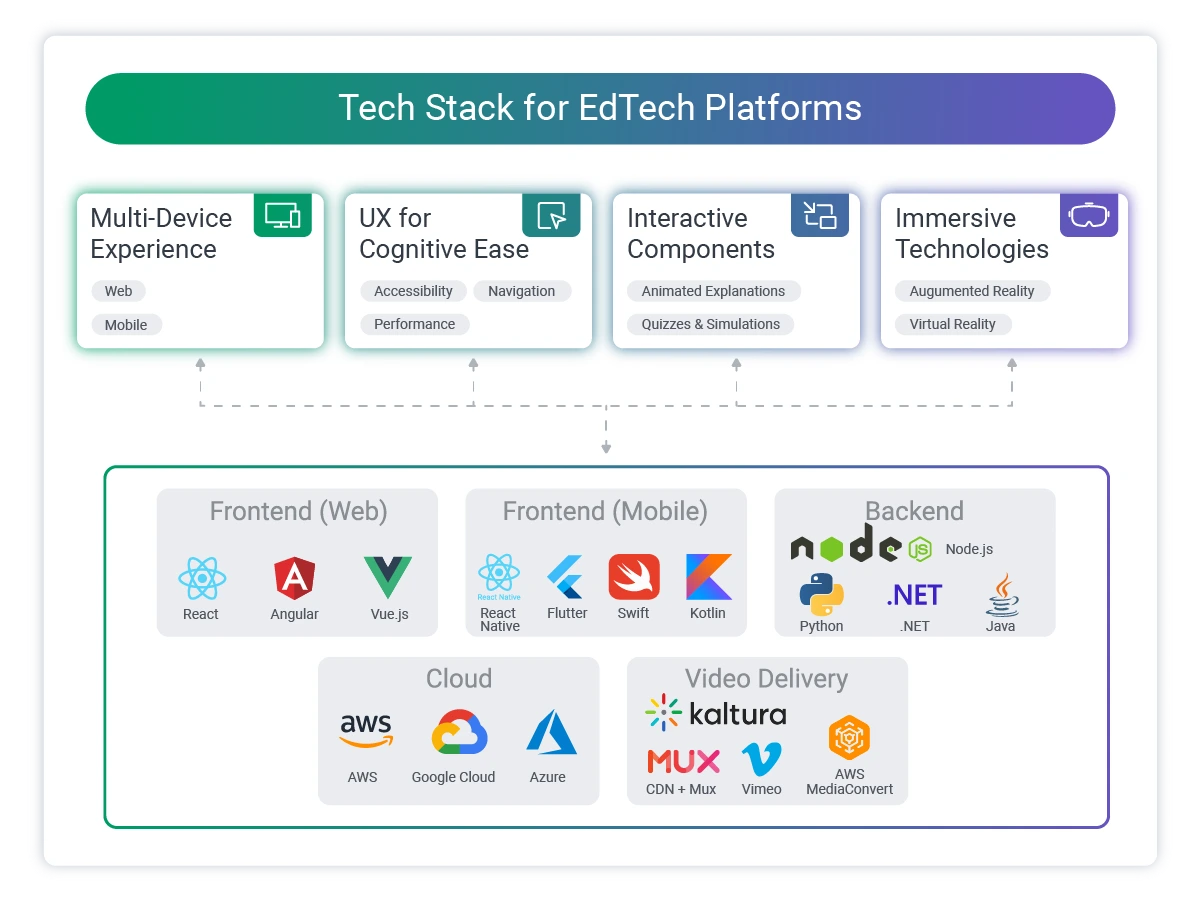
Node.js and Python are common choices for EdTech backend services. Python is particularly well-suited for platforms with significant data processing or AI/ML components. Java remains widely used in enterprise EdTech environments, particularly where existing infrastructure is Java-based. Educational platforms including Coursera, Blackboard, and Khan Academy use Java in their infrastructure.
For platforms expected to handle highly concurrent real-time interactions (virtual classrooms, live assessments), the backend architecture needs to be designed explicitly for concurrency from the start.
Databases
Relational databases (PostgreSQL, MySQL) handle structured learner data, grades, and transactional records well. NoSQL databases (MongoDB) are useful for content metadata, flexible document structures, and analytics event storage. Many EdTech platforms use both.
For platforms with significant analytics requirements, a time-series database or a dedicated analytics data warehouse (separate from the operational database) is worth considering early in architecture design.
Cloud and Infrastructure
AWS, Google Cloud, and Azure are all viable for EdTech workloads. Video content delivery requires a CDN strategy from day one. Serving video files directly from a cloud storage bucket is not a production approach.
Layer | Common Technologies |
Frontend (Web) | React, Angular, Vue.js |
Frontend (Mobile) | React Native, Flutter, Swift, Kotlin |
Backend | Node.js, Python, Java, .NET |
Database (Relational) | PostgreSQL, MySQL |
Database (NoSQL) | MongoDB, DynamoDB |
Cloud | AWS, Google Cloud, Azure |
Video Delivery | CDN + Mux, Vimeo, or AWS MediaConvert |
Real-time | Agora, Twilio, Daily.co |
Search | Elasticsearch, Algolia |
Authentication | Auth0, Okta, custom SAML/OIDC |
Security, Privacy, and Compliance in EdTech
EdTech platforms hold some of the most sensitive categories of personal data: academic records, behavioral data, minor student information, assessment results, and in enterprise settings, performance data tied to employment. Security and compliance are not optional features to add before launch. They are architectural decisions that need to be made before a line of code is written.
Regulatory Framework
The regulatory landscape for EdTech varies by geography and audience:
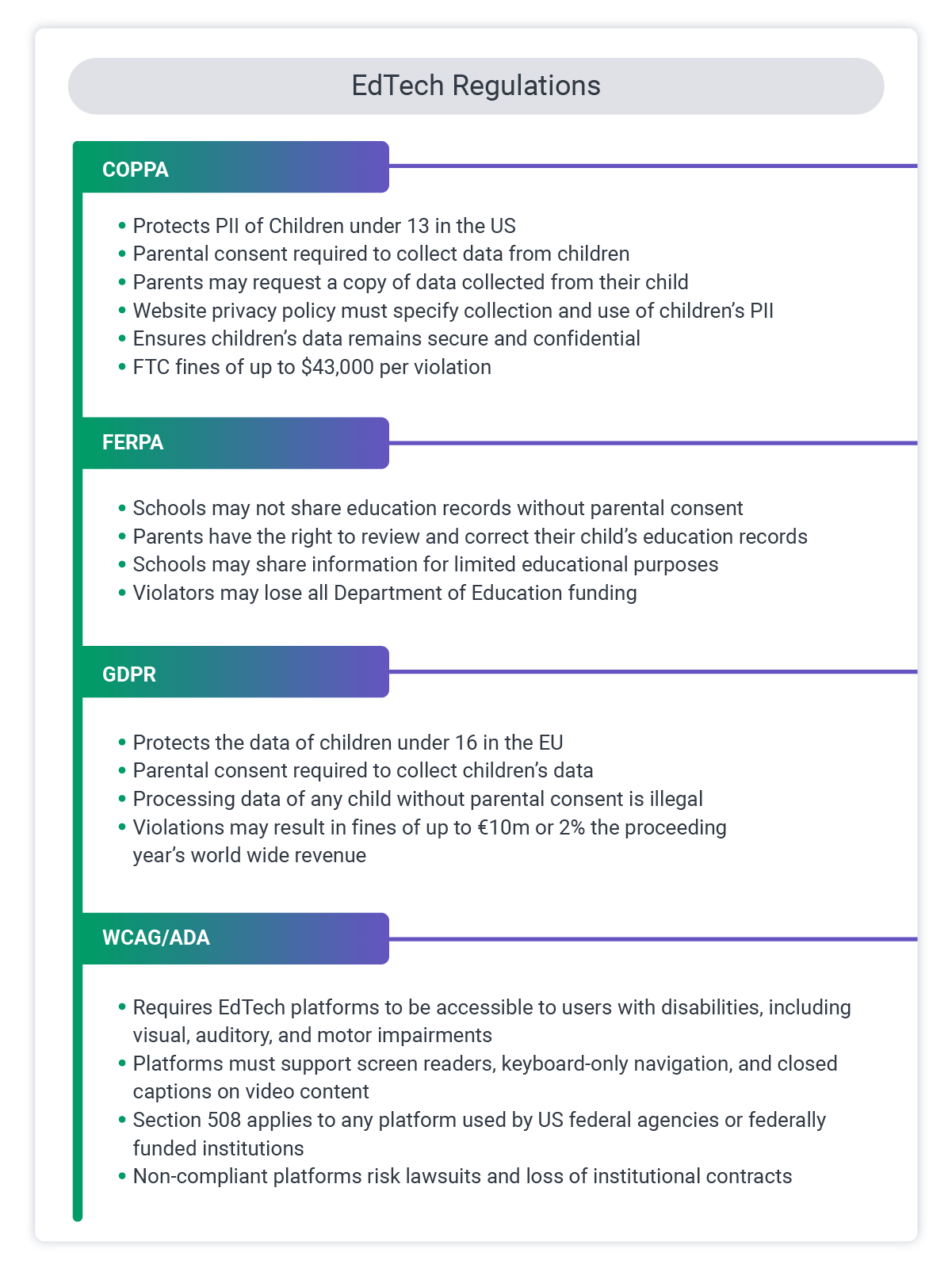
- FERPA (US): The Family Educational Rights and Privacy Act governs student education records at institutions that receive federal funding. It restricts how student data can be shared and gives students, or parents of minor students, rights over their records.
- COPPA (US): The Children's Online Privacy Protection Act applies to online platforms that knowingly collect data from children under 13. The technical requirements around parental consent and data minimization are significant.
- GDPR (EU): Applies to any platform serving users in the European Union, regardless of where the platform is based. Requires lawful basis for data processing, data subject rights, breach notification, and privacy-by-design principles.
- State-level laws (US): Many states have enacted additional student data privacy laws (California's SOPIPA, New York's Education Law 2-d, and others). Platforms serving schools in multiple states need to track and comply with state-specific requirements.
- WCAG/ADA: Accessibility standards apply to most educational institutions in the US and are increasingly being applied to commercial EdTech as well.
Security Architecture
Key security considerations for EdTech platforms:
- End-to-end encryption for data in transit (TLS 1.2 or higher) and at rest for sensitive records
- Role-based access control enforced at the API level, not just the UI level
- Multi-factor authentication for administrative accounts and, depending on the platform, for learners
- Regular dependency auditing and automated vulnerability scanning in the CI/CD pipeline
- Penetration testing before launch and on a recurring schedule
- Clear data retention and deletion policies, with automated enforcement
- For assessment platforms: additional controls around session integrity, IP logging, and anomaly detection
The most common security mistakes in EdTech development are not exotic vulnerabilities. They are over-permissive access controls, unencrypted sensitive fields in databases, and inadequate logging that makes post-incident analysis difficult.
AI-Powered Personalization in Modern EdTech
Personalized learning has been a stated goal of EdTech for decades. AI tools have made it significantly more achievable, though the gap between marketing claims and practical implementation remains wide.
Realistic AI applications in EdTech today include:
Adaptive learning paths: Algorithms that track learner performance and adjust the sequence and difficulty of content accordingly. These require a well-structured content model and enough learner data to make meaningful recommendations. They work best in platforms with large content libraries and high learner volumes.
Intelligent content recommendations: Suggesting related courses, supplementary materials, or next steps based on a learner's history, stated goals, or peer behavior patterns.
Automated assessment feedback: For open-ended responses, AI-assisted grading can provide preliminary feedback and flag responses for instructor review. This is particularly useful for platforms with high volume and limited instructor capacity.
Learning analytics and early warning systems: Identifying learners who are at risk of dropping out or failing based on engagement patterns, login frequency, and early assessment performance. These systems give instructors and administrators time to intervene.
Chatbots and virtual tutors: AI-powered chat interfaces that answer learner questions about course content, platform navigation, or administrative processes. The most effective implementations are scoped to specific knowledge domains rather than attempting general tutoring.
What AI does not replace is good instructional design. A platform that personalizes the delivery of poorly designed content is still delivering poorly designed content. The technical and the pedagogical have to work together.
AR and VR in Educational Software

Augmented and virtual reality have found real traction in fields where hands-on practice matters most: medical and nursing simulation, technical skills training, vocational education. These are environments where the cost of a real-world mistake is high, and a VR simulation gives learners a chance to fail safely before they ever work on the real thing.
The development investment is meaningfully higher than standard eLearning. AR/VR requires 3D modeling, specialized rendering pipelines, and UX design that accounts for factors like motion sickness and session length that simply do not apply to flat-screen learning. The scope does not always have to be a full headset experience, though. Simple AR features (instructional overlays viewed through a phone camera, for example) can be added to a mobile learning app at a fraction of the cost. The right question to ask is whether the learning objective genuinely requires spatial or immersive interaction, or whether a well-produced video achieves the same outcome more efficiently.
Building vs. Buying: When Custom EdTech Software Development Makes Sense
Off-the-shelf platforms serve a real purpose. For organizations that are just beginning to build a digital learning program, starting with an existing LMS like Canvas, Moodle, or TalentLMS is often the right call. It gets content in front of learners quickly and avoids the cost and risk of a major development project.
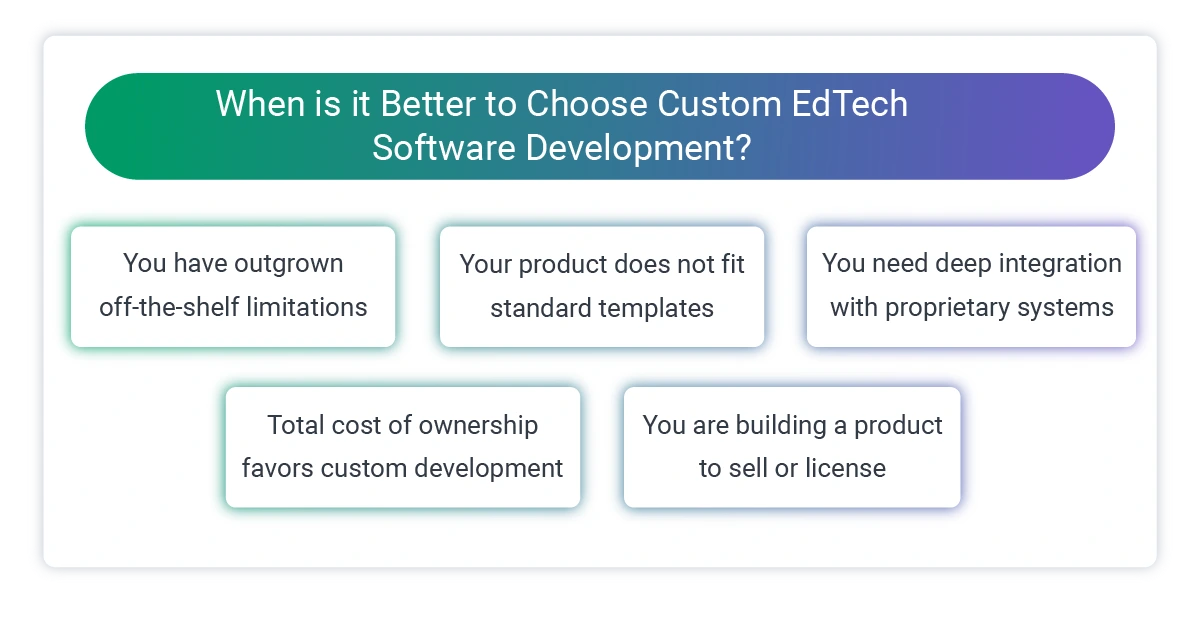
Custom EdTech software development becomes the better option when:
You have outgrown off-the-shelf limitations: Legacy applications are one of the most common trigger. A platform that served you well at 500 users creates significant friction at 50,000. Customization needs that a third-party vendor cannot or will not accommodate become blockers.
Your use case does not fit standard templates: Some EdTech problems are genuinely unique: a highly specialized assessment format, a regulatory environment that requires non-standard data handling, a content delivery model that does not map to how existing LMS products are built.
You need deep integration with proprietary systems: When your learning platform needs to be tightly coupled with internal tools that third-party vendors cannot access or integrate with cleanly.
Total cost of ownership favors custom development: Per-seat licensing for large user bases, combined with the cost of workarounds for platform limitations, sometimes exceeds the cost of building a purpose-fit solution. This calculation is worth running explicitly.
You are building a product, not just using one: If the EdTech platform is something you will sell or license to other organizations, off-the-shelf tools are almost always the wrong foundation.
If you are genuinely unsure where your situation falls on this spectrum, Softjourn is happy to help you work through the analysis before you commit to a direction.
Case Study Snapshot: Pivot Platform Modernization
Pivot, a data and analytics platform, reached the point where their legacy architecture was slowing down feature delivery. Rather than rebuilding from scratch, the team needed a structured modernization path that would unlock new capabilities without destabilizing what was already working. Softjourn worked through phased platform modernization, redesigning key parts of the system to enable faster development cycles and improving the user experience with configurable dashboards and smarter features. The result was a platform the team could move quickly on again.
Choosing an EdTech Development Partner

The quality of an EdTech development partner matters in ways that go beyond technical skill. Education software has to work for non-technical users in high-stakes environments, comply with regulations that carry real consequences, and survive long-term maintenance without becoming unmaintainable.
When evaluating development partners for EdTech projects, pay attention to:
Domain experience: A team that has built EdTech platforms before understands the content standards (SCORM, xAPI), the regulatory landscape, and the usability requirements specific to learning environments. This is not knowledge that transfers automatically from other software domains.
Full-cycle capability: EdTech projects rarely end at launch. They need ongoing support, feature development, performance monitoring, and security maintenance. A partner that treats launch as the finish line will leave you in a difficult position.
Integration experience: Most EdTech builds involve connecting to other systems: HR software, video platforms, payment processors, identity providers, and content libraries all require integration work. A partner with a record of delivering these successfully is worth more than one with theoretical knowledge of how they work.
Communication and process: The ability to translate technical decisions into business language matters. If a development team cannot explain why a particular architectural choice was made in terms that a non-technical stakeholder can evaluate, making informed decisions throughout the project becomes difficult.
References in similar projects: Ask specifically for references from EdTech or educational software development projects, not just software development projects in general. The challenges are different, and the references should reflect that.
Engagement Models
Softjourn offers three primary models for EdTech development work:
- Dedicated Team: A team of developers (and other specialists as needed) who work as an extension of your organization. This model works well for long-running product development, platforms with evolving roadmaps, and organizations that want consistent team knowledge without the overhead of in-house hiring.
- Fixed Bid: A defined scope, timeline, and cost. Best suited for projects with well-documented requirements and limited scope for change. This model reduces financial risk when requirements are stable, but requires thorough discovery and specification work upfront.
- Time and Materials: Development is billed based on actual hours worked. This model provides flexibility for projects where requirements are likely to change, features need to be validated with users before expanding, or the scope is genuinely uncertain at the start.
Many EdTech clients start with a fixed-bid discovery phase (architecture design, requirements documentation, technical specification) and move to a dedicated team or time-and-materials model for the development itself.
What to Expect from the EdTech Development Process
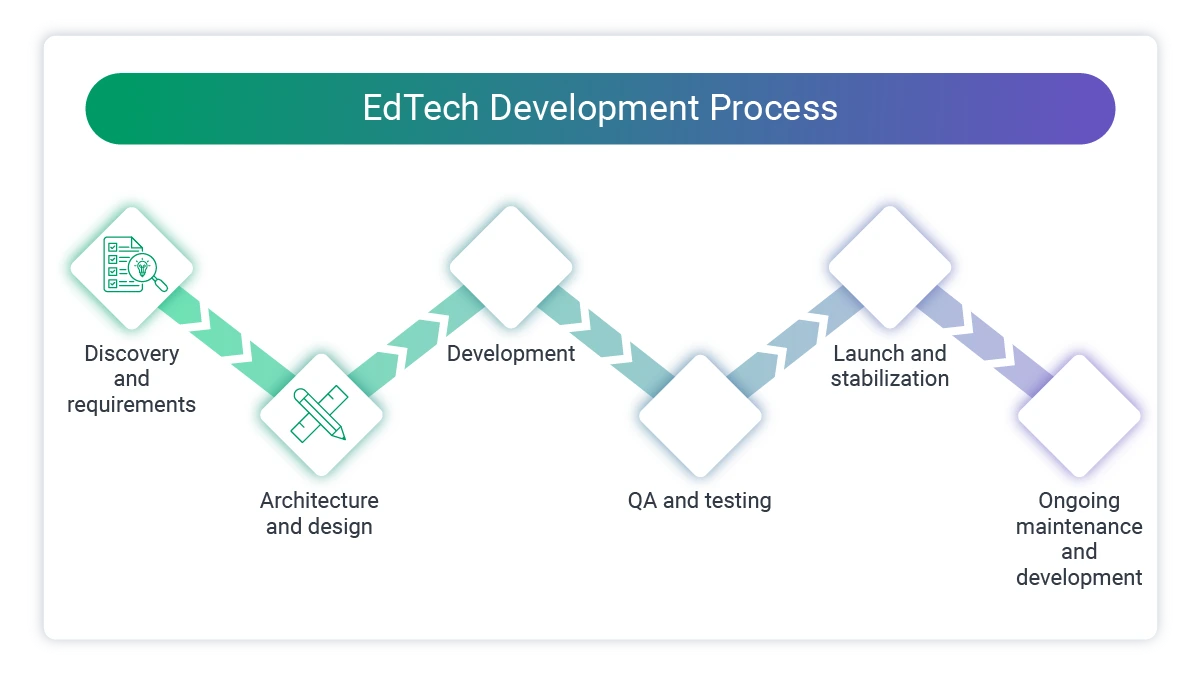
A well-run educational software development project follows a structured process, even when the method is agile. The phases below are consistent across most platforms, though timelines vary significantly based on scope.
- Discovery and requirements (2 to 6 weeks): Documenting what the platform needs to do, who it needs to serve, what it needs to connect to, and what constraints (regulatory, technical, organizational) must be respected. This phase prevents the most expensive mistakes.
- Architecture and design (2 to 6 weeks): Technical architecture decisions: platform structure, database design, integration approach, technology stack selection. UX/UI design for learner-facing and admin interfaces. These decisions are much cheaper to revisit in a design document than in code.
- Development (3 to 18+ months depending on scope): Iterative development in sprints. For most EdTech projects, it makes sense to prioritize learner-facing features early in order to gather real feedback before investing heavily in admin tools and reporting.
- QA and testing (ongoing through development, intensive before launch): Functional testing, performance testing, security testing, and accessibility auditing. For assessment platforms, testing needs to include adversarial testing of integrity features.
- Launch and stabilization (2 to 4 weeks post-launch): Monitoring platform performance under real load. Addressing issues that emerge when actual users interact with the system in ways that testing did not anticipate.
- Ongoing maintenance and development: EdTech platforms are not static products. Regulatory requirements change, technology dependencies need updating, and users develop new expectations. Long-term maintenance planning should be part of the initial engagement conversation, not an afterthought.
How Much Does EdTech Software Development Cost?

This is one of the most common questions in early-stage conversations, and also the one that is most difficult to answer honestly without knowing more.
EdTech projects span an enormous range: a focused mobile app for a single use case costs a fraction of what a multi-tenant enterprise LMS with regulatory compliance requirements and deep HR integrations will cost. Quoting a single number without understanding the scope would not serve you well.
What actually drives the cost of an EdTech build:
- Scope and feature set: A discovery-phase consultation or code audit is a very different engagement from a ground-up platform build. The more precisely the scope is defined upfront, the more reliable the estimate.
- Platform type: Mobile apps, web platforms, and enterprise systems have different architectural requirements and, therefore, different cost profiles.
- Integrations: Every third-party system your platform needs to connect to (HR software, payment processors, identity providers, video infrastructure) adds development time.
- Compliance requirements: Building to FERPA, COPPA, GDPR, or PCI-DSS standards adds design, development, and testing work that a non-regulated platform would not require.
- Customization vs. extension: Building from scratch, extending an existing open-source platform, or adding features to a system already in production each have different cost structures.
- Team model: A dedicated long-term team is structured differently from a fixed-bid project or a time-and-materials engagement.
The most reliable way to arrive at a real number is to start with a scoping and discovery phase. A well-defined scope produces an estimate that holds. A vague scope produces a number that will shift as the project moves forward.
Softjourn offers a free initial consultation to help you understand what your project actually involves before committing to a budget. If you have a platform in mind and want an honest read on scope and approach, this is a great place to start.
Future Directions in EdTech Software Development


The education technology sector in 2026 is being shaped by several forces that will continue to influence platform development over the coming years.
AI-assisted content creation: Generative AI tools are changing how learning content is produced. Development teams are building AI-assisted authoring tools into LMS and eLearning platforms, enabling subject matter experts to produce course materials faster and at lower cost. The quality control problem this creates (ensuring AI-generated content is accurate and pedagogically sound) is becoming its own product category.
Skills-based learning infrastructure: There is growing demand for platforms that track skills and competencies, not just course completions. This requires more sophisticated data models, tighter integration with HR and talent management systems, and a new category of content: granular, skills-aligned learning modules rather than full courses.
Embedded learning in workflows: Enterprise EdTech is moving toward learning experiences that happen within the tools employees already use, rather than requiring them to log into a separate training platform. Building integrations that surface learning content contextually inside Slack, Salesforce, or other workflow tools is a growing area of development.
Blockchain-backed credentials: Digital credentials verified on a blockchain are gaining traction for professional certifications and academic degrees. The technical infrastructure for issuing, verifying, and revoking these credentials is still being standardized, but several frameworks (IMS Global's Open Badges, W3C Verifiable Credentials) are establishing a foundation.
Expanding AR/VR adoption: As headset hardware improves and costs come down, immersive learning is moving from niche to mainstream in specific verticals. Medical training, skilled trades, and complex equipment operation are the clearest near-term opportunities. The development infrastructure that supports these experiences (3D asset pipelines, spatial UX design, cross-device compatibility layers) is also maturing, which reduces the barrier to entry for new platforms.
Inclusive and accessible design: Accessibility is moving from compliance checkbox to genuine product differentiator, particularly as educational software extends to serve global audiences with diverse technical infrastructure, language backgrounds, and ability profiles. Development investment in offline-first architectures, multilingual support, and WCAG compliance is increasing.
Final Word
EdTech software development is not a solved problem. The platforms being built today look nothing like what existed a decade ago, and the gap between what learners expect and what most platforms actually deliver is still significant.
The organizations that close that gap invest in understanding their learners' actual behavior, make deliberate technical choices rather than defaulting to whatever is most familiar, and treat their EdTech platform as a product that needs ongoing development attention rather than a project with a finish line.
If you are building, rebuilding, or scaling an EdTech platform and need a development partner with experience in the technical and business realities of education software, contact Softjourn to start the conversation.
Frequently Asked Questions
What is the difference between LMS development and eLearning platform development?
An LMS focuses on administration: managing learners, tracking progress, handling enrollment, and generating reports. An eLearning platform focuses on content delivery: the experience of actually learning. Many modern platforms combine both functions, but the distinction matters when scoping a project because the two have different design priorities and technical requirements.
How long does it take to build a custom LMS?
A basic LMS with core functionality (course management, learner tracking, assessments, and basic reporting) typically takes 4 to 8 months to build. A full-featured enterprise LMS with multi-tenancy, deep integrations, and advanced analytics can take 12 to 18 months or more.
What does EdTech software development cost?
EdTech projects typically range from $30,000 to $80,000 for a focused MVP, $100,000 to $300,000 for a mid-scale LMS or training platform with integrations, and $300,000 or more for enterprise-grade systems with AI, multi-tenancy, or complex compliance requirements. Consulting and scoping engagements are smaller investments that often precede a full build. Costs vary drastically depending on what your project requires and which software development partner you choose.
Do I need FERPA compliance if my platform is not used by a school?
FERPA applies specifically to educational institutions that receive federal funding. If your platform serves those institutions and handles student education records on their behalf, you likely qualify as a "school official" under FERPA and must comply accordingly. If your platform serves only corporate training or consumer eLearning without involvement from covered institutions, FERPA does not apply. Other privacy regulations (GDPR, CCPA) may still be relevant.
What content standards should my EdTech platform support?
SCORM (most commonly SCORM 1.2 and 2004) remains the most widely used standard for packaging and tracking eLearning content. xAPI (also called Tin Can) is the more modern standard and supports a broader range of learning activities, including mobile and offline learning. If your platform will need to import or export content created in third-party authoring tools (Articulate, Adobe Captivate, etc.), SCORM and/or xAPI support is typically necessary.
Can Softjourn build on top of an existing LMS like Moodle or Canvas?
Yes. Softjourn works on custom LMS development from the ground up, on extending and customizing existing open-source platforms, and on building integrations that connect existing LMS systems to other parts of your technology stack. The right approach depends on what you need your platform to do and what your current system can and cannot support.
When should we consider replacing our current LMS rather than extending it?
The decision to replace versus extend usually comes down to three factors: the cost of working around limitations (including developer time and workarounds), the risk of continued dependency on aging infrastructure, and whether the gap between what you need and what the current system can do is getting larger over time. A technical assessment of the existing system is usually the first step in making this call objectively.
When does an EdTech platform need a code audit?
A code audit is worth considering any time you are inheriting a platform you did not build, experiencing performance or stability problems you cannot easily diagnose, preparing for a significant feature expansion, or evaluating whether to extend an existing system or rebuild it. In EdTech specifically, code audits often surface issues around security and data handling that were not prioritized during an earlier, faster-moving development phase. Softjourn's code audit and modernization services are structured to give you a clear, honest picture of what you have before you commit to a direction.
Does Softjourn offer AR and VR development for EdTech platforms?
Yes. Softjourn's EdTech development services include AR and VR development for platforms where the use case supports it. Whether that means a fully immersive VR training environment or simpler AR overlays in a mobile learning app, the right scope depends on the learning objectives and budget. If you are evaluating whether immersive features belong in your roadmap, that is worth discussing early in the planning process.