
C# and .NET: A Complete Guide for Business Leaders
Understand the differences between C# and .NET to make smarter technology decisions for your business.

If you've been researching modern software development, you've likely encountered both "C#" and ".NET"; sometimes used interchangeably, sometimes separately, and often in confusing ways. Are they the same thing? Do you need both? Which one should your business use?
Here's the simple answer: C# is a programming language. .NET is the development platform it runs on. They work together seamlessly, but they're not the same thing.
Think of it this way: C# is like the English language, while .NET is like the complete publishing system — the printing press, distribution network, and bookstores that bring English books to readers worldwide.
In this comprehensive guide, we'll clarify the relationship between C# and .NET, explain what each is used for, and show you why businesses across industries choose them together for enterprise applications, web development, cloud solutions, and more.
What is C#?
C# (pronounced "C sharp") is a modern, object-oriented programming language developed by Microsoft in 2000 as part of its .NET initiative.

Key Characteristics of C#:
Type-Safe and Reliable: C# catches many errors at compile-time rather than runtime, reducing bugs and improving application stability.
Modern Syntax: C# offers clean, readable code with features like LINQ (Language Integrated Query), async/await for asynchronous programming, and pattern matching.
Object-Oriented: Built on principles of encapsulation, inheritance, and polymorphism, making it ideal for building scalable, maintainable applications.
Versatile: From desktop applications to web services, mobile apps to games, C# adapts to virtually any development scenario.
Continuously Evolving: Microsoft releases new C# versions regularly, adding modern features while maintaining backward compatibility.
What is C# Used For?
C# powers a remarkable range of applications across industries:
Web Applications: Using ASP.NET and ASP.NET Core (we'll discuss more about these frameworks deeper into the article), developers build responsive, secure web applications and APIs that handle millions of users.
Desktop Software: Windows desktop applications benefit from C#'s native integration with the Windows operating system, offering rich user interfaces and high performance.
Mobile Apps: Through .NET MAUI (Multi-platform App UI) and Xamarin, C# enables cross-platform mobile development for iOS and Android from a single codebase.
Game Development: Unity, one of the world's most popular game engines, uses C# as its primary scripting language. Major games across PC, console, and mobile platforms are built with C#.
Cloud Services: C# excels in building microservices, serverless functions, and cloud-native applications, especially on Microsoft Azure.
Enterprise Applications: From banking systems to healthcare platforms, C# powers mission-critical business applications that require security, scalability, and reliability.
IoT (Internet of Things): C# supports IoT development through .NET IoT libraries, enabling communication with sensors, devices, and edge computing scenarios.
What is .NET?
.NET is a free, open-source development platform created by Microsoft for building many different types of applications. It's not a programming language — it's the complete ecosystem that supports, runs, and enhances languages like C#.

Understanding .NET: The Core Components
.NET Runtime: The execution engine that runs your applications, manages memory through garbage collection, and provides security.
Base Class Libraries: Thousands of pre-built libraries for common tasks like file operations, database access, web requests, encryption, and more.
Development Tools: Including Visual Studio, Visual Studio Code, and command-line tools that streamline coding, debugging, and deployment.
Language Support: While C# is the most popular, .NET also supports F# (functional programming) and Visual Basic.
The Evolution of .NET
Understanding .NET's evolution helps clarify some confusion in the marketplace:
.NET Framework (2002-2019): The original, Windows-only version that powered enterprise applications for nearly two decades. Still maintained but no longer actively developed.
.NET Core (2016-2020): A complete rewrite designed to be cross-platform (Windows, Linux, macOS), open-source, and cloud-optimized. Higher performance and modern architecture.
Modern .NET (2020-Present): Starting with .NET 5, Microsoft unified the platform under simply ".NET" — combining the best of .NET Framework and .NET Core. Current versions (.NET 6, .NET 7, .NET 8+) are cross-platform, high-performance, and support modern development patterns.
What is .NET Used For?
The .NET platform enables development across virtually every scenario:
Cross-Platform Development: Build once, run anywhere — Windows, Linux, macOS, iOS, and Android.
Microservices Architecture: .NET's lightweight runtime and container support make it ideal for modern microservices deployed in Docker and Kubernetes.
API Development: Create RESTful APIs, gRPC services, and GraphQL endpoints that power mobile apps, web applications, and integrations.
Cloud-Native Applications: First-class support for Azure, AWS, and Google Cloud, with built-in tools for serverless computing, container orchestration, and distributed systems.
Enterprise Systems: .NET provides the security, scalability, and reliability that large organizations require for mission-critical applications.
Real-Time Applications: With SignalR, .NET enables real-time web functionality like chat applications, live dashboards, and collaborative tools.
But .NET isn't just a runtime – it includes specialized frameworks that make building these applications faster and easier.
Next, we'll explore the key frameworks you'll work with when using C# and .NET together.
C# Frameworks Within the .NET Ecosystem
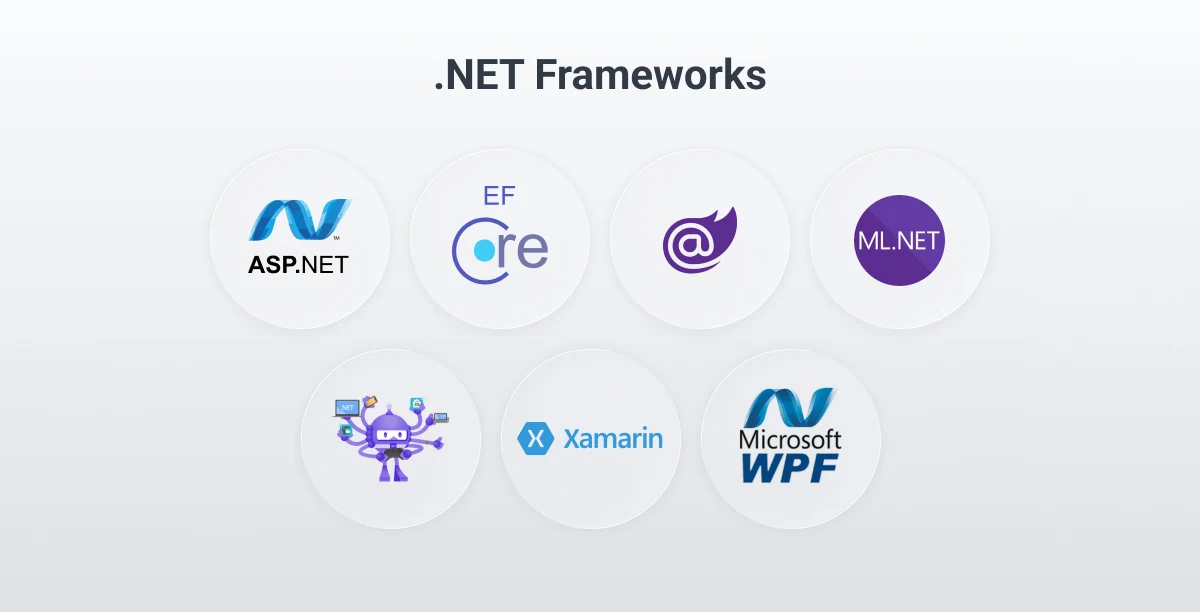
One source of confusion is that people refer to both ".NET" as a platform and "ASP.NET" or "Entity Framework" as frameworks. So what's the difference?
Here's the distinction:
- .NET is the platform (runtime + core libraries) that C# code runs on
- ASP.NET, Entity Framework, Blazor, etc., are specialized frameworks built on top of .NET for specific purposes (web, data, UI)
Why the confusion?
Microsoft brands everything under the ".NET" name, so you'll hear:
- ".NET for web development" (really meaning ASP.NET Core)
- ".NET for mobile" (really meaning .NET MAUI)
- ".NET for data access" (really meaning Entity Framework)
More accurate terminology would be:
These are C# frameworks that run on the .NET platform, similar to how Spring and Hibernate are Java frameworks that run on the JVM.
But since the industry (and Microsoft) calls them ".NET frameworks," we'll use that term here while acknowledging they're really specialized C# frameworks within the broader .NET ecosystem.
ASP.NET Core - Web Development Framework
ASP.NET Core is the framework for building modern web applications, RESTful APIs, and real-time services using C#.
What it's used for:
- Web applications with server-side rendering (MVC pattern)
- RESTful APIs for mobile apps and single-page applications
- Real-time services with SignalR (chat, notifications, live updates)
- Microservices and cloud-native applications
Why businesses choose it:
- High performance (one of the fastest web frameworks available)
- Cross-platform (Windows, Linux, macOS)
- Built-in security features and authentication
- Seamless cloud deployment to Azure, AWS, or Google Cloud
Entity Framework Core - Database Access
Entity Framework (EF) Core is an Object-Relational Mapper (ORM) that simplifies database operations in C# applications.
What it's used for:
- Database queries using C# LINQ instead of writing SQL
- Managing database schemas and migrations automatically
- Working with SQL Server, PostgreSQL, MySQL, SQLite, and more
- Reducing boilerplate data access code
Why businesses choose it:
- Faster development (no manual SQL for common operations)
- Type-safe database queries catch errors at compile-time
- Automatic change tracking and updates
- Support for complex relationships and advanced queries
Blazor - Interactive Web UIs with C#
Blazor lets you build interactive web user interfaces using C# instead of JavaScript.
What it's used for:
- Single-page applications (SPAs) with C# logic instead of JavaScript
- Rich, interactive dashboards and admin panels
- Web applications that need to share code with backend services
- Teams that prefer C# over JavaScript frameworks like React or Angular
Why businesses choose it:
- Full-stack C# development (same language front and back)
- Component-based architecture similar to React/Vue
- Can run on the server (Blazor Server) or in the browser (Blazor WebAssembly)
- Reuse business logic, validation, and data models between client and server
.NET MAUI - Cross-Platform Mobile and Desktop
.NET Multi-platform App UI (MAUI) is the framework for building native mobile and desktop applications with a single C# codebase.
What it's used for:
- iOS and Android mobile applications
- Windows and macOS desktop applications
- Apps that need native device features (camera, GPS, accelerometer, sensors)
- Cross-platform apps built from a single shared codebase
Why businesses choose it:
- Approximately 90% code sharing across platforms
- Native performance and platform-specific UI controls
- Access to platform-specific APIs when needed
- Lower development and maintenance costs than building separate native apps
Evolution note: .NET MAUI is the successor to Xamarin, which many organizations still use for existing mobile applications. Microsoft continues to support Xamarin while encouraging migration to MAUI.
Windows Presentation Foundation (WPF) - Windows Desktop Apps
WPF is a mature framework for building rich Windows desktop applications with C#.
What it's used for:
- Enterprise desktop applications for Windows environments
- Internal business tools and administrative interfaces
- Applications requiring complex, custom user interfaces
- Desktop software with advanced data visualization and reporting
Why businesses choose it:
- Powerful UI capabilities with XAML markup language
- Excellent for data-heavy applications with complex interfaces
- Deep Windows integration (file system, registry, native APIs)
- Mature ecosystem with extensive third-party control libraries
ML.NET - Machine Learning
ML.NET brings machine learning capabilities to C# developers without requiring Python expertise.
What it's used for:
- Predictive analytics and sales forecasting
- Sentiment analysis on customer feedback and reviews
- Image classification and object detection
- Anomaly detection in system monitoring and fraud detection
- Product recommendation engines
Why businesses choose it:
- Use existing C# skills for ML projects (no need to learn Python)
- Integrate ML models directly into .NET applications
- Deploy ML models alongside application code in production
- No need to manage separate Python environments or microservices
Key Supporting Libraries
Beyond frameworks, .NET includes thousands of libraries for common development tasks:
Serilog / NLog: Structured logging and application diagnostics
Dapper: Lightweight, high-performance micro-ORM for database access
AutoMapper: Object-to-object mapping for DTO conversions
Hangfire: Background job processing and task scheduling
MediatR: Mediator pattern implementation for clean architecture
FluentValidation: Model validation with readable, expressive syntax
Polly: Resilience and fault-handling (retries, circuit breakers, timeouts)
RestSharp: HTTP client library for third-party API integrationsNUnit / xUnit: Unit testing frameworks for test-driven development
Moq: Mocking framework for isolating dependencies in tests
C# vs .NET: Understanding the Relationship
The Simple Answer
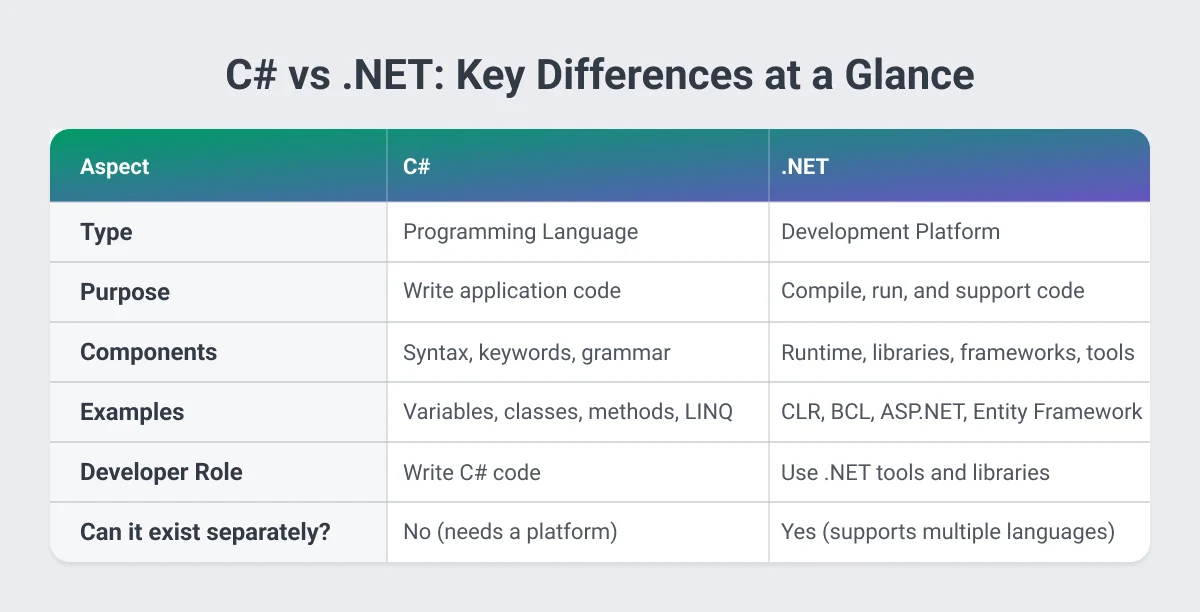
C# is one of several programming languages that run on the .NET platform. You write code in C#, and .NET provides everything needed to compile, run, secure, and scale that code.
Why the Confusion Exists
The confusion between C# and .NET is understandable:
- They were launched together in 2000
- C# was designed specifically for .NET
- They're both Microsoft technologies
- Developers often say "I'm a .NET developer" when they primarily write C#
- Job postings frequently list "C#/.NET" as if they're one thing
The Key Distinction
Here's the nice way to think about it:
C# = What you write: The syntax, logic, and structure of your application code
.NET = Where it runs: The platform that compiles, executes, and supports your C# code
Other .NET Languages
While C# dominates .NET development, the platform supports other languages:
F#: A functional-first language ideal for data analysis, scientific computing, and domains requiring mathematical precision.
Visual Basic (VB.NET): A legacy language still supported but no longer actively developed. Many organizations maintain VB.NET applications while new development uses C#.
C# and .NET: Better Together
While .NET technically supports multiple languages, C# has become synonymous with .NET development for good reasons:
1. Built for Each Other
C# was designed from the ground up for .NET. Every feature in C# takes full advantage of .NET capabilities, and every .NET enhancement considers C# developers first.
2. Largest Ecosystem
The vast majority of .NET libraries, frameworks, documentation, and community resources focus on C#. This means there are more tutorials, more Stack Overflow answers, and more open-source projects.
3. Modern Language Features
Microsoft prioritizes C# when adding modern programming features to .NET:
- Async/await for responsive applications
- LINQ for elegant data querying
- Pattern matching for cleaner conditional logic
- Record types for immutable data structures
- Nullable reference types for safer code
4. Industry Adoption
When companies hire ".NET developers," they almost universally mean C# developers. The job market, training programs, and enterprise standards have aligned around C# as the primary .NET language.
5. Continuous Investment
Microsoft releases a new major version of C# with each .NET release, ensuring the language evolves alongside the platform. Both receive enterprise support, security updates, and long-term stability commitments.
When to Use C# and .NET for Your Business
C# and .NET together form a powerful combination for businesses that need:
Enterprise-Grade Reliability
Organizations handling sensitive data, financial transactions, or mission-critical operations choose C# and .NET for their proven stability and security. Banks, insurance companies, and healthcare providers trust .NET for applications that cannot fail.
Rapid Development Cycles
The comprehensive .NET libraries and tooling mean developers spend less time building basic functionality and more time creating business value. Pre-built components for authentication, data access, caching, and API development accelerate time-to-market.
Cross-Platform Requirements
Modern .NET enables true "write once, run anywhere" development. Build a web API on Windows, deploy it to Linux containers in Azure, and serve mobile apps on iOS and Android — all from a single C# codebase.
Microsoft Ecosystem Integration
If your organization uses Windows Server, SQL Server, Azure, Active Directory, Office 365, or Dynamics 365, C# and .NET provide seamless, native integration that reduces development complexity and maintenance costs.
Scalability from Startup to Enterprise
.NET scales effortlessly from small applications serving hundreds of users to distributed systems handling millions of transactions per second. Netflix, Stack Overflow, and GE Aviation are among the companies running .NET at massive scale.
Long-Term Support and Stability
Microsoft provides predictable release cycles with Long-Term Support (LTS) versions that receive updates and security patches for three years, giving businesses confidence in long-term planning.
Industry-Specific Use Cases
Fintech: Security and Compliance
Financial technology companies choose C# and .NET for applications requiring PCI-DSS compliance, secure encryption for sensitive data, transaction reliability, integration with banking APIs, and real-time processing of high-volume transactions.
Real-World Example: Platform Migration – Tribal Credit
Tribal Credit, a fintech company providing multi-currency Visa business cards with AI-driven credit approvals, needed to transition from their 1.0 system to 2.0 while maintaining stability. Softjourn provided comprehensive documentation, extended their team with .NET and Java developers plus QA specialists, and delivered strategic technical guidance throughout the complex migration.
Results:
- Smooth transition from 1.0 to 2.0 delivered on time
- Documentation became the foundation for employee onboarding
- Database optimization increased performance and prevented future issues
"Softjourn really helped us grow to the next phase, and provided the stability for the transition to 2.0." — Justin Maples, Head of Engineering at Tribal Credit

Ticketing: Performance and Scalability
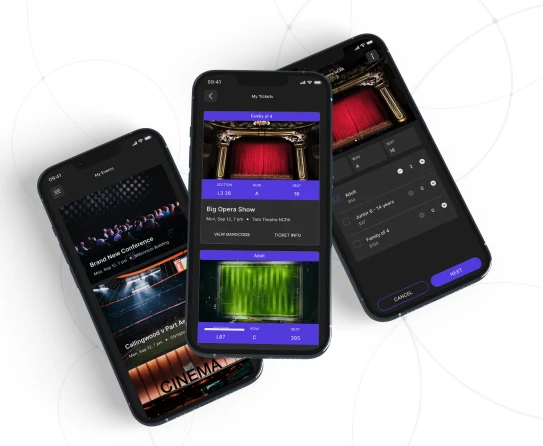
Ticketing platforms require technology that handles high-concurrency sales during on-sale moments, real-time inventory management, complex pricing rules, POS integration, and offline functionality when network connectivity drops.
Real-World Example: Cross-Platform Ticket Scanning – Ticketmaster
Ticketmaster faced high maintenance costs supporting separate iOS and Android codebases for their ticket-scanning apps. Softjourn investigated whether Xamarin (using C#) could meet their cross-platform needs. After a successful five-week prototype, we built a production app that worked with built-in cameras, barcode scanners, and rugged devices—all from a single C# codebase, including critical offline scanning mode.
Results:
- 200,000 tickets scanned within first few months of beta testing
- "Much-improved performance" compared to their proprietary in-house app
- Significantly reduced maintenance costs with single codebase
"They compared the Xamarin scanning solution with their proprietary in-house ticket scanning app, and they saw a much-improved performance." — Ticketmaster Product Manager
Expense Management: Control and Automation
Expense management platforms leverage C# and .NET for real-time spending controls, automated approvals, virtual and physical corporate card programs, receipt capture and reconciliation, and integration with accounting systems.
Real-World Example: A Decade of Innovation – PEX
PEX, a provider of next-generation corporate card and expense management solutions, has partnered with Softjourn for over 10 years. Starting with mobile app development in 2012, we've built their entire technology ecosystem including microservices architecture, physical and virtual card systems, rules-based spend management, and marketplace integrations with platforms like QuickBooks, Sage Intacct, Microsoft, and Zapier.
Results:
- Built highly scalable microservices architecture enabling continuous platform evolution
- Developed integrations with dozens of leading accounting and productivity platforms
- Migrated from monolithic to microservices architecture with .NET modernization
"Softjourn asked the right questions and involved people with the right experience. Softjourn has a lot of strong knowledge in the financial area." — Toffer Grant, Founder and CEO of PEX

Media & Entertainment: Rich Experiences
Media companies leverage C# and .NET for high-definition video streaming, content delivery network integration, digital rights management, real-time audience analytics, and interactive second-screen experiences.
Real-World Example: Social TV Viewing – ClipSync
ClipSync wanted to recreate the "watch together" experience online by synchronizing video playback across multiple users with real-time chat and interaction. Built on C# and ASP.NET, the platform integrated with TV.com to provide synchronized streaming for live events and episodic content.
Results:
- Real-time synchronization across thousands of concurrent viewers
- Chat and social interaction without stream lag
- Scalable architecture handling traffic spikes during premiere events

Other Industries We Serve
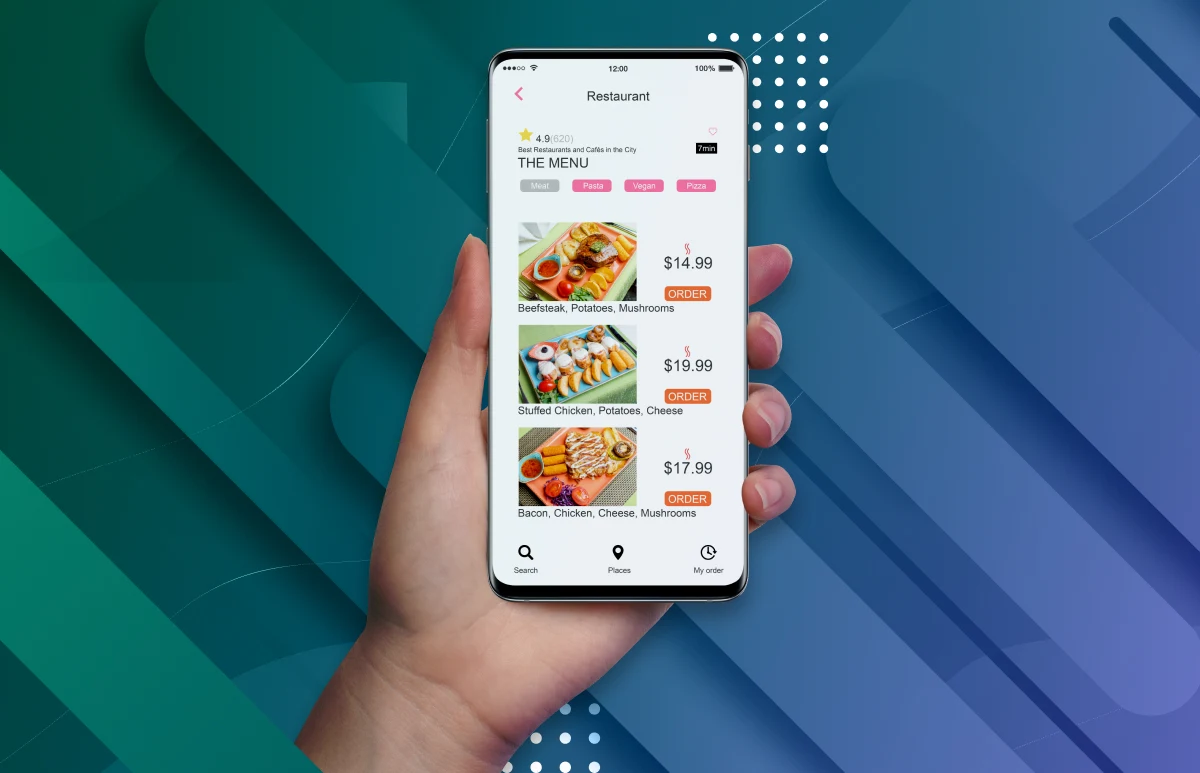
C# and .NET's versatility extends across sectors. Tacit, a white-label food ordering platform for restaurants, universities, hospitals, and casinos, has partnered with Softjourn for over 10 years. Using .NET, JavaScript, and PHP, we've built their complete ecosystem: mobile ordering apps, web-based solutions, multiple POS integrations, kiosk self-ordering systems, and in-seat ordering for events.
Results:
- 10+ years of continuous partnership with team scaling from 3 to 20 developers
- Developed 9 innovative APIs for food ordering and third-party integrations
- Built features including rotational menus, 2FA security, donations, and delivery network reconciliation
"Our developers continue to impress me with their expertise, knowledge, and dedication to our project. They are my team, and I count on them as if we were all working in the same office." — Brenda Crainic, CTO at Tacit Innovations
C# and .NET power applications across virtually every industry. Major companies leveraging this technology stack include Stack Overflow (handling 100+ million monthly visitors), Unity Technologies (powering thousands of games including Pokémon Go and Among Us), and UPS (logistics tracking). Other sectors include healthcare (telemedicine, patient management), education (e-learning portals), manufacturing (IoT, supply chain), real estate (property management, CRM), and government (case management, citizen portals).
[Explore more .NET case studies →]
Getting Started with C# and .NET Development
What to Consider Before Starting
Project Scope and Timeline: C# and .NET accelerate development for complex applications, but may be overkill for simple static websites. Consider the sophistication of your requirements.
Platform Requirements: If you need Windows desktop applications or deep Microsoft ecosystem integration, C# and .NET are ideal. For pure Linux environments with no Microsoft services, evaluate whether the benefits justify the choice.
Team Skills: Does your team have C# expertise, or will you need to hire or train? The strong typing and object-oriented nature of C# are easier to learn than some alternatives, but require investment.
Long-Term Maintenance: .NET's stability and long-term support mean lower maintenance costs over time, but you need developers who can support the application years from now.
Budget Considerations: .NET itself is free and open-source, but consider costs for:
- Visual Studio licenses (optional; VS Code is free)
- Azure hosting (if chosen; many alternatives exist)
- Third-party libraries or components
- Developer salaries or outsourcing costs
Build vs. Outsource Decision
Build In-House When:
- You have existing .NET expertise on staff
- The application is core to your business IP
- You need complete control over development priorities
- You're building long-term engineering capability
Outsource or Partner When:
- You lack .NET expertise and need to move quickly
- The project requires specialized skills (e.g., Azure architecture, performance optimization)
- You want to avoid the overhead of hiring full-time developers
- You need to scale development capacity temporarily
Why Partner with Experienced C# and .NET Teams
Working with a specialized development partner offers several advantages:
Immediate Expertise: Access to senior developers, architects, and specialists without the time and cost of recruiting.
Proven Patterns: Long-tested architectures, security implementations, and coding standards that prevent costly mistakes.
Scalability: Quickly scale the team up or down as project phases change, paying only for capacity you use.
Reduced Risk: Established QA processes, code review standards, and project management expertise reduce the risk of delays or technical debt.
Focus on Business: Your internal team focuses on business logic and requirements while technical experts handle implementation details.

Why C# and .NET Belong in Your Technology Strategy
Understanding that C# is a programming language and .NET is the development platform clarifies why they're often mentioned together: they form a complete, proven technology stack that powers applications from startups to Fortune 500 enterprises.
How Softjourn Can Help
At Softjourn, we've delivered C# and .NET solutions for over a decade across fintech, ticketing, media & entertainment, expense management, and more. Our Microsoft Gold Partner status and certified developers ensure you're working with recognized .NET experts.
Softjourn's experienced C# and .NET development teams can help you bring your vision to life. Whether you need custom application development, legacy system modernization, team extension to scale your capacity, cloud migration, or strategic consulting to chart your technology roadmap, we have the expertise to deliver solutions that drive your business forward.
Contact us today to discuss your project and discover how C# and .NET can power your next application.
Frequently Asked Questions
Is .NET a programming language?
No. .NET is a development platform (runtime, libraries, and tools) that supports multiple programming languages, including C#, F#, and Visual Basic. C# is the primary programming language used with .NET.
Is C# the same as .NET?
No. C# is a programming language you write code in, while .NET is the platform that compiles, runs, and supports that code. They work together but serve different purposes — C# is what you write; .NET is where it runs.
Can I use .NET without C#?
Yes. .NET supports other languages like F# and Visual Basic. However, C# is by far the most popular choice, with the largest ecosystem of libraries, tools, and community support.
What does .NET stand for?
.NET doesn't stand for anything — it's a brand name Microsoft chose to represent their development platform. The pronunciation is "dot net."
Is C# only for Windows?
No. While C# was originally Windows-focused, modern .NET (since .NET Core) is fully cross-platform. You can develop and run C# applications on Windows, Linux, and macOS, and target iOS, Android, and web browsers.
What is a .NET developer vs C# developer?
In practice, these terms are used interchangeably. A ".NET developer" typically means someone who writes C# code using the .NET platform. Some developers may specify "C# developer" to emphasize language expertise, but the roles are effectively the same in most organizations.
Is .NET free to use?
Yes. .NET is completely free and open-source. You can develop, deploy, and distribute .NET applications without any licensing fees. Microsoft provides free development tools (Visual Studio Community, VS Code) as well.
Which companies use C# and .NET?
Major companies using .NET include Microsoft (obviously), Stack Overflow, GE Aviation, Siemens, UPS, Alaska Airlines, and thousands of enterprises worldwide. The platform powers mission-critical applications across virtually every industry.
How do C# and .NET compare to Java?
Both are mature, enterprise-grade platforms with similar capabilities. C# generally offers more modern language features and tighter integration with Microsoft tools, while Java has broader platform independence and a larger open-source ecosystem. The choice often depends on existing infrastructure and team expertise.
What's the difference between .NET Framework and .NET Core?
.NET Framework is the legacy, Windows-only version (no longer in active development). .NET Core was the cross-platform rewrite. As of .NET 5 and later, Microsoft unified them into simply ".NET" — which is cross-platform, open-source, and the recommended choice for all new development.